
Data Entry Automation: Your Guide to Effortless Workflows
Clura Team
Manual data entry costs organizations an average of $877,000 per year from financial data mistakes alone, with 24,000 hours spent on pointless rework. Data entry automation uses AI-powered tools to grab, sort, and move data from websites and documents into your systems — completely hands-free.
Whether you are a sales team copying leads from LinkedIn into a CRM, a marketing team tracking competitor prices, or an operations team aggregating supplier data, the ROI of automation compounds quickly. This guide covers the full workflow: from choosing the right data extraction tool to building repeatable pipelines that run daily without human intervention.
Automate Your Data Entry in 5 Minutes
Clura's AI browser agent extracts structured data from any website and delivers it as a clean CSV — ready to import into your CRM, spreadsheet, or analytics platform. No code, no setup.
Add to Chrome — Free →The True Cost of Manual Data Entry
Manual data entry costs far more than the hourly rate of the person doing it — it creates decision paralysis from stale data, damages team morale through repetitive low-value work, and propagates errors that corrupt downstream systems.
The $877,000 annual cost figure captures only direct financial errors. The full cost of manual data entry includes three additional categories that are harder to measure but equally damaging:
- Decision paralysis — when your CRM data is 3 weeks old, you are making decisions on stale information
- Team morale — high-caliber employees burning hours on copy-paste work disengage and leave
- Garbage data — manual entry introduces a 1-4% error rate that corrupts every downstream analysis and workflow
| Factor | Manual | Automated |
|---|---|---|
| Speed | Hours per dataset | Minutes per dataset |
| Accuracy | 96-99% (1-4% error rate) | 99.9%+ |
| Cost | High (labor + rework) | Low (tool cost only) |
| Scalability | Linear with headcount | Near-infinite |
| Employee Impact | Negative (low-value work) | Positive (freed for strategy) |
66% of businesses use automation specifically to reclaim employee time from repetitive tasks. The question is no longer whether to automate data entry — it is how quickly you can build the workflows.
Build Your First Automated Workflow in 5 Minutes
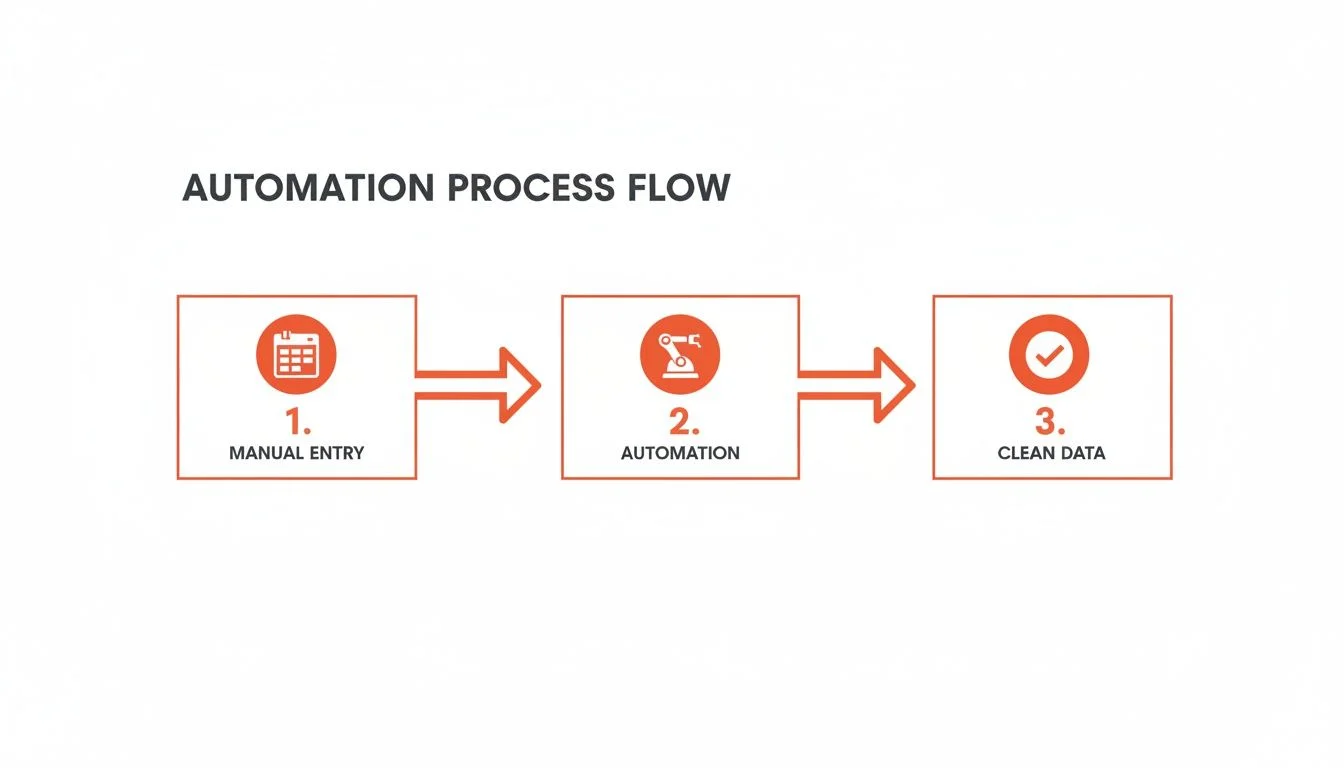
Your first automated data entry workflow needs just three steps: define exactly which data fields you need, run an AI browser agent to extract them from the source, and export a clean, import-ready CSV.
Here is a concrete example: building a LinkedIn Sales Navigator lead list for a sales team. This is one of the most common and highest-ROI data entry automation use cases.
Step 1: Define Your Target Data
Before touching any tool, decide exactly what fields you need in your output: Full Name, Job Title, Company Name, Company Website, and LinkedIn Profile URL. Write these down as column headers — your dataset schema is defined before extraction begins.
Step 2: Launch the AI Agent
Navigate to your Sales Navigator search results with the filters already set (title, company size, industry, geography). Open Clura, pick the LinkedIn lead list template, and click Run. The AI agent scrolls through the results pages, identifies each prospect's profile card, and populates your defined columns automatically. See our guide on PDF data extraction to Excel for document-based extraction workflows.
Step 3: Export Your Clean CSV
Click Export. Your CSV downloads with every field cleanly separated, ready to import into your CRM, email sequencing tool, or Google Sheets. No manual cleaning, no merged cells, no copy-paste errors.
3 Automation Recipes for Common Use Cases
The three most valuable data entry automation recipes for business teams are lead generation from LinkedIn, candidate sourcing from job boards, and product and review monitoring from G2 and Capterra.
Here are three ready-to-implement automation recipes organized by team function:
| Team | Source | Key Data Fields | Output |
|---|---|---|---|
| Marketing | Shopify competitor stores | Product name, Price, Stock status | Competitive pricing CSV |
| Recruiting | LinkedIn / Indeed | Skills, Contact info, Current role | Candidate pipeline sheet |
| Research | G2 / Capterra | Star rating, Review text, Reviewer role | Review sentiment database |
By 2025, 51.60% of the data center automation market consists of cloud deployments, growing at a 21.65% CAGR through 2031. This shift reflects a broader move from desktop automation tools to cloud-native, API-first workflows that integrate with existing tech stacks without requiring on-premises infrastructure.
Your Automation Recipe Is Already Built
Clura includes prebuilt templates for LinkedIn, Amazon, G2, Crunchbase, and dozens of other sources. Pick a template, set your parameters, and your data is ready in minutes.
Add to Chrome — Free →Connect Automated Data to Your Systems
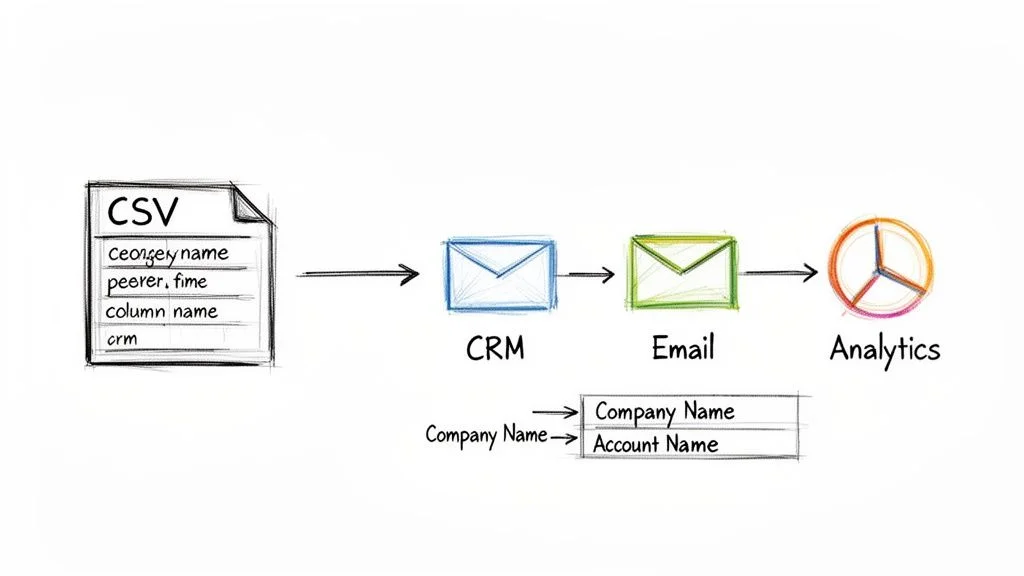
The final step in data entry automation is data mapping — aligning the column names in your extracted CSV to the exact field names expected by your CRM, email platform, or analytics tool before import.
Once your CSV is exported, the last step is getting it into your systems of record. Push it to Google Sheets for collaborative analysis using our CSV to Google Sheets import guide, or directly into your CRM via CSV import or native integration.
Data mapping is the most commonly skipped step and the most common source of import failures. Before uploading any CSV to your CRM:
- Compare your CSV column headers against your CRM field names — 'Company' in CSV vs 'Account Name' in Salesforce
- Rename CSV headers to match CRM field names exactly before upload to avoid manual mapping each time
- Check data types — dates must match your CRM's expected format (MM/DD/YYYY vs YYYY-MM-DD)
- Test with a 10-record sample import before uploading thousands of records
For Salesforce users, the Salesforce Data Import Wizard walks through field mapping step by step. For HubSpot, the native CSV import includes an intelligent field-matching preview that catches mismatches before they corrupt your database.
Measuring the ROI of Data Entry Automation
Calculate the monthly ROI of data entry automation by multiplying hours saved per week by 4 weeks by the hourly cost of the person who was doing the work manually — most teams recover their tool investment within the first week.
Use this simple formula to calculate your monthly savings from data entry automation:
(Hours Saved Per Week) x 4 x (Hourly Labor Cost) = Monthly Savings
Example: A sales team spends 10 hours per week entering leads from LinkedIn into their CRM. At $40/hour, that is $1,600/month in labor cost. Clura's Grow plan at $15/month pays for itself in the first 30 minutes of use.
Beyond time savings, quantify error reduction and productivity lift. Manual data entry carries a 1-4% error rate — if you are importing 500 leads per month, that is 5-20 corrupted records. Each corrupted record wastes a sales rep's time and potentially loses a qualified prospect. And reclaimed time does not disappear — it converts into more outreach, more pipeline, and more revenue. See our full guide on best data extraction software to compare options at different price points.
79% of organizations that implement data entry automation report positive ROI within year one. The median payback period is under three months for teams that fully commit to automated workflows across their primary data sources.
Frequently Asked Questions
Is data entry automation hard to set up?
No — modern no-code tools like Clura require zero programming knowledge. You install a Chrome extension, navigate to the website containing your data, click the fields you want to extract, and export. The entire setup for a new data source typically takes under 5 minutes. Prebuilt templates for common sources like LinkedIn, Amazon, and G2 reduce this to under 2 minutes.
What types of data can be automated with these tools?
Any publicly available structured data on a website can be automated: B2B lead data from LinkedIn and company directories, product data and pricing from e-commerce sites, candidate profiles from job boards, customer reviews from G2, Capterra, Google, and Yelp, news mentions and social posts, and real estate listings and financial data from public sources.
How does data entry automation handle websites with different layouts?
AI-powered tools like Clura use pattern recognition to understand page structure rather than relying on hard-coded CSS selectors. The AI identifies repeating data patterns — like a list of product cards or a table of search results — and extracts the correct fields even when the exact layout varies. Prebuilt templates handle the most common sources automatically, and the AI adapts to minor layout changes without requiring manual reconfiguration.
Is automated data entry legal?
Yes, for publicly available data. Collecting data from public-facing web pages is legal in most jurisdictions, supported by US court rulings including hiQ v. LinkedIn. Best practices: respect the site's robots.txt file, scrape at a human-like pace to avoid server overload, only collect data you have a legitimate business purpose for, and handle any personal data in compliance with GDPR and CCPA.
Conclusion
Data entry automation is one of the highest-ROI investments any data-dependent team can make. The combination of time savings, error elimination, and productivity lift typically delivers 10-50x returns on tool cost within the first month.
The key to success is starting with one workflow, proving the ROI, and systematically expanding automation to every manual data collection process in your team. Build the habit of asking 'could this be automated?' before starting any new data entry task.
The teams that win in 2026 are the ones that treat data collection as infrastructure — automated, reliable, and continuously running in the background while their people focus on the work that actually requires human judgment.
Explore related guides:
- Best Data Extraction Software — Compare the top data extraction tools for every budget and use case
- PDF Data Extraction to Excel — How to extract tables and text from PDFs into Excel automatically
- CSV to Google Sheets — Import and sync CSV data into Google Sheets in seconds
Automate Your Data Entry Today — Free
Clura's AI browser agent extracts structured data from any website in minutes. Free tier includes 300 rows per month. No credit card, no code, no setup required.
Add to Chrome — Free →About the Author