
Free Amazon reviews scraper – Export Data to CSV, Excel & JSON
Scrape customer reviews and ratings from Amazon product review pages, with results saved to your Clura account and exportable as CSV or JSON.
Run this templatePricing
Pay once, scrape forever
$29.99 one-time
Unlimited rows & unlimited scrapes
- All Free plan features, plus:
- Unlimited rows per scrape
- Unlimited scrapes per day
- 14-day cloud storage
- Priority support
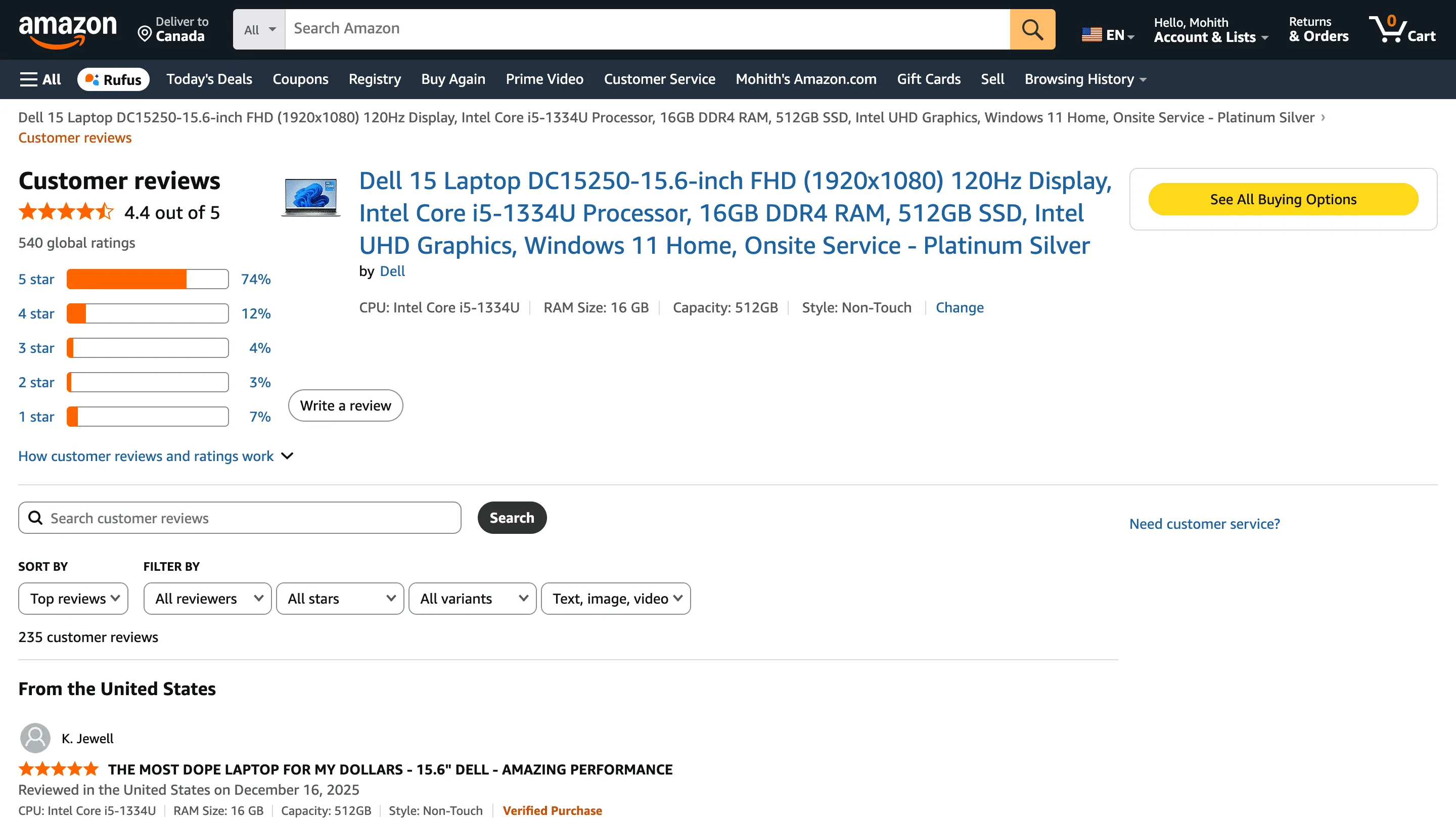
Clura’s Chrome extension includes an Amazon Product Reviews Scraper template that extracts structured customer review data from the currently open Amazon product reviews pages. This template is designed for sellers, marketers, product managers, and researchers who analyze customer feedback on Amazon and want to convert visible reviews into clean, analyzable datasets.
After you navigate to a product’s reviews section and apply filters such as star rating, language, or sort order (most recent, top reviews), the scraper reads the review cards displayed on the page. You can review and customize which fields are extracted, confirm how the scraper should navigate results (pagination), and add additional fields if required. Once run, the scraper collects reviews across pages, saves everything to your Clura account, and allows export as CSV or JSON for sentiment analysis, product improvement, or competitive research.
Relevant For
Amazon Sellers & Brand Owners
Analyze customer feedback to identify product issues, feature requests, and satisfaction drivers.
Product Managers & CX Teams
Extract reviews at scale to perform sentiment analysis and guide product improvements.
Marketing & Growth Teams
Identify common pain points and positive themes to refine messaging and positioning.
Researchers & Data Teams
Build structured review datasets for trend analysis, NLP models, or competitive benchmarking.
How to Use
- 1
Open an Amazon product’s reviews page
Go to an Amazon product and click on the customer reviews section. Apply filters such as star rating, language, or sort order if needed.
- 2
Open the Clura extension
Click the Clura Chrome extension icon. Available scraper templates will be displayed.
- 3
Configure the scraper
Select the Amazon Product Reviews Scraper template.Review and confirm:
- 4
Run, save, and export
Run the scraper. Extracted reviews are saved to your Clura account. Once complete, export the data as CSV or JSON for further analysis.
Fields Scraped
| Field | Type |
|---|---|
| Title | Text |
| Url | URL |
| Author | Text |
| Date | Date |
| Rating | Number |
Export Formats
Example Output
| Title | Url | Author | Date | Rating |
|---|---|---|---|---|
| Game changer for daily commutes | https://amazon.com/review/R1A2B3C4 | Sarah M. | March 3, 2025 | 5 |
| Good product but packaging was damaged | https://amazon.com/review/R5D6E7F8 | James K. | February 18, 2025 | 3 |
Frequently Asked Questions
What data does this scraper extract from Amazon product reviews?
It captures the review title, review URL, author name, review date, and star rating for each customer review visible on the page.
Does it work on any Amazon product's reviews page?
Yes. Navigate to the customer reviews page for any Amazon product, then activate Clura to begin collecting reviews.
Can it scrape reviews across multiple pages?
Yes. Clura automatically navigates through paginated review pages so you can collect the complete review history for a product.
Can I filter by star rating before scraping?
Yes. Use Amazon's built-in review filters to show only 1-star, 5-star, or verified reviews before running the scraper.
How is this useful for product and market research?
Analyzing review trends, recurring complaints, and sentiment patterns helps sellers improve products, marketers craft messaging, and researchers benchmark satisfaction.
Related Scrapers
Free Amazon reviews scraper – Export Data to CSV, Excel & JSON
Scrape customer reviews and ratings from Amazon product review pages, with results saved to your Clura account and exportable as CSV or JSON.
Free Shopify stores scraper – Export Data to CSV, Excel & JSON
Scrape store, product, and brand-level data from Shopify-powered stores you’re browsing, with results saved to your Clura account and exportable as CSV or JSON.
Free Amazon best sellers scraper – Export Data to CSV, Excel & JSON
Scrape top-ranked products from Amazon Best Sellers pages, with results saved to your Clura account and exportable as CSV or JSON.