
Free Amazon best sellers scraper – Export Data to CSV, Excel & JSON
Scrape top-ranked products from Amazon Best Sellers pages, with results saved to your Clura account and exportable as CSV or JSON.
Run this templatePricing
Pay once, scrape forever
$29.99 one-time
Unlimited rows & unlimited scrapes
- All Free plan features, plus:
- Unlimited rows per scrape
- Unlimited scrapes per day
- 14-day cloud storage
- Priority support
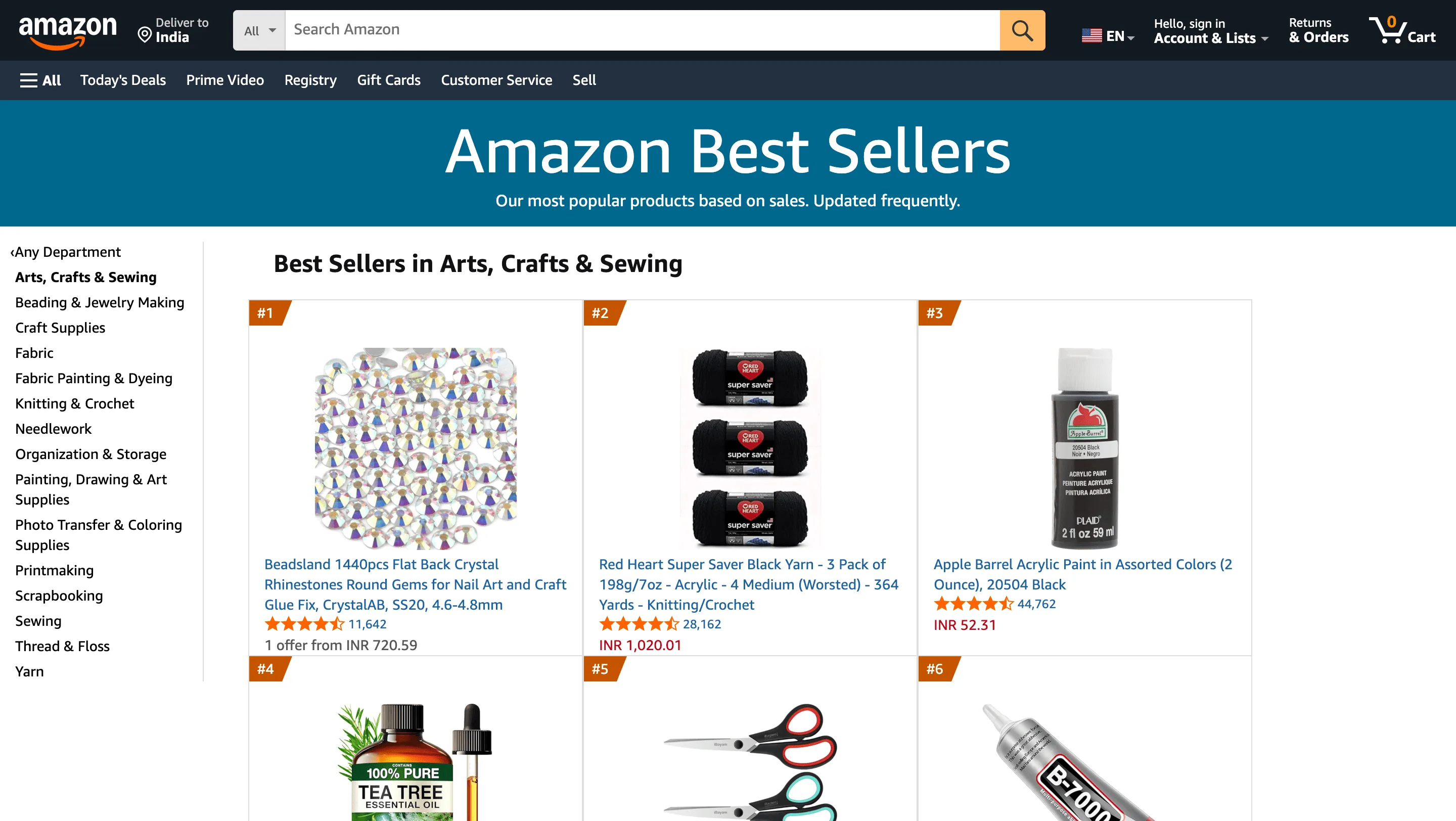
Clura’s Chrome extension includes an Amazon Best Sellers Scraper template that extracts structured product and ranking data from the currently open Amazon Best Sellers pages. This template is built for sellers, brand operators, marketers, and analysts who track winning products on Amazon and want to convert visible rankings into clean, structured datasets.
After you browse a Best Sellers category or subcategory (for example, Electronics → Accessories or Books → Business & Money), the scraper reads the product cards and ranking positions displayed on the page. You can review and customize which fields are extracted, confirm pagination for navigating across category pages, and add additional fields if required. Once run, the scraper collects best-seller data across pages, saves everything to your Clura account, and allows export as CSV or JSON for product research, competitive analysis, or trend tracking.
Relevant For
Amazon Sellers & Brand Owners
Identify top-performing products in a category to guide product launches, pricing, and differentiation.
E-commerce & Marketplace Analysts
Track category leaders and ranking changes to understand demand trends and competition intensity.
Growth & Marketing Teams
Discover best-selling products to inform ad strategy, keyword targeting, and positioning.
Researchers & Product Teams
Build structured datasets of best sellers for category analysis, benchmarking, or market studies.
How to Use
- 1
Browse Amazon Best Sellers
Go to Amazon and navigate to the Best Sellers section. Drill down into the category or subcategory you want to analyze.
- 2
Open the Clura extension
Click the Clura Chrome extension icon. Available scraper templates will be displayed.
- 3
Configure the scraper
Select the Amazon Best Sellers Scraper template.Review and confirm:
- 4
Run, save, and export
Run the scraper. Extracted best-seller data is saved to your Clura account.Once complete, export the results as CSV or JSON for further analysis.
Fields Scraped
| Field | Type |
|---|---|
| Product Rank | Text |
| Product Title | Text |
| Product Url | URL |
| Price | Number |
Export Formats
Example Output
| Product Rank | Product Title | Product Url | Price |
|---|---|---|---|
| 1 | Apple AirPods Pro (2nd Generation) | https://amazon.com/dp/B0CHWRXH8B | $189.00 |
| 2 | Kindle Paperwhite (16 GB) | https://amazon.com/dp/B08KTZ8249 | $139.99 |
Frequently Asked Questions
What data does this scraper extract from Amazon Best Sellers?
It captures product rank, product title, product URL, and price for each item listed on Amazon's Best Sellers pages.
Can I scrape best sellers from any product category?
Yes. Navigate to Amazon Best Sellers for any category — Electronics, Books, Toys, Kitchen — and activate Clura to collect all visible ranked products.
Does it work on subcategory best seller lists too?
Yes. Amazon Best Sellers pages exist for top-level and subcategory levels, and Clura works on both.
Can I use this to identify trending products for selling?
Yes. Best seller ranks update hourly on Amazon, making this data valuable for e-commerce sellers tracking demand and competition.
How do I export the best seller data?
All scraped data is saved to your Clura account and can be exported as CSV, Excel, Google Sheets, or JSON.
Related Scrapers
Free Amazon product listings scraper – Export Data to CSV, Excel & JSON
Scrape product listing data from Amazon search and category result pages, with results saved to your Clura account and exportable as CSV or JSON.
Free Amazon reviews scraper – Export Data to CSV, Excel & JSON
Scrape customer reviews and ratings from Amazon product review pages, with results saved to your Clura account and exportable as CSV or JSON.
Free Shopify stores scraper – Export Data to CSV, Excel & JSON
Scrape store, product, and brand-level data from Shopify-powered stores you’re browsing, with results saved to your Clura account and exportable as CSV or JSON.