
A Modern Guide to LinkedIn Data Scraping
Clura Team
LinkedIn data scraping is the secret to automatically pulling public information from profiles, company pages, and job listings—transforming LinkedIn's massive professional network into a structured, actionable database you can actually use.
LinkedIn data scraping is a core part of modern web scraping for lead generation. Think of it as your superpower for building targeted lead lists, digging into market research, or keeping a close eye on your competition—without any of the manual work.
Modern tools have made this strategy accessible to everyone. No coding required. In this guide, we'll show you exactly how sales, marketing, and recruiting teams use LinkedIn scraping to make smarter decisions—and how you can set up your first workflow in under two minutes.
Extract LinkedIn Data in Seconds — No Code Required
Clura lets you scrape LinkedIn search results, profiles, and company pages into clean, structured datasets with one click. No code, no manual copy-pasting—just data ready for your CRM or outreach tool.
Add to Chrome — Free →What Is LinkedIn Data Scraping?
LinkedIn data scraping is the process of extracting publicly available data—such as names, job titles, company information, and profile URLs—from LinkedIn profiles, company pages, and search results, then structuring that data into datasets for use in lead generation, recruitment, market research, and sales prospecting.
LinkedIn data scraping is the process of extracting publicly available data—such as names, job titles, company information, and profile URLs—from LinkedIn profiles, company pages, and search results.
This data is then structured into formats like CSV or Excel for use in lead generation, recruitment, market research, and sales prospecting.
Instead of manually copying information profile by profile, scraping automates the entire process—turning LinkedIn into a scalable, continuously updated data source. A single workflow can extract hundreds of profiles in the time it would take a human to manually review five.
Why LinkedIn Data Scraping Is a Game-Changer
LinkedIn is on track to surpass 1.3 billion registered members by 2026 and drives an estimated 75–85% of all B2B leads from social media—making it the single richest source of professional data for sales, recruiting, and market research.
In today's B2B world, success is all about precision. Manually sifting through profiles for leads isn't just slow—it's a massive competitive disadvantage. LinkedIn's visitor-to-lead conversion rate is 2.74%, three to four times higher than Facebook or Twitter. The network holds an enormous volume of the exact professional data you need.

What You Can Do With LinkedIn Data
- Sales teams: build highly specific prospect lists filtered by job title, industry, company size, and location
- Recruiters: create detailed talent pools by pulling skills, experience, and education to find the perfect candidate fit
- Marketers: analyze competitor hiring trends, track follower growth, and spot market shifts before they happen
- Researchers: aggregate industry data to understand market dynamics and identify emerging trends
By automating data collection, you free up your team to focus on what actually moves the needle: analyzing insights, personalizing outreach, and closing deals. This shift from manual work to strategic action is what gives your business a massive advantage.
Types of LinkedIn Data You Can Scrape
LinkedIn provides multiple publicly available data layers—profile data, company data, search results, job listings, and event attendees—each serving a different use case from lead generation to competitive intelligence.
Before you start, it helps to understand what's actually available. LinkedIn exposes several distinct data types, and the right one depends on your goal:
- Profile Data — name, job title, current company, location, work history, education, and the About section summary (perfect for personalization)
- Company Data — company size, industry, employee count, hiring trends, recent activity, and follower growth
- Search Results Data — filtered lists based on job title, location, industry, seniority level, and company size
- Job Listings — hiring signals and company growth indicators showing where companies are investing and expanding
- Event Attendees — highly targeted lists of engaged professionals who have self-identified interest in a topic
Each data type serves a different purpose. Profile and search results data drives lead generation and recruiting. Job listings power sales prospecting by surfacing buying signals. Company data feeds competitive intelligence. Knowing which layer you need shapes which tool and workflow to use.
This is especially powerful when combined with a broader B2B lead generation strategy—LinkedIn data becomes one input into a multi-source prospecting system.
LinkedIn Scraping vs. Manual Prospecting
Manual LinkedIn prospecting averages a few profiles per hour with high error rates—automated LinkedIn scraping extracts hundreds of structured profiles in minutes, with consistent formatting and no copy-paste mistakes.
Manual prospecting doesn't scale. Here's a direct comparison of what it looks like to build a lead list of 500 prospects manually versus with an automated scraping tool:
| Metric | Manual Research | LinkedIn Scraping |
|---|---|---|
| Speed | Slow — minutes per profile, hours for a list of 100 | Fast — hundreds of profiles in minutes |
| Accuracy | Prone to typos and copy-paste errors | Structured and consistent every time |
| Scale | Limited by the number of hours in a day | Highly scalable — run the workflow again anytime |
| Cost | High time cost — your team's hours are the resource | Low tool-based cost, reusable workflows |
| Data freshness | Depends entirely on your research effort | Real-time data pulled directly from LinkedIn |
Manual prospecting doesn't scale. LinkedIn scraping transforms the platform into a high-speed data engine—giving your sales and recruiting teams more time to focus on outreach, relationships, and revenue.
Picking the Right Tool for LinkedIn Scraping
The best LinkedIn scraping tool depends on your volume and technical comfort: browser extensions like Clura are ideal for targeted lists of hundreds to thousands of profiles, while custom Python scripts are suited for large-scale bulk data projects.
This is the most important decision you'll make. The tool you choose is the difference between getting the data you need in minutes and spending weeks wrestling with technical issues.
This is exactly where tools like Clura stand out—turning LinkedIn pages into structured datasets in seconds without coding.
Browser Extensions: The Fastest Way to Get Data
For pure speed and simplicity, nothing beats a browser extension. Tools like Clura live right inside your browser, making them perfect for sales pros, recruiters, and marketers who need clean, targeted data without writing a single line of code. Navigate to a LinkedIn search page, click a button, and the extension extracts all the data on screen into a neat CSV.
- Who it's for: salespeople building lead lists, recruiters sourcing candidates, marketers grabbing competitor intel
- Ease of use: if you can browse the web, you're an expert
- Scale: great for hundreds to a few thousand profiles per session
- Cost: predictable subscription, many with free plans for small projects
Custom Scripts: For Total Control
If you're comfortable with code and need absolute control over large-scale data projects, building a custom script in Python (using libraries like Beautiful Soup or Requests) gives you complete flexibility. The trade-off is a steep learning curve and ongoing maintenance when LinkedIn changes its layout.
Browser Extension vs. Custom Script: Which Is Right for You?
| Feature | Browser Extension (e.g., Clura) | Custom Python Script |
|---|---|---|
| Tech skills needed | None | High (Python, HTML, CSS) |
| Time to get started | Under 2 minutes | Hours, if not days |
| Perfect for | Targeted lead and contact lists | Bulk data for deep analysis |
| Upkeep | Handled for you | All on you |
| Data volume | Thousands of records | Millions of records |
| Cost | Predictable monthly subscription | Infrastructure + developer time |
For the vast majority of sales, marketing, and recruiting projects, a browser extension is the smarter choice. LinkedIn's official API is restrictive, expensive, and difficult to access—it's not a practical option for most teams.
How to Scrape LinkedIn Data: A Step-by-Step Guide
Setting up a LinkedIn scraping workflow with a browser extension takes under two minutes: install the extension, navigate to your target LinkedIn page, select a prebuilt template, click run, and export a clean CSV file.
Forget wrestling with code. Getting started with a browser-based tool is a world away from building a custom script—this process is designed for everyone, not just developers.
- Install the browser extension — go to the Chrome Web Store, find Clura, and click "Add to Chrome"
- Go to your target page — open LinkedIn and navigate to a search results page, company employee list, or event attendee list
- Launch the scraper — click the extension icon and choose a prebuilt template for what you want to extract
- Run and export — hit "Run" and let the tool work. When it's done, download your clean, organized CSV file
Turn LinkedIn Into a Lead Database
Stop copying profiles manually. With Clura, you can extract hundreds of LinkedIn profiles in minutes, automatically structure data into clean datasets, export directly to Excel or CSV, and build ready-to-use lead lists instantly.
Add to Chrome — Free →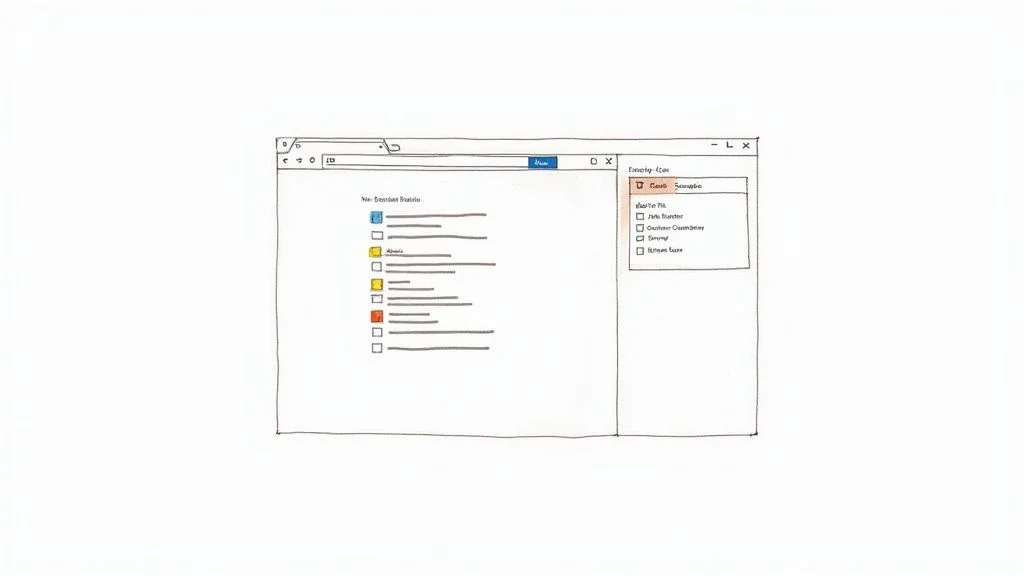
How to Scrape LinkedIn to Excel
Scraping LinkedIn to Excel means extracting profile or search result data from LinkedIn and exporting it as a structured CSV file that opens directly in Excel or Google Sheets—ready for CRM import, outreach campaigns, or reporting.
Most LinkedIn scraping workflows end with exporting data into Excel for analysis or outreach. With modern browser-based tools, this process is completely automatic—no manual formatting, no copy-pasting, no data cleanup required.
- Extract data from LinkedIn search results, profiles, or company pages
- The tool automatically structures it into clean columns (name, title, company, location, profile URL)
- Export directly as a CSV file with one click
- Open in Excel or upload directly to Google Sheets
This allows you to instantly turn LinkedIn into a usable dataset for CRM imports, email outreach campaigns, and reporting—without any manual data entry. The same workflow that builds your lead list also delivers it in the exact format your tools expect.
LinkedIn Scraping Use Cases
The most common LinkedIn scraping use cases are building hyper-targeted B2B lead lists, analyzing competitor talent strategy, and sourcing passive candidates for recruitment—all of which are impractical to execute manually at scale.
Use Case #1: Building a Hyper-Targeted Lead List
Imagine you sell marketing software to fintech companies. Your mission: build a list of Marketing Managers at fintech startups in New York. Doing this by hand would take hours. Instead, run a LinkedIn search with your exact criteria—Industry: Financial Services, Location: New York City, Job Title: Marketing Manager—then activate your scraper. You'll end up with a ready-to-use CSV in minutes:
- Full Name
- Job Title
- Company Name
- LinkedIn Profile URL
- Location
This workflow is the execution layer of a complete B2B lead generation strategy—you define the ICP, LinkedIn surfaces the matching profiles, and the scraper structures the data for outreach.
Use Case #2: Analyzing Competitor Talent
One of the best ways to understand a competitor's strategy is to see who they're hiring. Navigate to their company page, click the "People" tab, and scrape the full employee list. Then analyze the trends:
- Where are they growing? A surge in sales hires signals a push into a new market or a new product motion
- Who are they hiring from? Engineers from specific companies reveal product priorities and technology bets
- Are they expanding? A cluster of new hires in a new city is a clear signal of geographic expansion
Running this scrape quarterly gives you a continuously updated window into your competitor's playbook—turning raw hiring data into strategic intelligence.
Use Case #3: Building a Talent Pool for Recruiters
Recruiters can build a private, searchable pool of passive candidates by proactively scraping profiles matching their ideal candidate persona. Instead of starting from scratch for every new role, you dip into your curated talent pool—dramatically speeding up time-to-hire and giving you access to candidates who aren't actively looking.
Best Practices for Safe LinkedIn Scraping
The safest LinkedIn scraping approach mimics human browsing behavior—slow, randomized request pacing, mixed activity patterns, and residential proxies—making automated collection nearly indistinguishable from a real user.
Scraping LinkedIn is a powerful tool for growth, but you have to do it smartly. Think of yourself as a polite guest at a networking event—you wouldn't sprint around grabbing every business card in sight. Move at a natural pace and be respectful. The goal is to be so smooth you're practically invisible.
Act Human, Not Like a Bot
- Pace yourself — a human doesn't view 30 profiles a second. A slow, steady rhythm always wins
- Add random delays — good tools automatically add random pauses between actions to break up robotic patterns
- Mix up your activity — don't just scrape profiles. Real users browse their feed and look at company pages too
Legal and Ethical Guidelines
- Stick to public data only — never attempt to grab information behind a privacy wall. If it's not publicly visible, it's off-limits
- Respect terms of service — using tools that mimic safe, human-like behavior is essential for responsible long-term use
- Use data responsibly — what you do with the data matters as much as how you got it. Use it for targeted, relevant outreach, not spam
When combined with proxy rotation—routing requests through different IP addresses to distribute your digital footprint—these practices create a data collection process that's powerful, responsible, and sustainable.
Turning Raw LinkedIn Data Into Business Wins
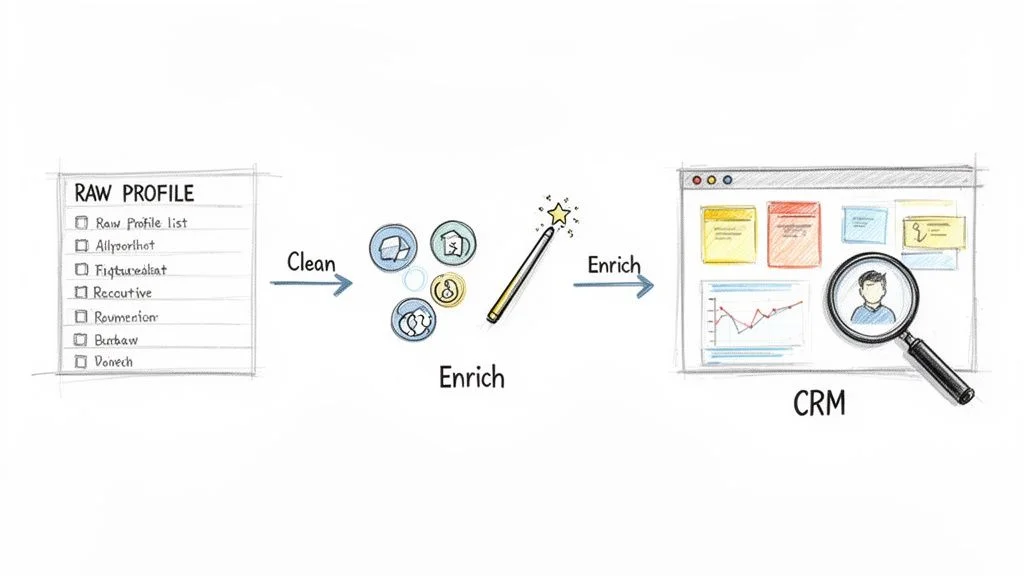
Raw scraped LinkedIn data becomes valuable when you clean it, enrich it with verified contact details, and push it into a CRM or outreach tool—transforming a spreadsheet of names into a live, trackable sales pipeline.
A spreadsheet full of names is not a strategy—it's a starting point. The real value comes when you connect that data to your business processes.
From a Simple List to a Sales Pipeline
- Clean and standardize — fix typos, standardize job titles, ensure consistent column formatting
- Enrich with emails — take your list of names and companies to a data enrichment tool to find and verify professional email addresses
- Push to your CRM — import the enriched list into HubSpot or Salesforce to track interactions, set automated follow-ups, and measure ROI
This scrape-and-enrich workflow is the foundation of modern web scraping for lead generation—and LinkedIn is just one of many sources you can apply it to.
Market Intelligence for Marketers
For marketing teams, scraped LinkedIn data reveals what competitors are actually doing—not just what they say publicly. Track follower growth trends, monitor hiring surges that signal product launches, and analyze which content is generating engagement from your shared audience. A jaw-dropping 46% of all social media traffic to B2B websites comes from LinkedIn—monitoring this gives you a direct window into your competitors' playbooks.
Common LinkedIn Scraping Mistakes to Avoid
The most common LinkedIn scraping mistakes are scraping too fast, skipping data enrichment, using poorly targeted searches, and over-automating outreach—each of which reduces lead quality and risks account restrictions.
Most teams that struggle with LinkedIn scraping aren't using the wrong tool—they're making avoidable process mistakes. Here's what to watch for:
- Scraping too fast — high-volume rapid requests trigger LinkedIn's anti-bot detection and can get your account flagged. Always use tools that mimic human browsing pace with randomized delays.
- Not enriching data — raw scraped profiles rarely include email addresses. Without enrichment, your leads remain unusable for direct outreach.
- Using generic search criteria — broad, unfiltered lists with poor ICP targeting result in low reply rates regardless of how well-crafted your outreach is.
- Ignoring ICP definition — scraping thousands of profiles without a clear ideal customer profile wastes your team's time on low-quality leads.
- Over-automating outreach — blasting the same template to every scraped lead eliminates the personalization that drives replies. Use data to personalize, not just to scale.
The best results come from combining smart targeting, controlled automation, and personalized engagement. Quality always outperforms volume in B2B outreach.
3 LinkedIn Scraping Playbooks: Sales, Recruiting, and Marketing
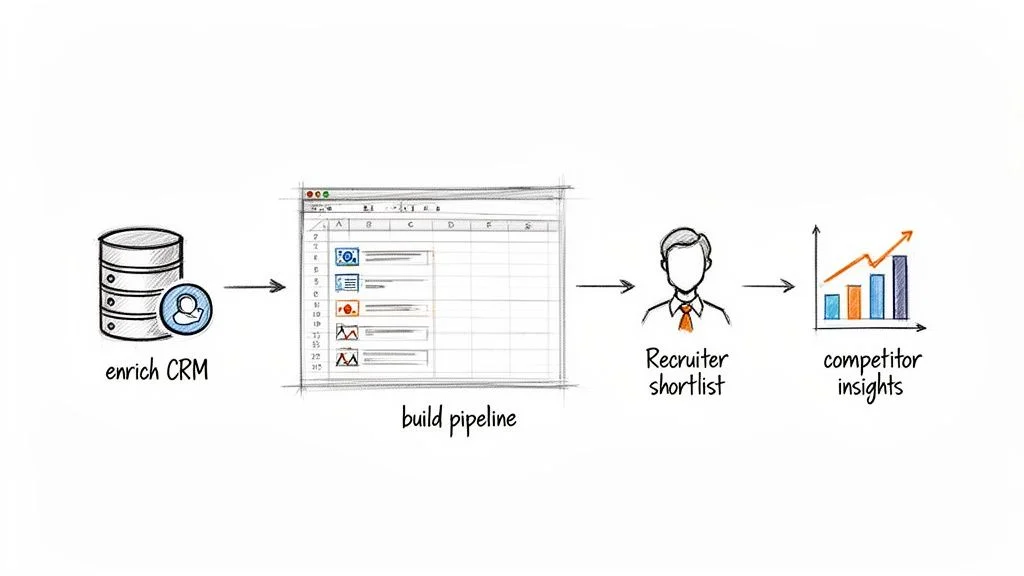
The three most effective LinkedIn scraping playbooks are: (1) sales teams building hyper-targeted lead lists from search results, (2) recruiters proactively building talent pools before roles open, and (3) marketers running competitive intelligence by monitoring competitor hiring patterns.
Playbook 1: Sales — Build a Hyper-Targeted Lead List
- Define your target: Run a LinkedIn search like "VP of Marketing at SaaS companies, 50–200 employees, North America"
- Scrape the results: Use Clura to extract names, job titles, companies, locations, and profile URLs from the search results page
- Enrich contacts: Run the list through an enrichment tool to find verified work emails and direct-dial numbers
- Activate: Import the enriched list into your CRM and launch a personalized outreach sequence
What used to take a full day of manual research now takes 15 minutes. The list is fresher, more targeted, and ready to use immediately — no stale database required. This is the execution layer of any B2B lead generation strategy.
Playbook 2: Recruiting — Build a Proactive Talent Pipeline
- Identify talent hubs: Find companies known for producing top candidates in your target role
- Scrape employee lists: Navigate to their LinkedIn company pages and extract public employee lists, filtering by relevant job titles
- Build your watch list: Import into your ATS tagged as a pre-vetted passive talent pool
- Activate on demand: When a new role opens, you already have a shortlist — dramatically cutting time-to-hire
Recruiters using this approach stop starting from scratch on every new role. Instead, they build a continuously refreshed pool of passive candidates — giving them a structural advantage in competitive markets.
Playbook 3: Marketing — Run Competitive Intelligence
- Track competitor hiring: Scrape the "People" tab of your top competitors quarterly to see who they're hiring and from where
- Monitor job postings: A sudden spike in ML engineer job posts at a rival company signals an AI product push — act accordingly
- Analyze employee growth: Track headcount changes over time to gauge funding rounds, expansion plans, and market momentum
- Feed your strategy: Use these signals to inform product roadmap decisions, sharpen positioning, and outmaneuver the competition
Monitoring a competitor's hiring patterns is one of the most underrated forms of competitive intelligence. What they hire reveals what they're building. What they stop hiring reveals what they're abandoning.
Frequently Asked Questions
Is LinkedIn data scraping legal?
Scraping publicly available data from LinkedIn is generally legal. Major court decisions have backed this up—if you can see it without being a connection, it's typically fair game. However, you cannot scrape data behind a login or protected by privacy settings, and you must respect privacy laws like GDPR. Using tools designed to act like a real person minimizes risk and is considered responsible practice.
How do I avoid getting my account banned while scraping LinkedIn?
The key is making your activity look completely human. Use a tool that adds random delays between actions, limits the number of profiles visited per session, and mixes scraping with normal browsing activity. Combine this with quality residential proxies that route requests through different IP addresses. The goal is to blend in—not to extract as much data as possible as fast as possible.
What data can I actually get from LinkedIn scraping?
Any information publicly visible on a LinkedIn profile or company page: full names, job titles, current and past companies, work history, education, location, the About section summary, company size, industry, and employee count. What's off-limits is anything private—direct messages, private contact info, or non-public connection data.
Can I scrape email addresses directly from LinkedIn?
Not reliably—most people hide their email on LinkedIn, so direct scraping rarely produces usable addresses. The professional approach is a two-step process: first scrape LinkedIn for core profile data (name, title, company), then run that list through a data enrichment service that finds and verifies the correct professional email address for each person.
What is the best tool for LinkedIn data scraping?
For sales, marketing, and recruiting teams who don't want to write code, a browser extension like Clura is the best choice—it installs in seconds, works on any LinkedIn page, handles pagination automatically, and exports a clean CSV instantly. For large-scale engineering or research projects requiring millions of records, a custom Python script gives you more control but requires significant technical investment.
Conclusion
LinkedIn data scraping is one of the most powerful strategies available to modern sales, recruiting, and marketing teams. It transforms the world's largest professional network from a place you browse into a database you query—at scale, automatically, and in real time.
The formula is simple: pick the right tool for your volume, scrape the right data layer for your use case, clean and enrich the output, and push it into your existing workflow. Done right, it turns hours of manual research into minutes of automated extraction.
Explore related guides:
- Web Scraping for Lead Generation — build automated lead pipelines from any website, not just LinkedIn
- How to Generate B2B Leads — full outbound system playbook — from ICP to outreach
- LinkedIn Lead Generation Strategies — turn scraped LinkedIn data into conversations and conversions
- AI Web Scraper Chrome Extension — extract structured data directly from your browser across any website
Turn LinkedIn Into Your Lead Generation Engine
Clura's AI Chrome extension extracts structured data from LinkedIn profiles, search results, and company pages—automatically. No code, no manual effort. Just clean, targeted data ready for your CRM or outreach tool.
Add to Chrome — Free →About the Author