
How to Scrape Google Search Results: The Ultimate Guide
Clura Team
Scraping Google search results lets you extract structured data—like rankings, websites, business listings, and product prices—directly from Google and turn it into a usable dataset.
Instead of manually copying links one by one, you can automate the entire process and export results into a clean spreadsheet in seconds. This is how modern teams track keyword rankings at scale, build lead lists from local search results, monitor competitor pricing in real time, and discover new SEO and market opportunities.
In this guide, you'll learn exactly how to scrape Google search results step-by-step, which tools work best (no-code and advanced), how to avoid getting blocked by Google, and real-world use cases for SEO, sales, and research.
Scrape Google Search Results in 2 Minutes — No Code
Clura's AI Chrome extension turns any Google search page into a structured dataset. Point at the results you want, click extract, and export to CSV or Excel instantly. No proxies, no scripts, no maintenance.
Add to Chrome — Free →What Is Google Search Scraping?
Google search scraping is the process of automatically extracting structured data—such as page titles, URLs, meta descriptions, local business listings, and product prices—from Google's search engine results pages (SERPs) and organizing it into a usable format like a spreadsheet or database.
Every Google search result is a signal: what content works, which companies dominate, and where demand exists. Scraping these results lets you collect and analyze this intelligence at scale instead of reading through pages manually.
Web scraping Google search results is the same foundation used in web scraping for lead generation and B2B prospecting workflows—where Google becomes a discovery engine for high-intent leads, competitor intelligence, and market signals.
Why Scraping Google Is a Game-Changer
Scraping Google gives you direct access to the most valuable dataset on the internet: what people are searching for and what Google ranks highest—at a scale impossible to match manually.
Every search result is a signal: what content works, which companies dominate, where demand exists. Instead of guessing, you can extract and analyze this data at scale. A staggering 42% of all web scraping activity targets search engines, and with Google holding a 89.66% share of the global search market, it's clear where the most valuable data lives.
What You Can Do With Google SERP Data
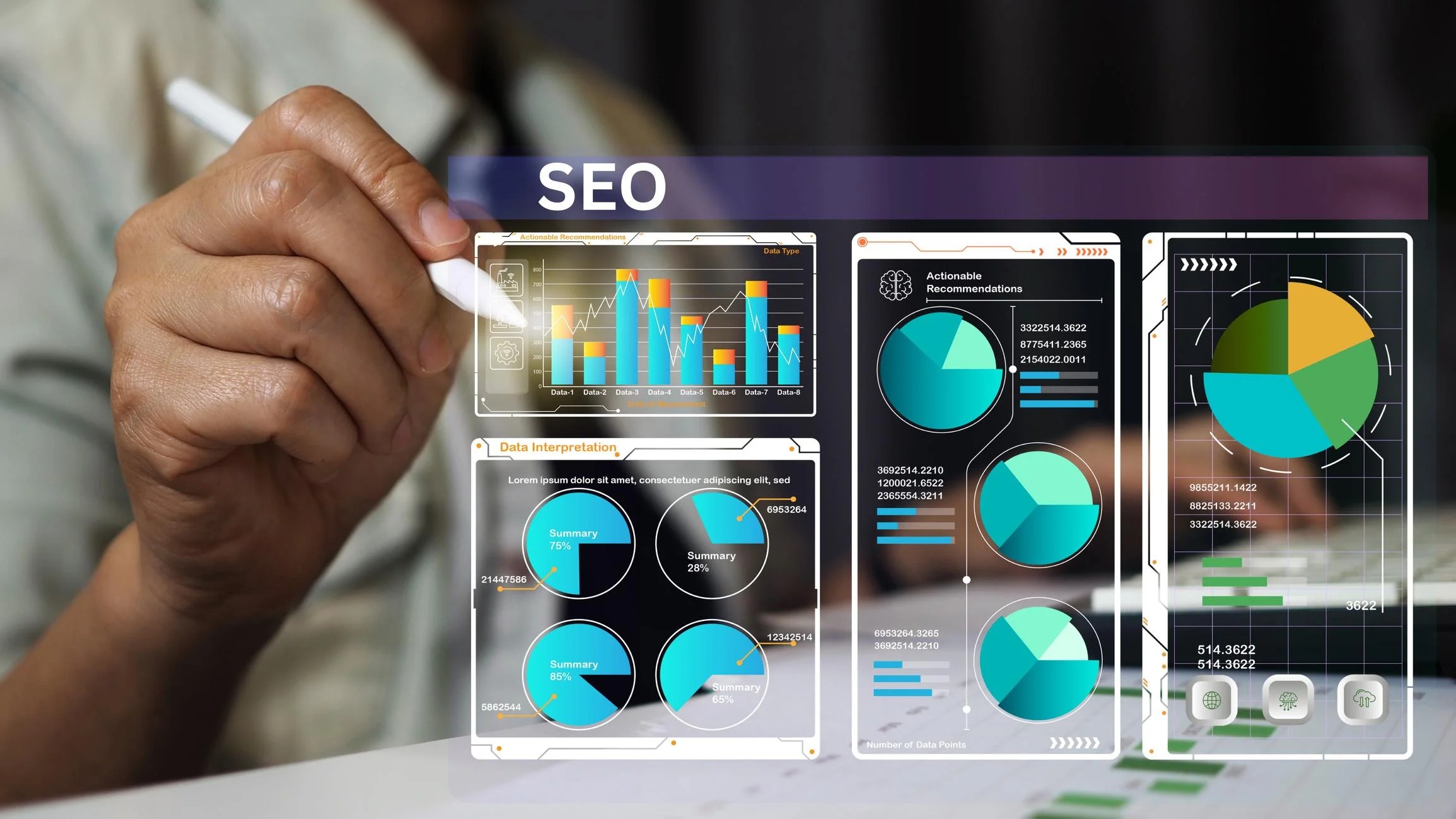
- Spy on your competition: track rivals' SEO strategies, ad placements, and product pricing straight from search rankings
- Supercharge your SEO: monitor keyword performance, find content gaps, and discover new ranking opportunities based on what Google rewards
- Master market research: analyze search trends and People Also Ask boxes to understand exactly what your customers want
- Build targeted lead lists: pull business names, websites, and contact details from local search results for your sales team
The Fastest Way to Scrape Google (No Code)
The fastest way to scrape Google search results without code is to use an AI browser extension like Clura—install it, run a Google search, point at the results you want, and export a clean CSV in under two minutes.
If you don't want to deal with proxies, scripts, or APIs, the fastest approach is using an AI browser agent like Clura. Here's the simplest workflow:
- Search on Google (e.g., marketing agencies in New York)
- Open the Clura Chrome extension
- Click on the result elements you want: titles, links, phone numbers, ratings
- Run the extraction — Clura handles pagination automatically
- Export to CSV or Excel with one click
No code. No setup. No maintenance. Unlike traditional scrapers, Clura understands page structure visually—so you don't need to inspect HTML or write CSS selectors. This is the exact workflow most sales and SEO teams use today.
Scrape Google Search Results in 2 Minutes
Clura turns any Google results page into a structured dataset instantly. Point at what you want, extract, and export to CSV or Excel. No code, no proxies, no maintenance required.
Add to Chrome — Free →A Quick Look at Google Scraping Methods
| Method | Technical Skill | Best For |
|---|---|---|
| AI Browser Tools (e.g., Clura) | None | Lead generation, SEO research, quick targeted extraction — best for 90% of users |
| Python Scripts | Medium-High | Custom projects with full control over data logic and output format |
| Headless Browsers (Selenium, Playwright) | Medium | Scraping dynamic JavaScript-heavy pages at small to medium scale |
| SERP APIs | Low (API calls) | Enterprise-scale scraping requiring 100% uptime and millions of queries |
What Data Can You Extract from Google Search Results?
Google search results contain multiple extractable data layers: organic result titles and URLs, meta descriptions, local business listings, featured snippets, People Also Ask questions, shopping results, and paid ad data.
Before you start scraping, it helps to know what's actually available on a Google SERP. Each data type serves a different use case:
- Titles and URLs — the core of every organic result; used for SEO rank tracking and competitor content analysis
- Meta descriptions — the snippet text below each result; reveals how competitors position their pages
- Featured snippets — the answer boxes Google surfaces at Position 0; shows which content format Google rewards for a query
- People Also Ask — related questions Google surfaces mid-SERP; goldmine for content gap analysis and long-tail keyword discovery
- Local Pack data — business names, addresses, phone numbers, ratings, and website URLs from Google Maps results
- Shopping results — product names, prices, retailer names, and stock status from Google Shopping
- Paid ads — ad copy, landing page URLs, and positioning data from Google Ads placements
Each data layer is available through different scraping approaches. Local Pack data is ideal for lead generation. Shopping results power price monitoring. Organic titles and URLs drive SEO competitive analysis.
Your Google Scraping Toolkit
The right Google scraping tool depends on your volume and technical comfort: no-code AI browser extensions work for 90% of teams, while Python scripts and SERP APIs serve developers and enterprise-scale projects.
There's a path for everyone—whether you want results in the next two minutes or need industrial-strength infrastructure for millions of queries.
1. No-Code AI Scrapers (Best for 90% of Users)
AI-powered browser tools like Clura plug right into your browser and let you extract data from any Google results page with a single click. Works directly in your browser with no selectors, handles pagination automatically, and exports structured data instantly.
- Works directly in your browser — no installation beyond the Chrome extension
- No CSS selectors or HTML inspection needed — visual point-and-click interface
- Handles pagination automatically — scrapes multiple pages without manual intervention
- Exports to clean CSV or Excel instantly
- Best for: lead generation, SEO research, competitor analysis, quick data extraction
2. Python Scripts (Full Control)
For coders who need total control, Python with libraries like Requests and BeautifulSoup gives you a custom scraper that does exactly what you want. Best for complex projects with specific data transformation requirements.
3. Headless Browsers (Dynamic Pages)
Tools like Playwright or Selenium run a real browser invisibly in the background—ideal for JavaScript-heavy pages that load content dynamically and can't be scraped with simple HTTP requests.
4. SERP APIs (Enterprise Scale)
A dedicated SERP API handles all the proxy rotation, CAPTCHA solving, and HTML parsing for you—you send a search query and receive perfectly structured JSON data in return. The right choice when you need millions of queries per month with 100% uptime and your time is more valuable than the API cost.
How to Avoid Getting Blocked by Google
Google's anti-bot systems detect scraping by looking for rapid identical requests from one IP, missing browser fingerprints, and robotic click timing—the solution is to mimic human browsing behavior with randomized delays, proxy rotation, and realistic user agents.
Google has built some of the most sophisticated anti-bot systems on the planet. Understanding why scrapers get blocked is the first step to building workflows that run reliably.
Why Scrapers Get Blocked
- IP blocking and rate limiting — sending hundreds of requests from a single IP in seconds is the fastest way to get banned
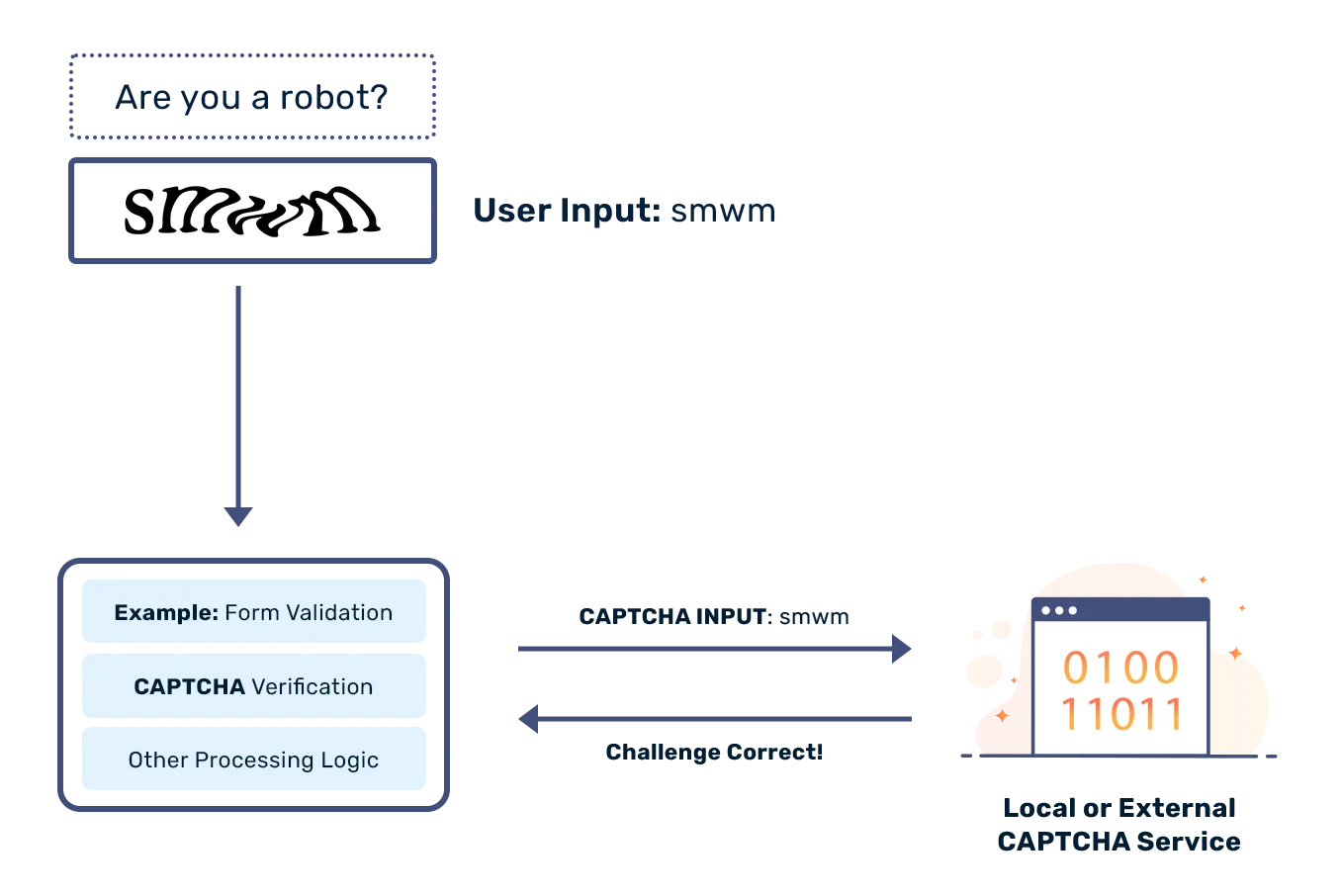
- CAPTCHAs — when Google suspects bot activity, it serves a challenge that breaks simple scripts
- Constant HTML changes — Google regularly updates its SERP layout, breaking scrapers that target specific CSS class names
Most no-code browser tools like Clura already handle these issues by mimicking real user behavior—so you don't need to manage proxies manually. For custom scripts, the layered defense below is your blueprint:
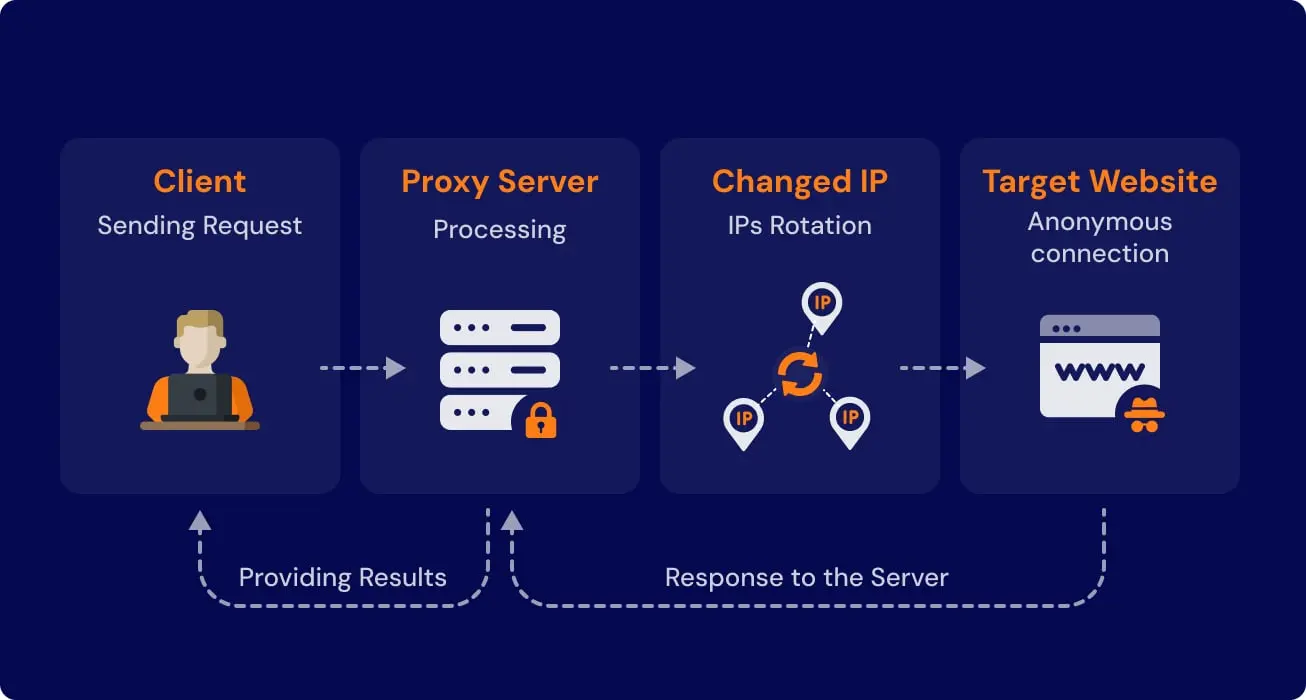
- Rotating proxies — route requests through a pool of residential IP addresses so queries appear to come from different people in different locations
- Rotate user-agents — make your scraper identify itself as different browsers on each request
- Random delays — add randomized pauses of 2–10 seconds between requests to mimic natural human browsing rhythm
- CAPTCHA handling — integrate a solving service for scripts running at scale
Practical Use Cases for Scraping Google Search Data
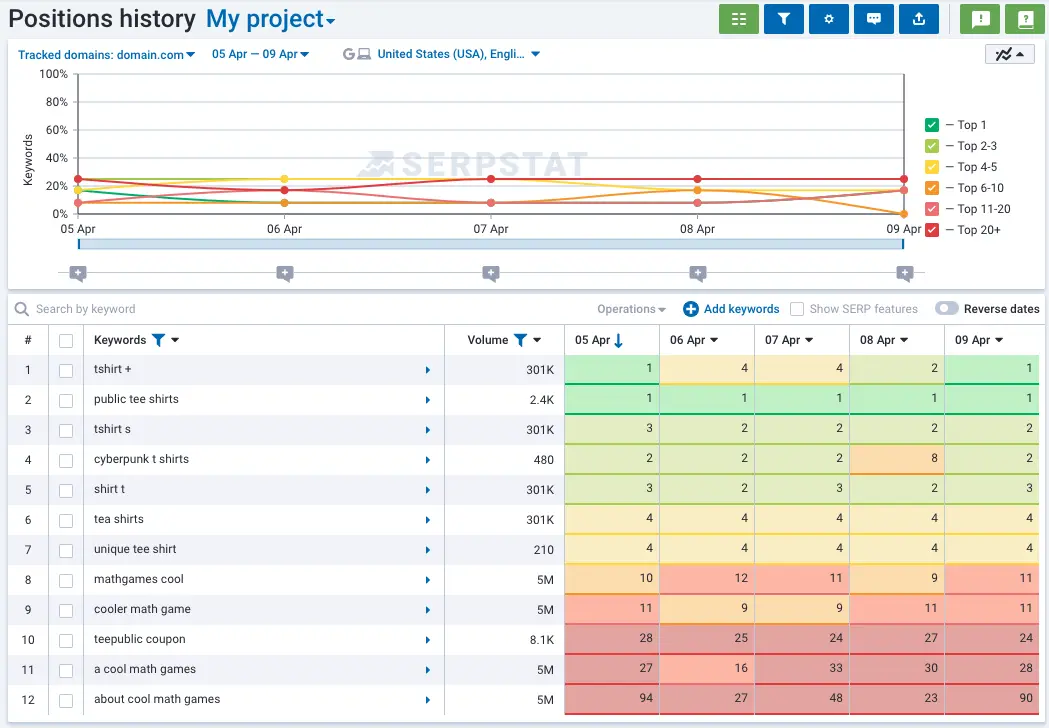
The three highest-value Google scraping use cases are building targeted sales lead lists from Local Pack results, monitoring competitor pricing in Google Shopping, and sourcing passive candidates via advanced site-specific search queries.
1. Build Hyper-Targeted Sales Lead Lists
Google is one of the most underrated lead generation sources. Every local search result is a pre-qualified business actively visible to customers in your target market. Forget buying stale lists—pull local business info straight from Google's Local Pack.
Example: you sell marketing services to dental clinics. Search dental clinics in Austin Texas, scrape the Local Pack, and extract business name, website URL, phone number, address, and customer rating—all in one pass. This is one of the easiest ways to build outbound lists using web scraping, especially when combined with tools like Clura.
2. Monitor Competitor Pricing in E-Commerce
In e-commerce, price is king. Google Shopping neatly aggregates listings from hundreds of retailers, giving you a complete market snapshot: product name, retailer, current price, stock status, and promotional text—all in one structured export. Run this daily and you stop reacting to the market and start leading it.
3. Source Top Talent for Your Recruiting Pipeline
Use Google's site-specific search to surface passive candidates. A query like site:linkedin.com/in/ "senior software engineer" "Python" "San Francisco" returns only matching public LinkedIn profiles. Scrape the results—name, job title, company, profile URL—and you have a targeted candidate pipeline before your competitors even see them.
Turn Google Into Your Lead Engine
Clura extracts Local Pack listings, organic results, and Shopping data from any Google search page in seconds. No proxies, no scripts—just structured data ready for your sales team.
Try Clura Free →How to Clean and Organize Your Scraped Data
After scraping Google, raw data needs three steps: parsing the HTML to extract the right fields, cleaning for duplicates and formatting issues, then exporting as CSV for spreadsheets or JSON for databases.
Getting the data is just the first hurdle. This phase turns a wall of raw HTML into a clean, structured asset your team can actually use.
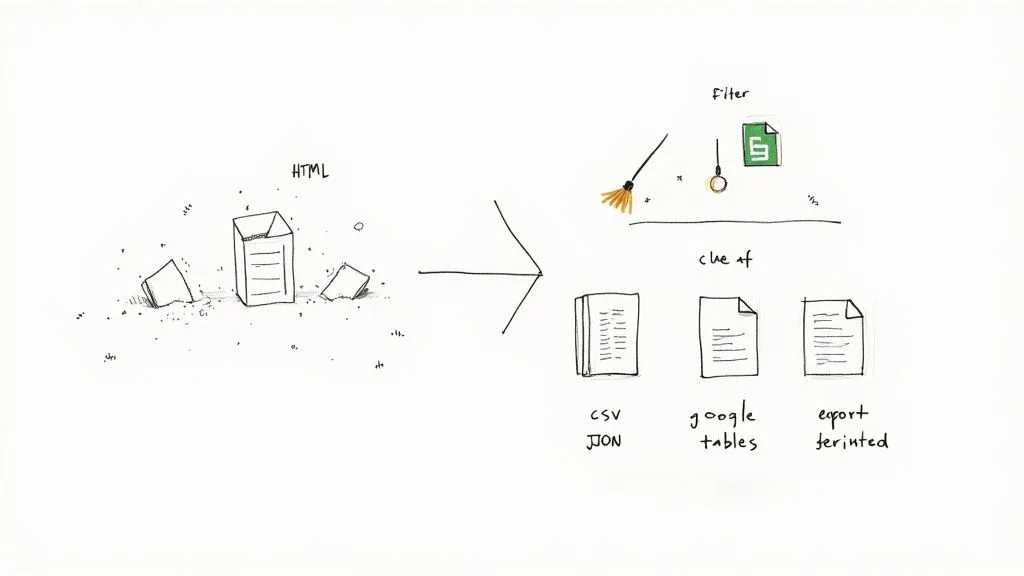
- Parse the right fields — identify which HTML elements hold your target data. For organic results: titles in
<h3>tags, URLs in<a href>attributes, descriptions in specific<div>classes - Remove duplicates — de-dupe on URL to eliminate the same result appearing on multiple pages
- Standardize formats — strip protocol prefixes from URLs, normalize phone number formats, unify any date fields
- Handle missing data — decide a consistent rule for empty fields (blank, "N/A", or filter the row out)
- Export for action — CSV for spreadsheets (Google Sheets, Excel), JSON for database ingestion or downstream apps
Frequently Asked Questions
Is scraping Google search results legal?
Yes—scraping publicly available information from Google is generally legal. The key phrase is 'publicly available': if you can see it in a browser without logging in, it's typically fair game. Avoid scraping personally identifiable information, copyrighted content, or data behind a login. Google's Terms of Service prohibit automated access, which is why using tools designed to mimic human browsing behavior is the responsible approach for commercial projects.
How do I stop Google from blocking my scraper?
Use a layered defense: route requests through rotating residential proxy IP addresses, rotate user-agent strings to appear as different browsers, add randomized 2–10 second delays between requests, and have a CAPTCHA-solving service ready for high-volume scripts. No-code tools like Clura handle these issues automatically by mimicking real user behavior—so you don't need to manage any of this manually.
What is the best tool for scraping Google search results?
For most sales, SEO, and research teams, a no-code AI browser extension like Clura is the best choice—it works on any Google results page, requires zero technical setup, handles pagination automatically, and exports clean CSV instantly. For enterprise-scale projects requiring millions of queries, a dedicated SERP API is the right tool. For custom logic and full control, Python with Requests and BeautifulSoup is the standard.
What data can you actually extract from Google SERPs?
Any publicly visible data: organic result titles and URLs, meta descriptions, featured snippet content, People Also Ask questions, local business names and contact details from the Local Pack, product names and prices from Google Shopping, and ad copy from paid listings. The specific data available depends on the search query and the SERP format Google returns.
What is a SERP API and when should I use one?
A SERP API is a service that handles all the complexity of Google scraping for you—proxy rotation, CAPTCHA solving, HTML parsing—and returns clean structured JSON data. Use one when you're scraping at serious scale (thousands or millions of queries), need 100% reliability, and would rather pay for managed infrastructure than build and maintain your own scraper.
Conclusion
Scraping Google isn't about collecting links—it's about building a system. A system that finds leads automatically, tracks competitors continuously, and surfaces opportunities before others even see them.
With modern tools like Clura, you don't need to build scrapers or manage infrastructure. Open Google, click what you want, and export structured data. The teams winning today are the ones treating Google's search results as a live, queryable database—not a page to scroll through manually.
Explore related guides:
- Web Scraping for Lead Generation — build automated lead pipelines from Google and any other website
- How to Generate B2B Leads — full outbound playbook — from ICP definition to outreach
- LinkedIn Data Scraping — extract structured profile and company data from LinkedIn
- AI Web Scraper Chrome Extension — extract structured data from any website directly from your browser
Turn Google Search Into a Data Engine
With Clura, you don't need proxies, scripts, or APIs. Open Google, point at the results you want, and export a clean structured dataset in seconds. Start extracting Google search data today.
Add to Chrome — Free →About the Author