
Free Google Search Results Scraper – Export Data to CSV, Excel & JSON
Extracts structured search result data from the currently open Google Search results page and saves it to your Clura account with CSV export.
Run this templatePricing
Pay once, scrape forever
$29.99 one-time
Unlimited rows & unlimited scrapes
- All Free plan features, plus:
- Unlimited rows per scrape
- Unlimited scrapes per day
- 14-day cloud storage
- Priority support
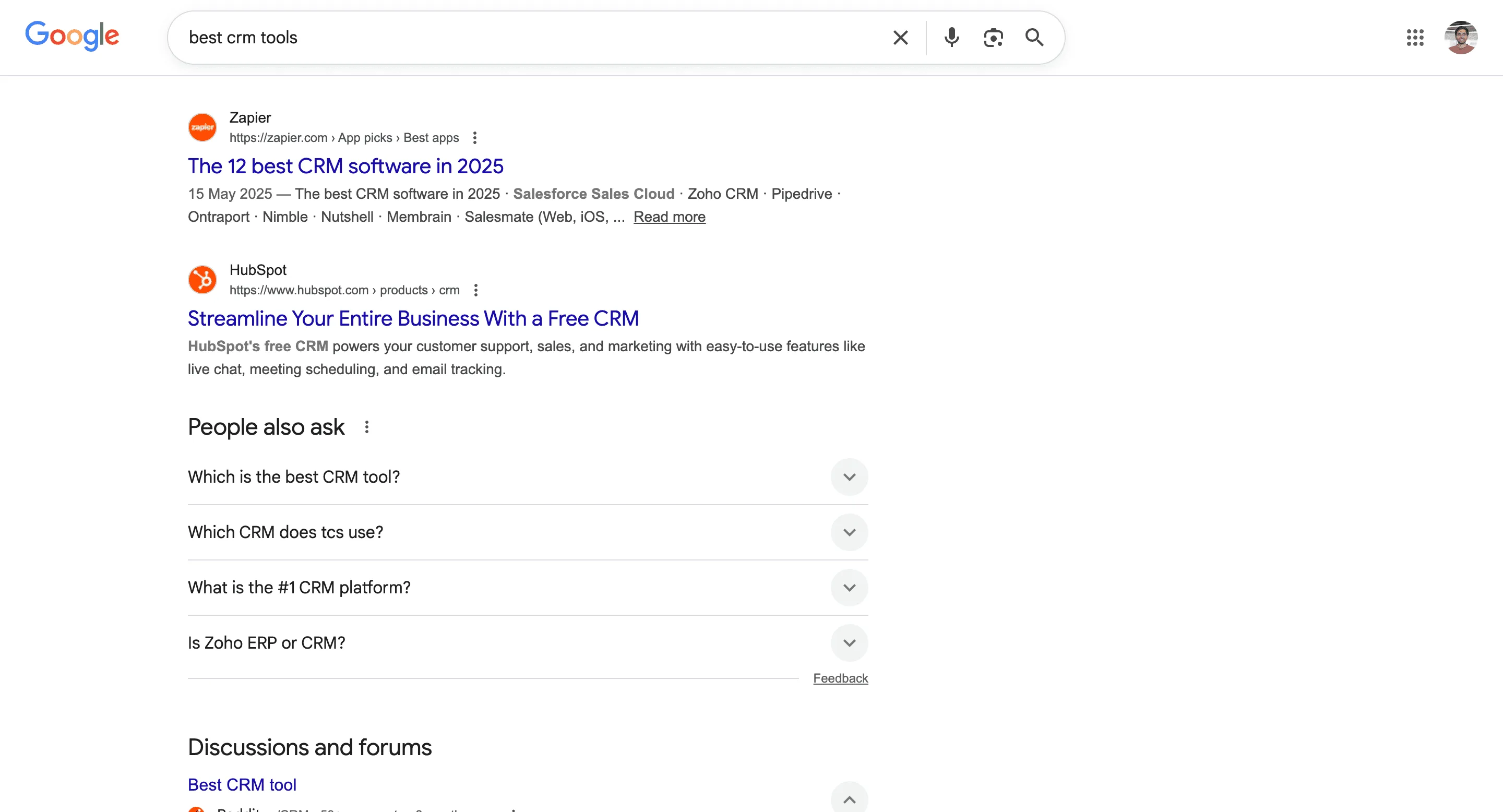
The Google Search Results Scraper by Clura is a Chrome extension that works on the currently open Google Search results page and converts visible SERP data into clean, structured rows. It is designed for marketers, founders, and researchers who actively analyze search results on Google Search and want an efficient way to capture insights while browsing.
Once you perform a search, Clura can automatically scroll through infinite-loading result pages or navigate through paginated results using the “Next” button—based on the option you select. As the scraper scrolls or moves across pages, it continuously extracts result titles, URLs, snippets, domains, and ranking positions. All scraped data is saved automatically to your Clura account and can be exported as a CSV for SEO analysis, competitor research, content planning, or reporting.
Relevant For
SEO Professionals & Content Strategists
Analyze top-ranking pages for a keyword—titles, snippets, domains, and result types—to plan content and on-page improvements.
Marketers & Growth Teams
Discover competitors ranking for high-intent keywords and export SERP data for campaign planning or outreach.
Founders & Operators
Understand how competitors position themselves on search results without relying on heavy SEO tool stacks.
Researchers & Analysts
Build curated SERP datasets for studies, audits, or trend analysis—manually and transparently.
How to Use
- 1
Perform a Google search
Search for a keyword or question you want to analyze (e.g., “best CRM for startups”).
- 2
Choose the navigation type
In the Clura extension, select whether the page uses infinite scroll or pagination with a “Next” button.
- 3
Run the scraper
Click the Clura extension icon. Clura automatically scrolls the page or navigates through result pages while extracting data.
- 4
Save and export
All scraped results are saved to your Clura account and can be exported as a CSV for further analysis.
Fields Scraped
| Field | Type |
|---|---|
| Title | Text |
| Url | URL |
| Meta Description | Text |
Export Formats
Example Output
| Title | Url | Meta Description |
|---|---|---|
| Best Project Management Tools 2025 – Ranked & Reviewed | https://techradar.com/best-pm-tools | Compare the top project management platforms with expert ratings, pricing breakdowns, and real user reviews. |
| 15 Best CRM Platforms for Small Businesses | https://g2.com/categories/crm | Find your perfect CRM with G2's verified user reviews and side-by-side feature comparisons. |
Frequently Asked Questions
What data fields does this scraper extract from Google Search?
It extracts the page title, URL, and meta description snippet for each organic result visible on the current Google Search results page.
Can I scrape multiple pages of Google results?
Yes. Clura automatically navigates through paginated search result pages using the 'Next' button so you can collect data beyond just the first page.
Do I need to be on the Google Search page before running the scraper?
Yes. Perform your search on google.com first, then activate the Clura extension on that results page.
Can I use this for SEO competitor research?
Absolutely. You can analyze which domains rank for your target keywords and study how competitors craft their titles and meta descriptions.
How do I export the collected SERP data?
All scraped results are saved to your Clura account and can be exported as CSV, Excel, Google Sheets, or JSON.
Related Scrapers
Free Google maps places scraper – Export Data to CSV, Excel & JSON
Scrape local business and place data from Google Maps search results with automatic scrolling, with results saved to your Clura account and exportable as CSV or JSON.
Free Linkedin posts & activity scraper – Export Data to CSV, Excel & JSON
Scrape posts and engagement data from LinkedIn profile or company activity pages, with results saved to your Clura account and exportable as CSV or JSON.
Free Google play store apps scraper – Export Data to CSV, Excel & JSON
Scrape app listing and metadata from Google Play Store search and category pages, with results saved to your Clura account and exportable as CSV or JSON.