
Free Twitter X.com profiles scraper – Export Data to CSV, Excel & JSON
Scrape lists of profiles from Twitter (X.com) followers, following, or list member pages, with results saved to your Clura account and exportable as CSV or JSON.
Run this templatePricing
Pay once, scrape forever
$29.99 one-time
Unlimited rows & unlimited scrapes
- All Free plan features, plus:
- Unlimited rows per scrape
- Unlimited scrapes per day
- 14-day cloud storage
- Priority support
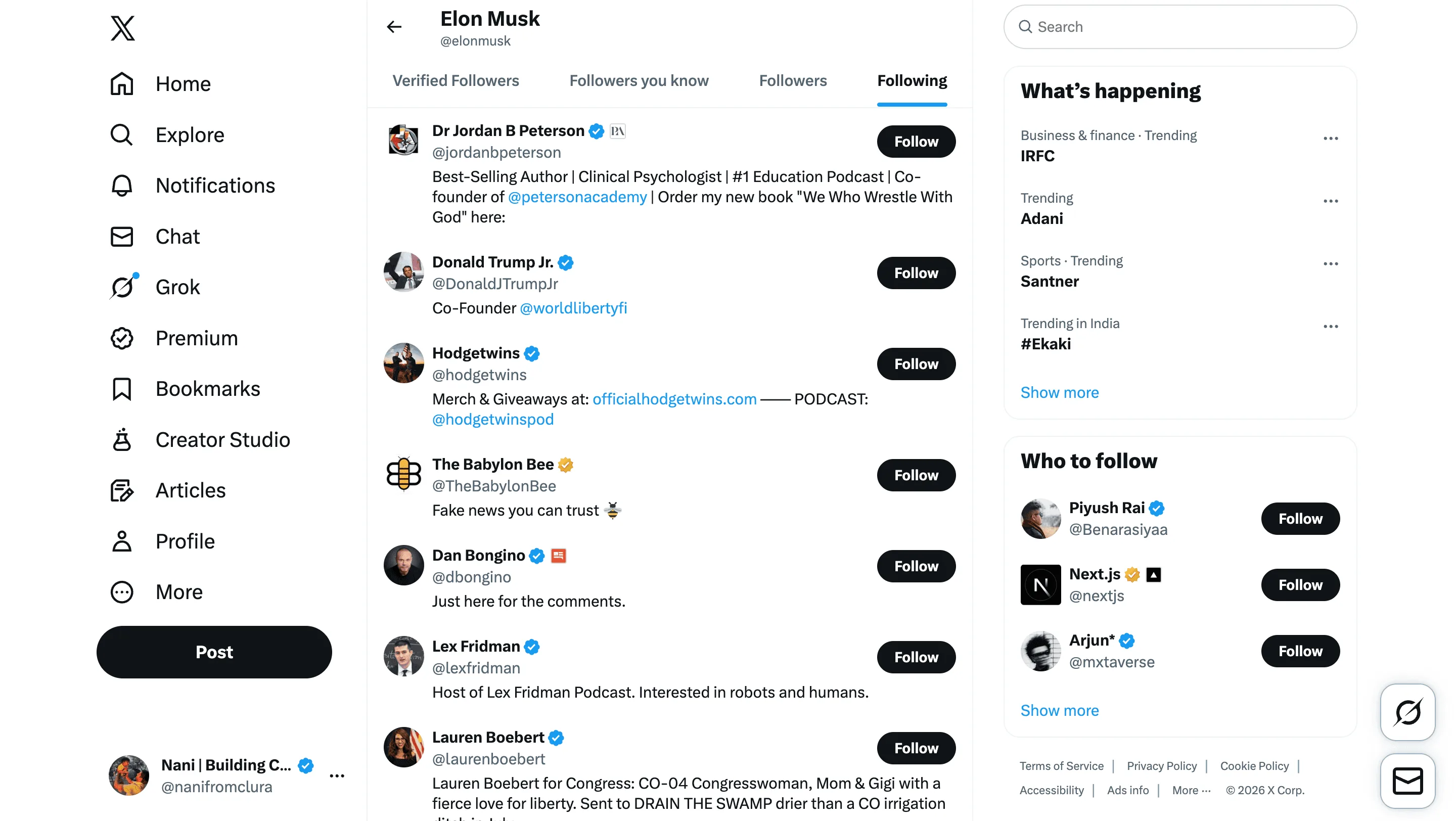
Clura’s Chrome extension includes a Twitter (X.com) List of Profiles Scraper template that extracts structured profile data from the currently open followers, following, or list member pages on Twitter (X.com). This template is built for marketers, recruiters, founders, and researchers who analyze audiences and communities on X (formerly Twitter) and want to convert visible profile lists into clean, structured datasets.
After you navigate to a profile’s Followers, Following, or a curated List page, the scraper reads the profile cards displayed on the screen. It supports infinite scroll, allowing you to load and capture large batches of accounts. You can review and customize which fields are extracted, add additional custom fields if required, and then run the scraper. Once extraction is complete, all results are saved to your Clura account and can be exported as CSV or JSON for outreach, influencer research, hiring, or audience analysis.
Relevant For
Marketing & Growth Teams
Build curated lists of influencers, niche creators, or engaged audiences within a specific industry.
Recruiters & Talent Sourcers
Extract potential candidates from followers of industry leaders or company accounts.
Founders & Business Development Teams
Identify potential partners, customers, or community members from targeted profile lists.
Researchers & Data Teams
Analyze social graph segments and audience composition across communities.
How to Use
- 1
Open a Followers, Following, or List page
Go to X.com and navigate to a profile’s Followers, Following, or a specific List page.
- 2
Open the Clura extension
Click the Clura Chrome extension icon. Available scraper templates will be displayed.
- 3
Configure the scraper
Select the Twitter (X.com) List of Profiles Scraper template.Review and confirm:
- 4
Run, save, and export
Run the scraper. Extracted profile list data is saved to your Clura account.Once complete, export the results as CSV or JSON for further analysis.
Fields Scraped
| Field | Type |
|---|---|
| User Handle | Text |
| User Bio | Text |
| User Profile Url | URL |
Export Formats
Example Output
| Username | Name | Followers | Following | Bio | Profile Url |
|---|---|---|---|---|---|
| elonmusk | Elon Musk | 180000000 | 125 | Technoking of Tesla | https://twitter.com/elonmusk |
| naval | Naval Ravikant | 2300000 | 400 | Angel investor | https://twitter.com/naval |
Frequently Asked Questions
What Twitter profile data can be scraped?
You can extract usernames, bios, follower counts, following counts, and profile URLs.
Can this scraper help with influencer research?
Yes, it helps identify influencers and analyze their audience size.
Can the results be exported?
Yes, the extracted profile data can be exported to CSV, Excel, or JSON.
Related Scrapers
Free Reddit subreddit posts scraper – Export Data to CSV, Excel & JSON
Scrape post listings and engagement data from Reddit subreddit pages, with results saved to your Clura account and exportable as CSV or JSON.
Free Youtube video stats scraper – Export Data to CSV, Excel & JSON
Collect posts, likes, and engagement from social platforms.
Free Tiktok profile metrics scraper – Export Data to CSV, Excel & JSON
Collect posts, likes, and engagement from social platforms.