
Free Yelp businesses scraper – Export Data to CSV, Excel & JSON
Scrape business listings and reviews data from Yelp search results with automatic scrolling or pagination, with results saved to your Clura account and exportable as CSV or JSON.
Run this templatePricing
Pay once, scrape forever
$29.99 one-time
Unlimited rows & unlimited scrapes
- All Free plan features, plus:
- Unlimited rows per scrape
- Unlimited scrapes per day
- 14-day cloud storage
- Priority support
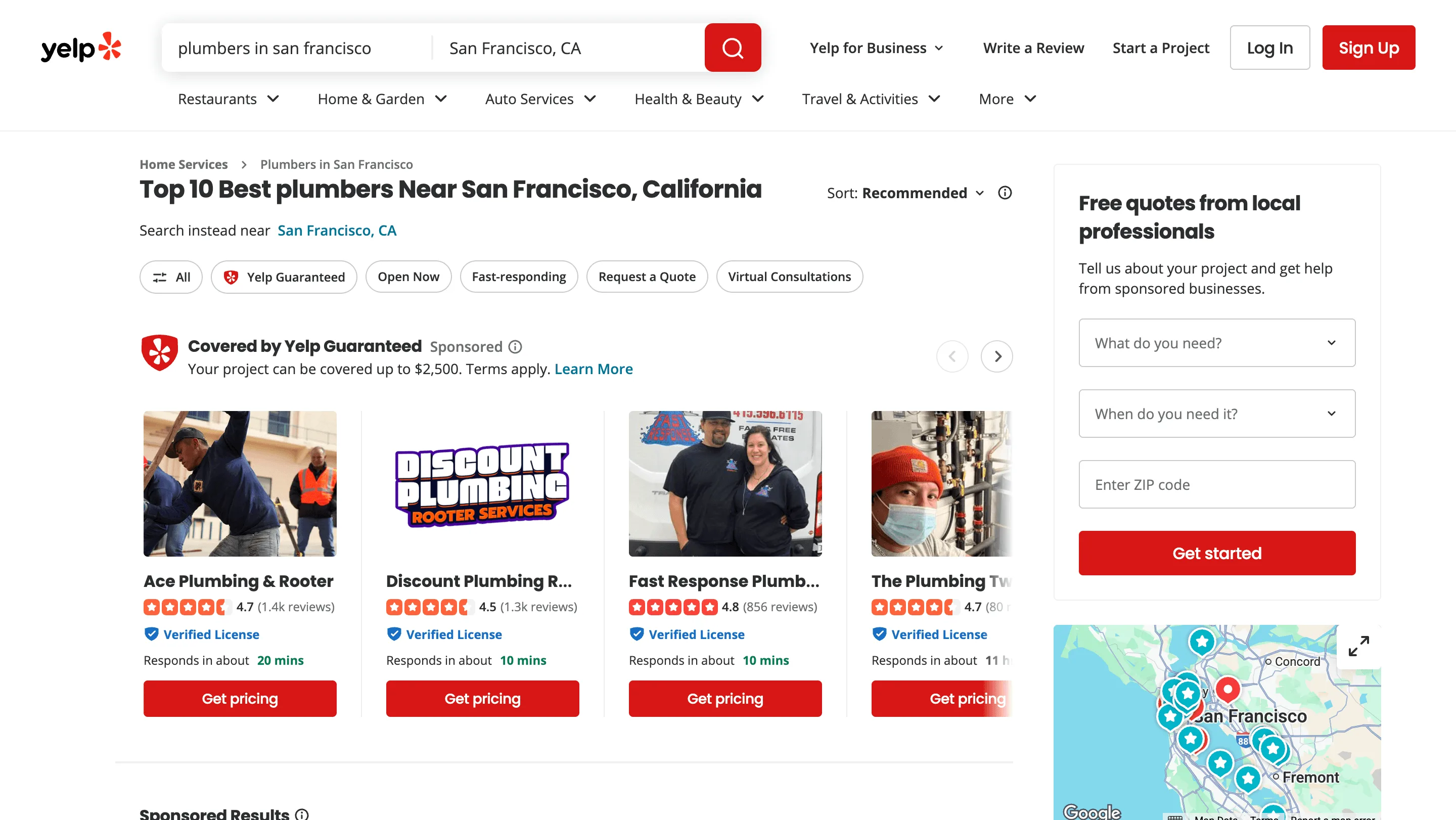
Clura’s Chrome extension includes a Yelp Businesses Scraper template that extracts structured business data from the currently open Yelp search and category result pages. This template is designed for users who research local businesses on Yelp and want to turn visible listings into clean, structured datasets.
After you search for a category or service (for example, “cafes in San Francisco” or “plumbers near me”), the scraper reads the business cards and listing details shown on the page. Depending on the page structure, you can choose auto-scroll or pagination, allowing the scraper to move through multiple result sets and collect data at scale. All scraped results are saved automatically to your Clura account and can be exported as CSV or JSON for lead generation, local market analysis, competitive research, or reporting.
Relevant For
Sales & Lead Generation Teams
Build local business lead lists by scraping business names, phone numbers, and locations for outreach.
Local SEO Consultants & Marketers
Analyze competitor ratings, review counts, and categories to improve local visibility and positioning.
Founders & Small Business Owners
Research competitors or identify partnership opportunities within specific neighborhoods or categories.
Researchers & Analysts
Create structured datasets of Yelp businesses for geographic, category-based, or market-level analysis.
How to Use
- 1
Open Yelp search or category page
Go to Yelp and complete your search by applying the right category, location, and filters until the results match what you want to extract.
- 2
Open the Clura extension
Click the Clura Chrome extension icon. The Yelp Businesses Scraper template will be shown.
- 3
Run the scraper template
Select the Yelp Businesses Scraper template.Review and confirm:
- 4
Run, save, and export
Run the scraper. Extracted results are saved to your Clura account. Once complete, export the data as CSV or JSON for further analysis.
Fields Scraped
| Field | Type |
|---|---|
| Business Name | Text |
| Url | URL |
| Rating | Number |
| Review Count | Number |
| Tags | Text |
Export Formats
Example Output
| Business Name | Url | Rating | Review Count | Tags |
|---|---|---|---|---|
| Dolores Park Cafe | https://yelp.com/biz/dolores-park-cafe | 4.3 | 1,842 | Coffee, Breakfast, Sandwiches |
| Square Pie Guys | https://yelp.com/biz/square-pie-guys | 4.5 | 3,217 | Pizza, Casual, Delivery |
Frequently Asked Questions
What data does this scraper extract from Yelp?
It captures business name, listing URL, star rating, review count, and category tags for each business visible in Yelp search results.
Can I target a specific city or business category?
Yes. Search for businesses by type and location on Yelp, then activate Clura on those results to collect only relevant listings.
Does it support pagination through multiple result pages?
Yes. Clura navigates through paginated Yelp search results automatically to collect listings beyond the first page.
Can I use this for local market research?
Yes. Compile lists of businesses by category with ratings and review volumes to benchmark local markets and identify competitive opportunities.
How do I export the business data?
All scraped data is saved to your Clura account and can be exported as CSV, Excel, Google Sheets, or JSON.
Related Scrapers
Free Google maps places scraper – Export Data to CSV, Excel & JSON
Scrape local business and place data from Google Maps search results with automatic scrolling, with results saved to your Clura account and exportable as CSV or JSON.
Free Shopify stores scraper – Export Data to CSV, Excel & JSON
Scrape store, product, and brand-level data from Shopify-powered stores you’re browsing, with results saved to your Clura account and exportable as CSV or JSON.
Free Ticketmaster events scraper – Export Data to CSV, Excel & JSON
Gather local business data with addresses, contacts, and ratings.