
Free Capterra competitor reviews scraper – Export Data to CSV, Excel & JSON
Scrape competitor comparison reviews and alternative product feedback from Capterra comparison and alternatives pages, with results saved to your Clura account and exportable as CSV or JSON.
Run this templatePricing
Pay once, scrape forever
$29.99 one-time
Unlimited rows & unlimited scrapes
- All Free plan features, plus:
- Unlimited rows per scrape
- Unlimited scrapes per day
- 14-day cloud storage
- Priority support
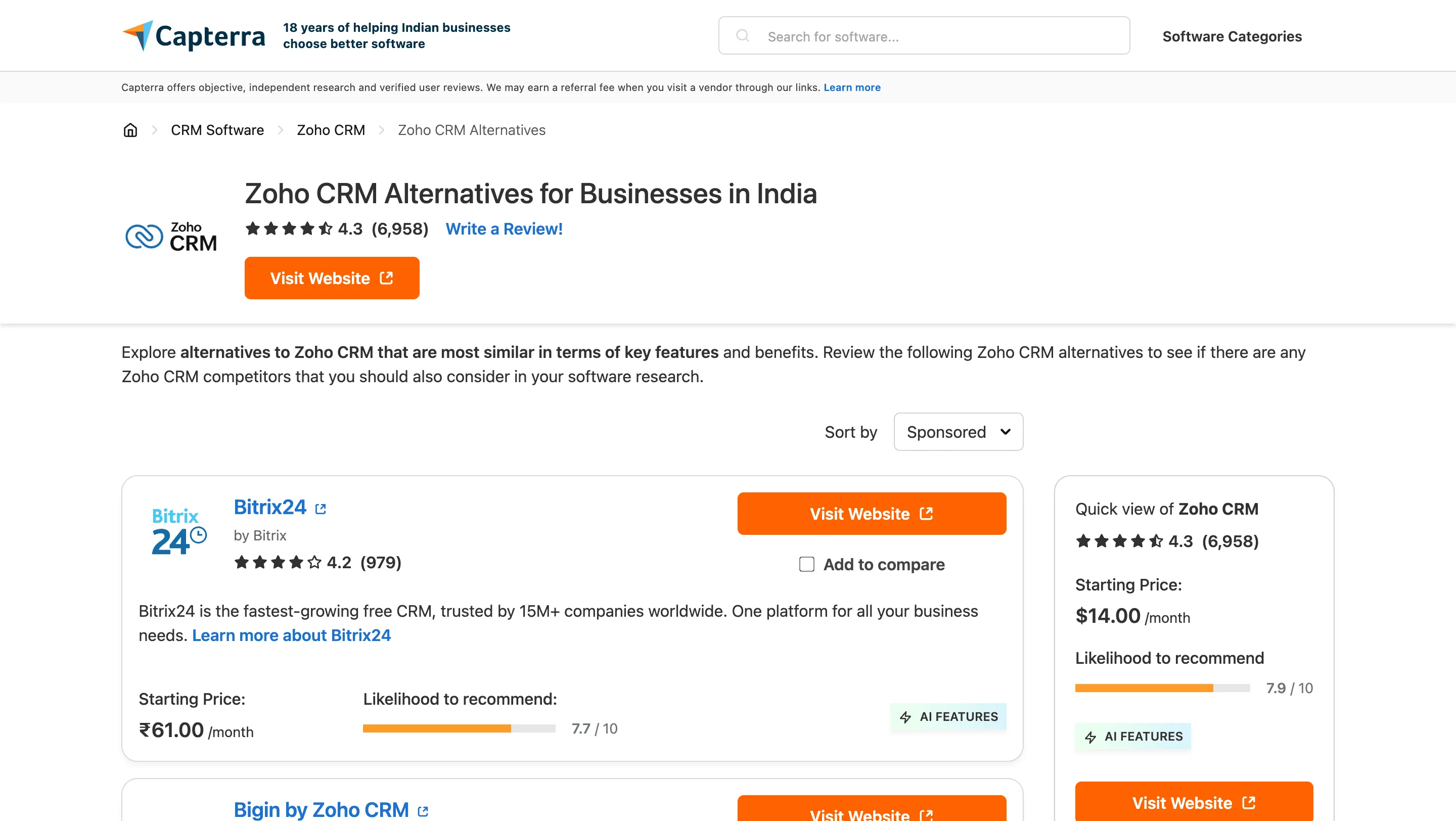
Clura’s Chrome extension includes a Capterra Competitor Reviews Scraper template that extracts structured review and comparison data from the currently open Capterra comparison (“vs”) and alternatives pages. This template is built for founders, product marketers, growth teams, and analysts who analyze competitive positioning on Capterra and want to convert visible competitor feedback into clean, structured datasets.
After you navigate to a product’s “Alternatives” section or a direct comparison page (e.g., Product A vs Product B), you can apply filters such as rating, company size, industry, or date. The scraper reads the review cards and comparison insights displayed on the page. You can review and customize which fields are extracted, confirm pagination for navigating across review pages, and add additional custom fields if required. Once run, the scraper collects competitor review data across pages, saves everything to your Clura account, and allows export as CSV or JSON for competitive intelligence, messaging refinement, or strategic planning.
Relevant For
Founders & Product Teams
Identify why customers choose competing tools and uncover feature gaps or positioning weaknesses.
Product Marketing & Growth Teams
Extract competitor customer language to improve battle cards, landing pages, and differentiation messaging.
Investors & Strategy Teams
Analyze head-to-head product sentiment and competitive strengths before investment decisions.
Competitive Intelligence & Research Teams
Build structured datasets of alternative product reviews for trend analysis and benchmarking.
How to Use
- 1
Open a comparison or alternatives page on Capterra
Go to Capterra and navigate to a product’s “Alternatives” section or a comparison page between two products. Apply relevant filters such as rating or company size.
- 2
Open the Clura extension
Click the Clura Chrome extension icon. Available scraper templates will be displayed.
- 3
Configure the scraper
Select the Capterra Competitor Reviews Scraper template.Review and confirm:
- 4
Run, save, and export
Run the scraper. Extracted competitor review data is saved to your Clura account.Once complete, export the results as CSV or JSON for further analysis.
Fields Scraped
| Field | Type |
|---|---|
| Title | Text |
| Url | URL |
| Rating | Number |
| Review Count | Number |
| Company Name | Text |
| Description | Text |
| Likelihood To Recommend | Text |
| Features | Text |
Export Formats
Example Output
| Product | Reviewer Role | Rating | Pros | Cons |
|---|---|---|---|---|
| HubSpot CRM | Marketing Manager | 4.6 | Easy to use | Expensive for small teams |
| Asana | Project Manager | 4.7 | Great task management | Limited reporting |
Frequently Asked Questions
What information can be scraped from Capterra reviews?
You can collect product names, reviewer roles, ratings, pros, cons, and review dates.
Can this scraper help evaluate software tools?
Yes, it helps gather feedback from real users for product comparisons.
Can review data be exported?
Yes, the extracted reviews can be exported to CSV or Excel.
Related Scrapers
Free Glassdoor company reviews scraper – Export Data to CSV, Excel & JSON
Scrape employee reviews and ratings from Glassdoor company review pages, with results saved to your Clura account and exportable as CSV or JSON.
Free Capterra reviews scraper – Export Data to CSV, Excel & JSON
Scrape user reviews and ratings from Capterra software review pages, with results saved to your Clura account and exportable as CSV or JSON.
Free G2 competitor reviews scraper – Export Data to CSV, Excel & JSON
Scrape competitor comparison reviews and alternative product feedback from G2 comparison and alternatives pages, with results saved to your Clura account and exportable as CSV or JSON.