
Free Glassdoor company reviews scraper – Export Data to CSV, Excel & JSON
Scrape employee reviews and ratings from Glassdoor company review pages, with results saved to your Clura account and exportable as CSV or JSON.
Run this templatePricing
Pay once, scrape forever
$29.99 one-time
Unlimited rows & unlimited scrapes
- All Free plan features, plus:
- Unlimited rows per scrape
- Unlimited scrapes per day
- 14-day cloud storage
- Priority support
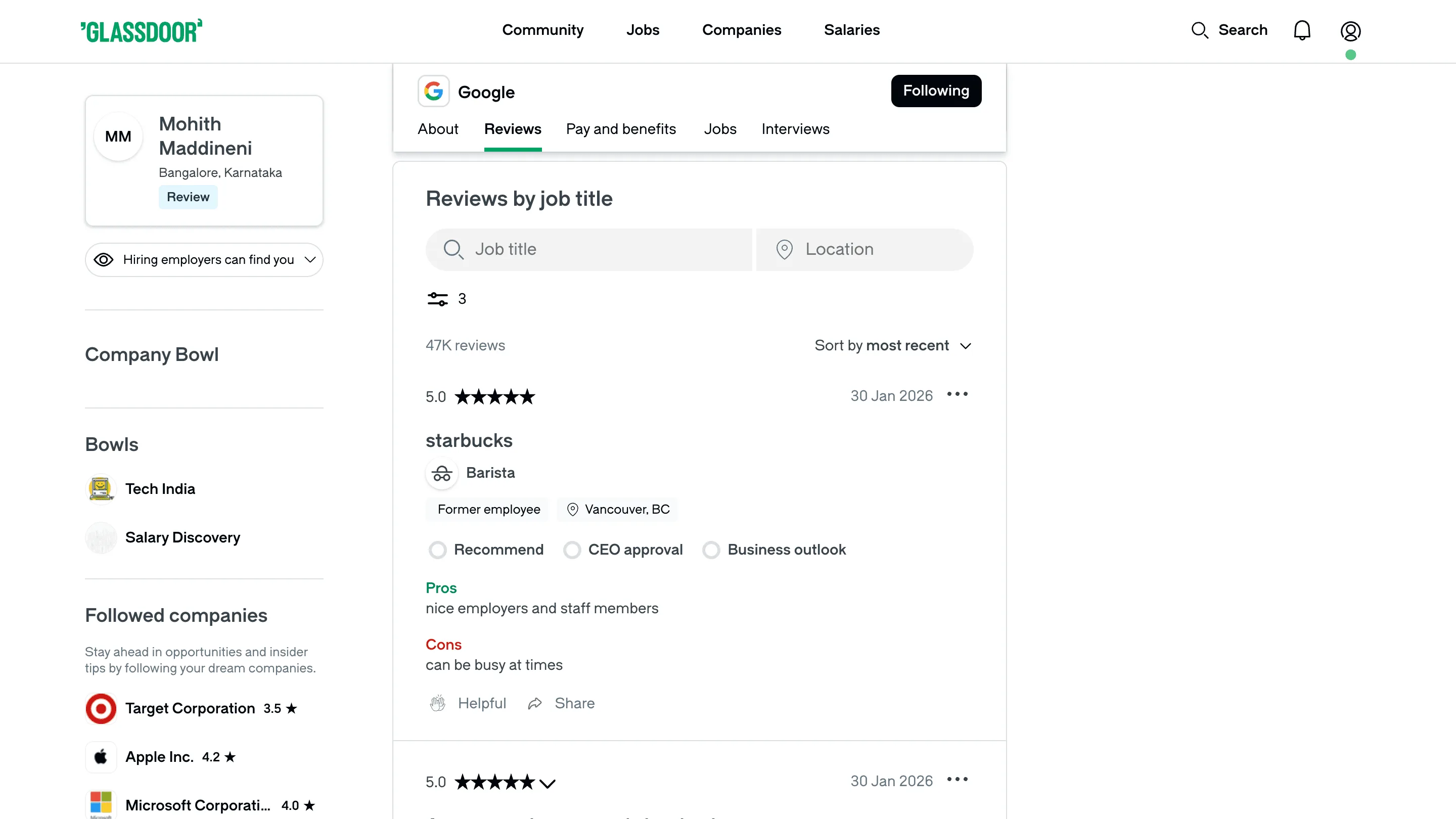
Clura’s Chrome extension includes a Glassdoor Reviews Scraper template that extracts structured employee review data from the currently open Glassdoor company reviews pages. This template is built for users who analyze workplace sentiment and employer reputation on Glassdoor and want to convert visible reviews into clean, structured datasets.
After you navigate to a company’s reviews section and apply filters such as rating, job title, location, employment status, or date, the scraper reads the review cards displayed on the page. You can review and customize which fields are extracted, confirm pagination for navigating across review pages, and add additional fields if required. Once run, the scraper collects reviews across pages, saves everything to your Clura account, and allows export as CSV or JSON for analysis, reporting, or research.
Relevant For
HR & People Analytics Teams
Analyze employee sentiment to identify strengths, weaknesses, and cultural trends across teams or locations.
Recruiters & Employer Branding Teams
Monitor employer reputation and understand candidate perceptions to improve hiring and branding strategies.
Founders & Leadership Teams
Track internal feedback trends and benchmark company sentiment against competitors.
Researchers & Analysts
Build structured datasets of employee reviews for workforce studies, sentiment analysis, or market research.
How to Use
- 1
Open a company’s Glassdoor reviews page
Go to Glassdoor, navigate to a company profile, and open the Reviews section. Apply filters such as rating, role, location, or date.
- 2
Open the Clura extension
Click the Clura Chrome extension icon. Available scraper templates will be displayed.
- 3
Configure the scraper
Select the Glassdoor Reviews Scraper template.Review and confirm:
- 4
Run, save, and export
Run the scraper. Extracted reviews are saved to your Clura account.Once complete, export the data as CSV or JSON for further analysis.
Fields Scraped
| Field | Type |
|---|---|
| Review Title | Text |
| Url | URL |
| Reviewer Role | Text |
| Review Date | Date |
| Rating | Number |
| Location | Text |
| Pros | Text |
| Cons | Text |
Export Formats
Example Output
| Review Title | Url | Reviewer Role | Review Date | Rating | Location | Pros | Cons |
|---|---|---|---|---|---|---|---|
| Great culture, fast growth | https://glassdoor.com/reviews/123 | Software Engineer | March 2025 | 4 | San Francisco, CA | Talented team, autonomy, remote flexibility | Long hours during product launches |
| Solid comp but bureaucratic | https://glassdoor.com/reviews/456 | Product Manager | February 2025 | 3 | New York, NY | Competitive salary, good benefits | Slow decision-making, too many meetings |
Frequently Asked Questions
What data does this scraper extract from Glassdoor company reviews?
It captures review title, review URL, reviewer job role, review date, rating, location, and both the pros and cons listed by each reviewer.
Can I scrape reviews for any company on Glassdoor?
Yes. Navigate to any company's reviews page on Glassdoor and activate Clura to collect all visible employee reviews.
Can I filter reviews by rating or time period?
Yes. Apply Glassdoor's built-in filters for star rating, language, or date range before running the scraper to target relevant reviews.
How is this useful for employer branding research?
Aggregating employee feedback helps HR and employer branding teams identify recurring themes, strengths, and pain points to address in their EVP.
Does it capture both pros and cons separately?
Yes. The scraper extracts what reviewers listed as pros and what they listed as cons as separate fields for each review.
Related Scrapers
Free Angellist startups scraper – Export Data to CSV, Excel & JSON
Scrape startup and company data from AngelList startup search pages, with results saved to your Clura account and exportable as CSV or JSON.
Free G2 software reviews scraper – Export Data to CSV, Excel & JSON
Scrape user reviews and ratings from G2 software review pages, with results saved to your Clura account and exportable as CSV or JSON.
Free Indeed job listings scraper – Export Data to CSV, Excel & JSON
Scrape job listings and hiring data from Indeed job search result pages, with results saved to your Clura account and exportable as CSV or JSON.