
Free Gumroad digital products scraper – Export Data to CSV, Excel & JSON
Extracts digital product and creator data from the currently open Gumroad page and saves it to your Clura account with CSV export.
Run this templatePricing
Pay once, scrape forever
$29.99 one-time
Unlimited rows & unlimited scrapes
- All Free plan features, plus:
- Unlimited rows per scrape
- Unlimited scrapes per day
- 14-day cloud storage
- Priority support
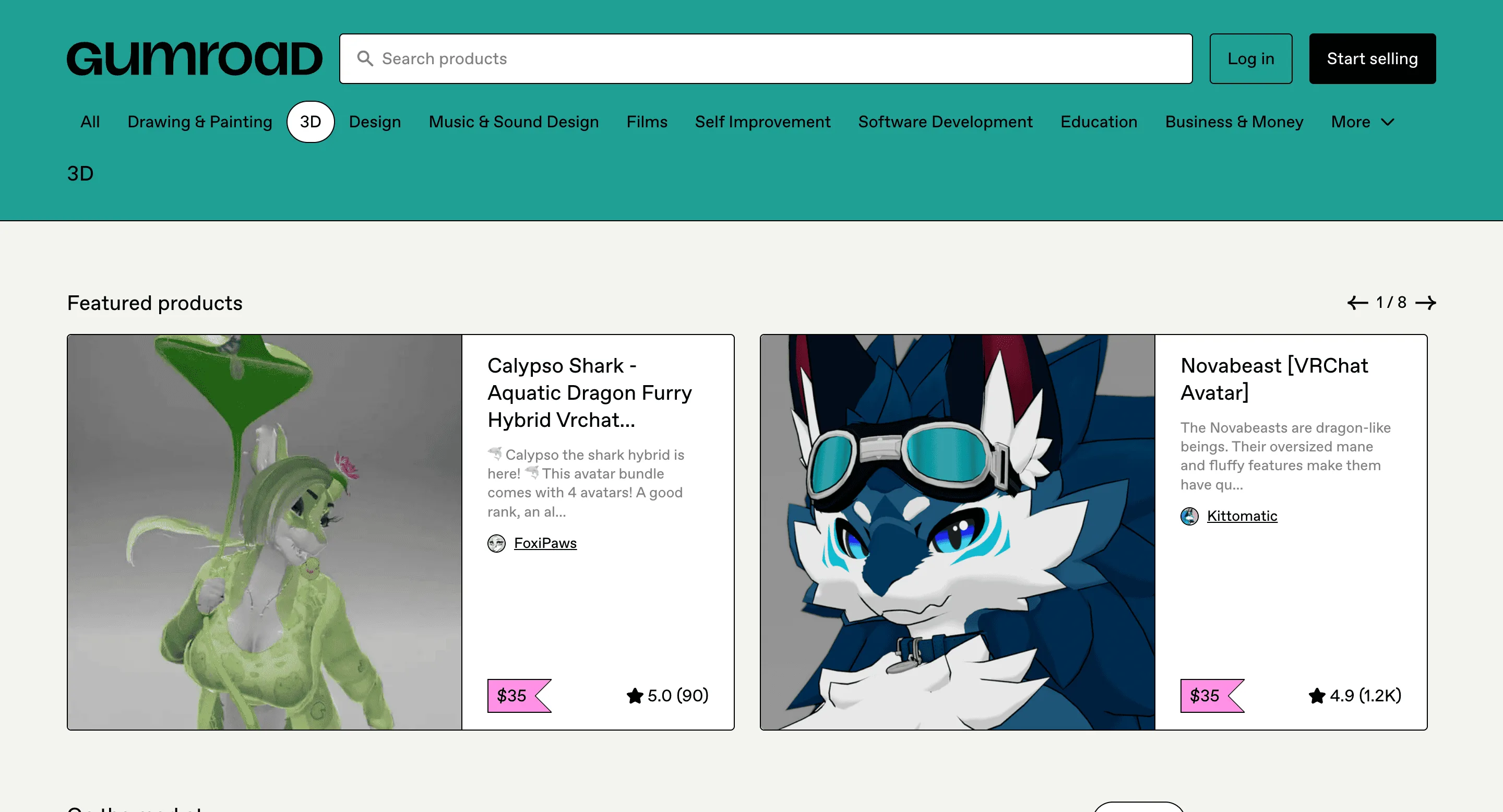
The Gumroad Digital Products Scraper by Clura is a Chrome extension that works on the currently open Gumroad webpage and transforms visible product information into clean, structured data. It’s built for creators, founders, and marketers who actively explore Gumroad and want a simple way to capture insights while browsing.
As you view individual product pages, category listings, or search results on Gumroad, Clura extracts on-screen data such as product details, pricing, descriptions, and creator information. Each scrape is automatically saved to your Clura account and can be exported as a CSV for deeper analysis, research, or reporting. This makes it ideal for product research, idea validation, competitive analysis, and creator discovery—without disrupting your natural browsing workflow.
Relevant For
Creators / Indie Makers
While browsing Gumroad, instantly extract details of competing or inspiration products (price, positioning, format) to refine your own product idea.
Founders / Solopreneurs
Quickly validate demand by scraping visible products in a niche category and comparing pricing, descriptions, and popularity signals.
Marketers / Growth Professionals
Identify potential partners or affiliates by scraping creator and product details directly from Gumroad pages you are already exploring.
Researchers / Analysts
Build small, high-quality datasets by manually navigating Gumroad and scraping only relevant, visible products—avoiding noisy bulk scraping.
How to Use
- 1
Open a Gumroad page
Navigate to a Gumroad product page, category page, or search results page you want to analyze.
- 2
Select the template
Click the Clura Chrome extension icon. The scraper automatically detects and shows the template suitable for the Gumroad page. Alternately, you can choose to create your own template by selecting the relevant fields.
- 3
Run & review
Run the template and review the extracted fields in the extension preview to confirm product names, prices, and descriptions are captured correctly from the page.
- 4
Export & use
Scraped results are saved automatically to your Clura account. Export them anytime as a CSV for analysis or reporting.
Fields Scraped
| Field | Type |
|---|---|
| Product Title | Text |
| Product Url | URL |
| Creator Name | Text |
| Creator Profile Url | URL |
| Price | Number |
| Currency | Text |
| Review Count | Number |
| Rating | Number |
Export Formats
Example Output
| Product Title | Creator | Price | Rating | Product Url |
|---|---|---|---|---|
| Ultimate UI Design Kit | PixelForge | $29 | 4.8 | https://gumroad.com/l/ui-kit |
| Indie Maker Growth Guide | StartupLab | $19 | 4.7 | https://gumroad.com/l/growth-guide |
Frequently Asked Questions
What Gumroad product data can be scraped?
You can extract digital product titles, creators, prices, ratings, and product URLs.
Can this scraper analyze digital product trends?
Yes, it helps track popular digital products such as ebooks, courses, and templates.
Can the data be exported?
Yes, Gumroad product data can be exported to CSV, Excel, or JSON.
Related Scrapers
Free Producthunt launches scraper – Export Data to CSV, Excel & JSON
Scrape product launch data from Product Hunt launch and leaderboard pages, with results saved to your Clura account and exportable as CSV or JSON.
Free Google play store apps scraper – Export Data to CSV, Excel & JSON
Scrape app listing and metadata from Google Play Store search and category pages, with results saved to your Clura account and exportable as CSV or JSON.
Free Builtwith tech stack scraper – Export Data to CSV, Excel & JSON
Scrape website technology stack and infrastructure data from BuiltWith website profile pages, with results saved to your Clura account and exportable as CSV or JSON.