
Free Producthunt launches scraper – Export Data to CSV, Excel & JSON
Scrape product launch data from Product Hunt launch and leaderboard pages, with results saved to your Clura account and exportable as CSV or JSON.
Run this templatePricing
Pay once, scrape forever
$29.99 one-time
Unlimited rows & unlimited scrapes
- All Free plan features, plus:
- Unlimited rows per scrape
- Unlimited scrapes per day
- 14-day cloud storage
- Priority support
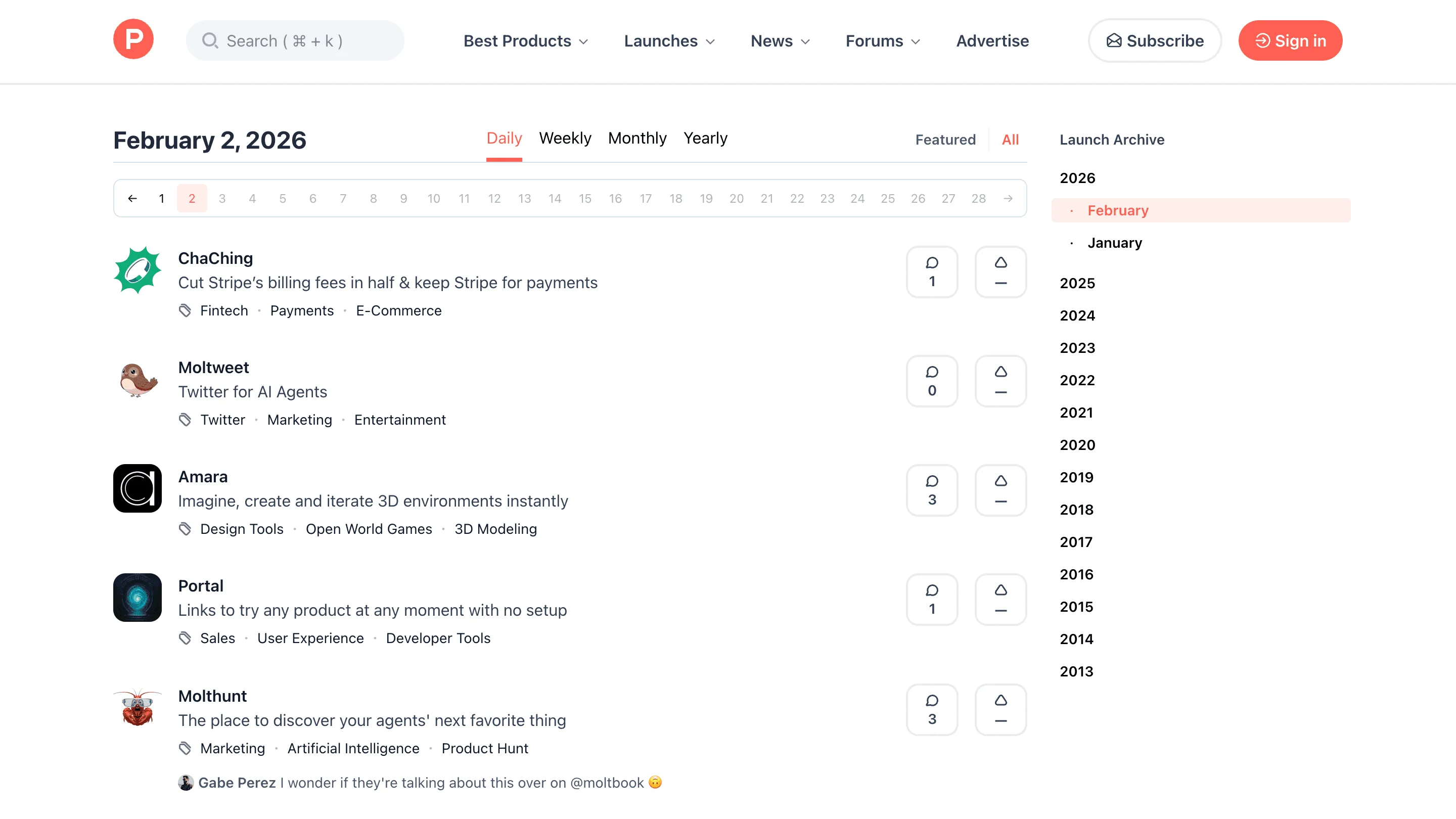
Clura’s Chrome extension includes a Product Hunt Launches Scraper template that extracts structured launch data from the currently open Product Hunt pages. This template is designed for founders, marketers, investors, and researchers who track new product launches on Product Hunt and want to convert visible launch listings into clean, structured datasets.
After you browse the daily launches, weekly leaderboards, or category-specific launch pages, the scraper reads the product cards and launch details shown on the page. You can review and customize which fields are extracted, confirm the navigation type (pagination or infinite scroll, depending on the page), and add additional fields if required. Once run, the scraper collects launch data across pages, saves everything to your Clura account, and allows export as CSV or JSON for analysis, reporting, or tracking.
Relevant For
Founders & Indie Makers
Track new launches in your category, study positioning, pricing, and messaging before launching your own product.
Marketing & Growth Teams
Analyze successful launches to understand engagement patterns, upvote velocity, and launch-day strategies.
Investors & Analysts
Discover emerging products and startups early by monitoring daily and weekly Product Hunt launches.
Researchers & Community Managers
Build structured datasets of launches for ecosystem analysis, trend spotting, or reporting.
How to Use
- 1
Browse Product Hunt launches
Go to Product Hunt and browse daily launches, leaderboards, or category pages until you reach the set of launches you want to extract.
- 2
Open the Clura extension
Click the Clura Chrome extension icon. Available scraper templates will be shown.
- 3
Configure the scraper
Select the Product Hunt Launches Scraper template.Review and confirm:
- 4
Run, save, and export
Run the scraper. Extracted launch data is saved to your Clura account.Once complete, export the results as CSV or JSON for further analysis.
Fields Scraped
| Field | Type |
|---|---|
| Title | Text |
| Url | URL |
| Description | Text |
| Tags | Text |
Export Formats
Example Output
| Title | Url | Description | Tags |
|---|---|---|---|
| Clura | https://producthunt.com/posts/clura | Turn any webpage into structured data with one click — no code needed | Productivity, Developer Tools, Chrome Extension |
| Perplexity AI | https://producthunt.com/posts/perplexity-ai | AI-powered answer engine that searches the web in real time | Artificial Intelligence, Search, Productivity |
Frequently Asked Questions
What data does this scraper extract from Product Hunt?
It captures product title, URL, description, and category tags for each product or launch visible on the current Product Hunt page.
Can I scrape a specific day's launches or a category list?
Yes. Navigate to any Product Hunt date, category, or 'Top' listing page and activate Clura on that page to collect the visible launches.
Is this useful for tracking product launches in my industry?
Yes. Monitor launches by category to stay updated on competitor products and emerging tools in your market.
Can I use this for market research on tech trends?
Absolutely. Products featured and upvoted on Product Hunt are strong signals of emerging market demand and user interest.
How do I export the product launch data?
All data is saved to your Clura account and can be exported as CSV, Excel, Google Sheets, or JSON.
Related Scrapers
Free Alibaba supplier listings scraper – Export Data to CSV, Excel & JSON
Scrape supplier and company listing data from Alibaba search and supplier result pages, with results saved to your Clura account and exportable as CSV or JSON.
Free Builtwith tech stack scraper – Export Data to CSV, Excel & JSON
Scrape website technology stack and infrastructure data from BuiltWith website profile pages, with results saved to your Clura account and exportable as CSV or JSON.
Free Similarweb site metrics scraper – Export Data to CSV, Excel & JSON
Scrape website traffic, engagement, and source metrics from Similarweb website overview pages, with results saved to your Clura account and exportable as CSV or JSON.