
Amazon Price Scraping: The Complete Guide to Competitor Intelligence
Clura Team
Amazon's marketplace runs on data. Over 2.5 million price changes happen every single day — prices shift every ten minutes in competitive categories. If you are checking competitors manually, you are already behind. Amazon price scraping automates this entire process, giving you a live feed of competitor prices, Buy Box changes, stock levels, and market shifts so you can make data-backed decisions in real time.
This guide covers everything: why automated price scraping is a competitive necessity, how to choose the right tool, how to beat Amazon's anti-scraping defenses, what data to collect beyond the price tag, and how to build a no-code workflow that runs on autopilot.
Scrape Amazon Prices Without Writing Code
Clura is an AI-powered browser extension that extracts Amazon product data — prices, Buy Box status, seller info, stock levels — and exports it as a clean CSV in minutes. No Python, no proxies to manage.
Add to Chrome — Free →Why Amazon Price Scraping Is Your Competitive Advantage
Amazon price scraping automates competitor monitoring at a scale and speed that manual tracking can never match — giving you real-time pricing intelligence to protect margins, win the Buy Box, and spot market trends before competitors do.
Amazon generated $638 billion in net sales in 2024 and controls over 40% of all US e-commerce. Prices move faster than any human team can track. A competitor can slash their price, capture the Buy Box, and drain your sales — all before you finish your morning coffee.
- Perfect your pricing strategy: Adjust prices on the fly to match market conditions while protecting your margins.
- Outsmart competitors: Get instant intelligence when a rival slashes their price, launches a sale, or runs out of stock.
- Spot trends early: Identify pricing patterns and emerging products before they take off.
- Enforce MAP policies: Automatically flag third-party sellers violating your Minimum Advertised Price policy.
70% of Amazon sellers use dynamic pricing software. Prices can change more than a dozen times a day. Without automation, you're making critical decisions based on outdated information.
What Data to Collect Beyond the Price Tag
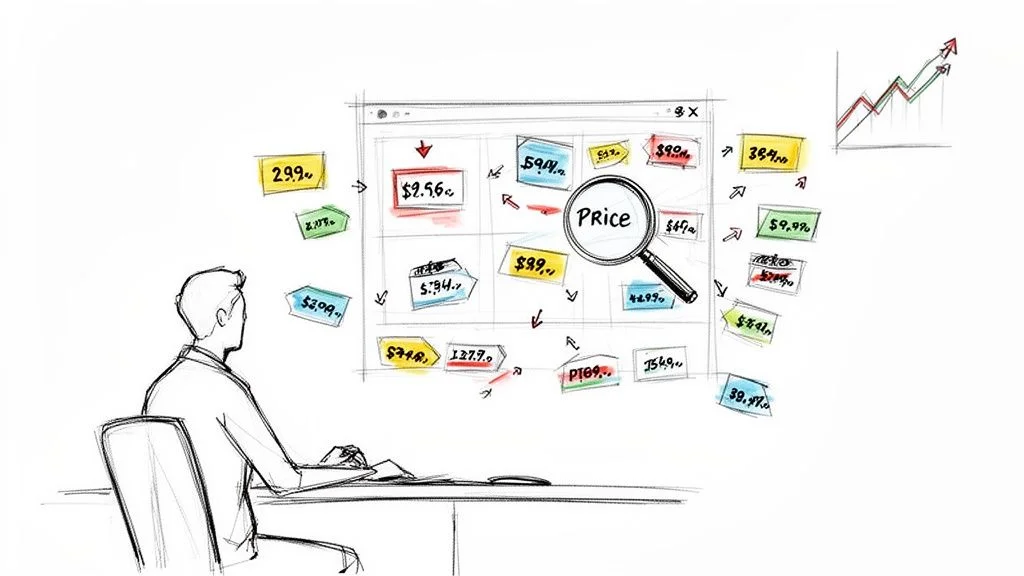
Effective Amazon price scraping goes beyond the current price — Buy Box ownership, seller identity, stock levels, and Best Seller Rank together reveal a competitor's full strategy.
The price is one data point. These are the fields that reveal the full competitive picture:
| Data Point | Strategic Value |
|---|---|
| Current Price and Sale Price | Front-line intel — instantly see how you stack up and spot promotions as they happen |
| Buy Box Winner | Over 80% of sales happen through the Buy Box. Track who owns it and when they win it |
| Seller Information | Monitor all sellers on a listing — spot new competitors and catch MAP policy violations |
| Stock Levels | When a competitor goes out of stock, their customers come to you. Catch this signal early |
| Best Seller Rank (BSR) | Tracks sales velocity — a sudden BSR improvement signals a competitor just ran a promotion |
| Customer Rating and Review Count | Understand the relationship between price, quality perception, and sales performance |
Choosing Your Amazon Price Scraping Tool
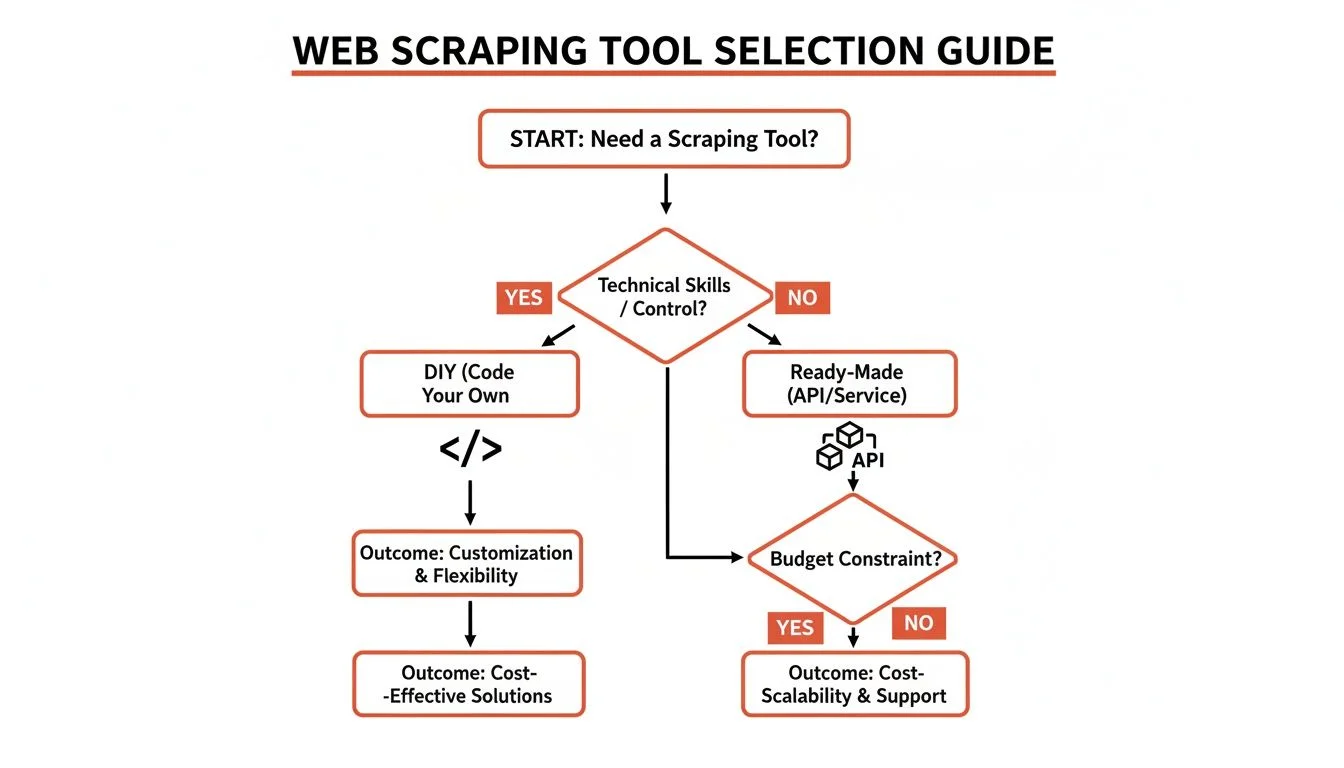
You have three options: build a DIY Python scraper, use a web scraping API, or use a no-code browser tool. For most business users, a no-code tool delivers the best balance of speed, reliability, and zero maintenance.
| Method | Technical Skill | Maintenance | Scalability | Best For |
|---|---|---|---|---|
| DIY Python Scraper | High (Python, HTML/CSS) | High and constant | Moderate with effort | Developers with time to maintain |
| Web Scraping API | Low to moderate | None | Very high | Businesses needing reliable scaled data |
| No-Code Browser Tool | None | None | Low to moderate | Business users who need data fast |
DIY gives you total control but comes with relentless maintenance — Amazon updates its site structure constantly and every change breaks your script. A no-code browser tool like Clura combines the simplicity of pointing and clicking with automation workflows. You get the data without any infrastructure to manage.
How to Beat Amazon's Anti-Scraping Defenses
Amazon uses IP blocking, CAPTCHA challenges, browser fingerprinting, and dynamic page rendering to stop scrapers. Modern tools handle all of these automatically using rotating residential proxies, AI element detection, and headless browser rendering.
Amazon is one of the most sophisticated anti-scraping environments on the web. Here is how professional tools navigate each defense automatically:
- Rotating residential proxies: Instead of hitting Amazon from one server IP, a professional scraper cycles through thousands of real residential IP addresses. To Amazon, each request looks like a different shopper browsing from home.
- User-agent rotation: Cycling through real browser user-agent strings prevents the single-script fingerprint from being detected.
- Randomized request delays: Natural-looking delays between requests mimic how a human browses — preventing rate-limit triggers.
- Headless browser rendering: For prices loaded by JavaScript after page load, a headless browser executes the JS and captures the fully rendered page before extracting data.
- AI-powered element detection: Instead of hardcoded CSS selectors that break with every site redesign, modern tools use ML to identify the price by its context on the page — resilient to layout changes.
The result: professional tools achieve 98%+ data accuracy on public Amazon data. You are not breaking anything — you are automating what any shopper could see by visiting the page.
Your No-Code Workflow for Scraping Amazon Prices
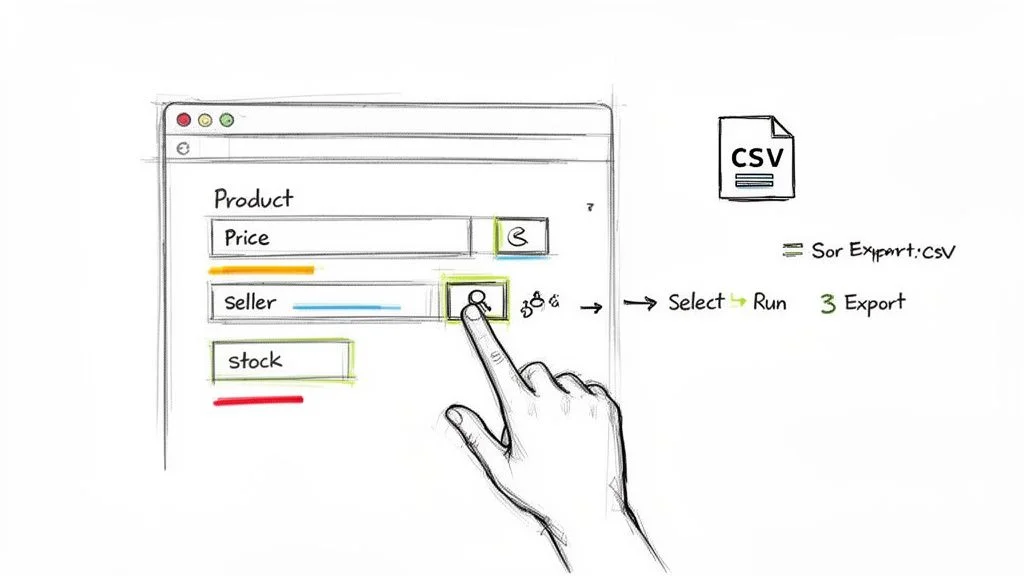
With a no-code browser extension, you can start pulling structured Amazon price data in under five minutes — install the extension, load an Amazon page, select a prebuilt template, and export a clean CSV.
- Install the extension: Add Clura to Chrome. It sits in your toolbar and is ready whenever you land on an Amazon page.
- Navigate to Amazon: Go to any product page or search results page — for example, search 'Sony headphones' to monitor the full competitive set in that category.
- Open Clura and select a template: Click the Clura icon, then pick the Amazon Product Listings Scraper template. It already knows where to find product title, price, ASIN, rating, review count, and URL.
- Run and export: Hit Run — the agent navigates through pages automatically, collecting data for every listing. Download a clean CSV ready for Excel or Google Sheets.
Customizing for Product Variations
For products with size, color, or style variants, train a custom agent on the exact variation you need to track. Navigate to the specific variant on Amazon, activate selection mode in Clura, click the price for that variation, and save it as a named agent. Every run captures that exact variant's price — critical for shoe and apparel sellers where variant pricing differs significantly.

Use the Amazon Product Listings Scraper Template
Clura's prebuilt Amazon template extracts price, ASIN, rating, seller, stock status, and review count from any search results page — ready to run in under 60 seconds.
Explore Templates →Building an Automated Amazon Price Monitoring System
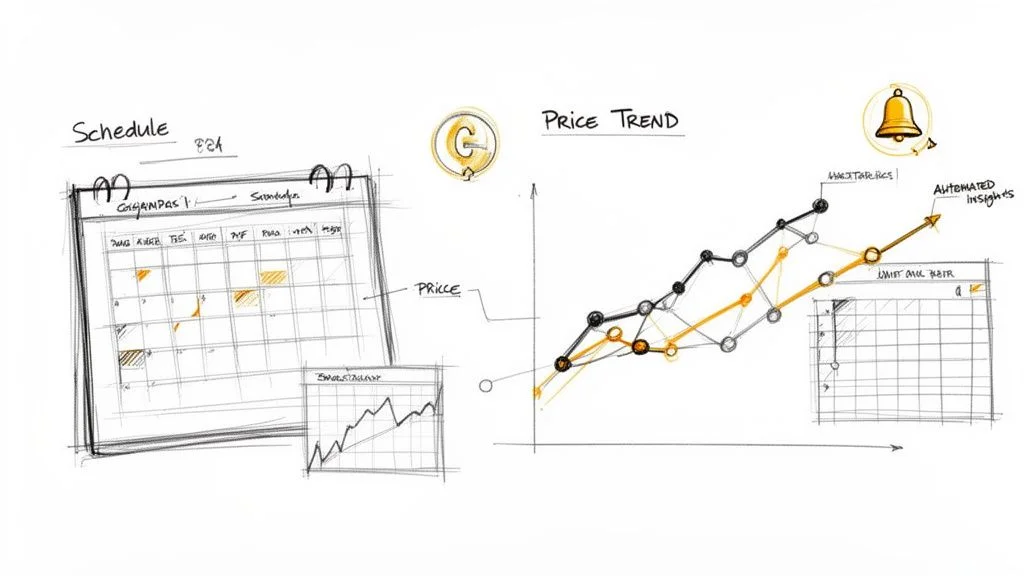
Schedule your scraper to run daily or hourly, export historical data to a spreadsheet, and use simple Excel formulas to spot pricing patterns, identify the low-price leader, and predict competitor behavior.
A one-time scrape gives you a snapshot. Scheduled scraping gives you a motion picture of the market — revealing patterns your competitors think are secret.
Set the Right Scraping Frequency
- Hourly: Hyper-competitive categories (electronics, toys during holiday season) where prices shift multiple times per day.
- Daily: Most e-commerce categories. Run every morning to start the day with fresh competitive data.
- Weekly: Broader trend analysis, MAP compliance monitoring, or markets where prices are stable.
Analyze Patterns in Your Historical Data
Export your accumulated data to Google Sheets or Excel: =AVERAGE() on a competitor's price column reveals their baseline — spikes above it signal low inventory, dips signal a promotion. =MIN() across competitors for a given day identifies the price leader. A line chart of 30 days of data visually exposes pricing wars, weekend patterns, and reactions to your own price changes.
| Use Case | Business Goal | Key Data to Track |
|---|---|---|
| Competitive Pricing | Stay ahead of rivals | Competitor prices, BSR, stock levels, promotions |
| MAP Enforcement | Protect brand value | Prices from all third-party sellers on your ASINs |
| Dynamic Repricing | Maximize profit margins | Competitor prices, demand signals, seasonality |
| Market Research | Identify category opportunities | Average category price, new entrants, sales velocity |
Frequently Asked Questions
Is Amazon price scraping legal?
Yes. Scraping publicly available data — prices, ratings, seller names visible to any website visitor — is generally legal for market research and competitive analysis. The key is to scrape responsibly: respect rate limits, avoid overloading servers, and never target personal or private data. Modern tools are built to operate within these ethical limits.
How often should I scrape Amazon prices?
Match frequency to how fast your market moves. Consumer electronics can change multiple times per day — hourly makes sense. Most categories are well-served by daily scrapes. For broader trend analysis or MAP monitoring, weekly is sufficient. Start daily, then adjust based on volatility you observe in the first two weeks of data.
Can I scrape prices from multiple Amazon regions?
Yes. You can pull pricing from Amazon.de, Amazon.co.jp, Amazon.co.uk, and other regional sites. Tools with proxy network support route requests through local IP addresses, ensuring you see the correct regional pricing, currency, and shipping details — essential for global sellers and international competitive analysis.
What is the best export format for scraped Amazon data?
CSV is the universal choice. It opens in Google Sheets, Excel, Tableau, or any database without conversion. Most scraping tools offer one-click CSV export. For advanced workflows, some also support direct export to Google Sheets or webhook integrations with repricing software.
How do I track Buy Box ownership over time?
Include 'Buy Box Winner' as a field in your scraping template. Run daily scrapes and accumulate the data over weeks. Chart which sellers own the Buy Box most frequently, what price they hold when they own it, and how your own pricing changes affect your Buy Box win rate. This is the most actionable use of historical Amazon scraping data.
Conclusion
Amazon price scraping transforms competitor monitoring from a manual chore into an automated intelligence engine. With the right tool, you get real-time data on price, Buy Box, stock, and seller behavior across thousands of products — without writing a line of code.
Start simple: run a daily scrape of your top competitors on your main ASINs. Build two weeks of historical data. The patterns in that first dataset will drive every pricing decision that follows.
Explore related guides:
- Price History on Amazon — tools and techniques for tracking historical Amazon prices as a buyer or seller
- Amazon API Scraping — the developer-focused approach for structured Amazon data access
- eBay Web Scraping — apply the same techniques to eBay's marketplace
- Automate Data Extraction — build recurring extraction workflows for any website
Stop Guessing — Start Scraping Amazon Prices Automatically
Clura monitors any Amazon search or category on a schedule and exports clean, structured price data. Track competitors, win the Buy Box, and price for profit — no code required.
Add to Chrome — Free →About the Author