
The Ultimate Guide to Using a Chrome Extension Data Scraper
Clura Team
A Chrome extension data scraper is a small browser add-on that automatically grabs structured information from websites — eliminating the mind-numbing loop of manual copy-pasting that kills team productivity. Instead of spending hours jumping between tabs to build lead lists or track competitor prices, you just click a button and the tool organizes everything into a clean spreadsheet. Some reports show that manual data collection eats up a shocking 40% of a sales team’s time — time that should be going toward closing deals and building relationships.
This guide walks through everything: how to install and set up a Chrome data scraper in minutes, the real-world workflows that deliver the most value for sales, recruiting, and e-commerce teams, and the smart features that turn a simple tool into a full automation engine. You can also check out our broader guide on how to automate data collection for complementary workflow strategies.
Get Your Chrome Data Scraper Up and Running in 5 Minutes
Clura is a no-code AI browser extension that pulls structured data from any website in one click — with pre-built templates for LinkedIn, Amazon, Crunchbase, and hundreds more sites. Start for free today.
Add to Chrome — Free →Stop Copy-Pasting and Start Automating Your Workflow
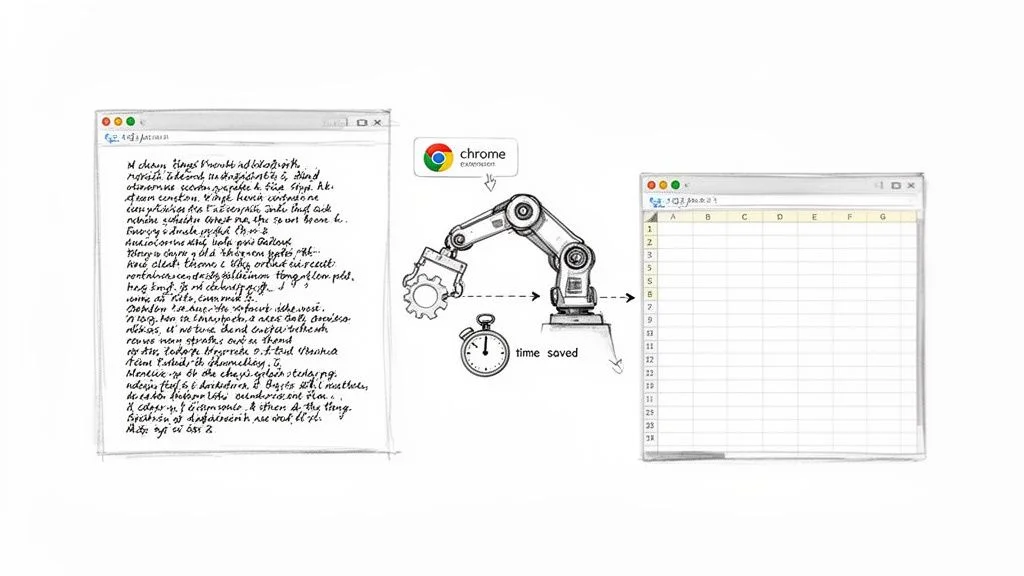
A Chrome extension data scraper replaces hours of manual copy-pasting with a single browser click — automatically pulling structured data from any webpage into a clean, organized spreadsheet ready for analysis or CRM import.
| Metric | Manual Data Collection | AI Data Scraper |
|---|---|---|
| Time Investment | Hours or days per task | Minutes per task |
| Cost | High (labor hours, opportunity cost) | Low (affordable subscription) |
| Accuracy | Prone to human error (typos, missed data) | Highly accurate and consistent |
| Scalability | Very limited; slow and tedious | Easily scales to thousands of records |
The business impact compounds fast. Your sales team gets back the hours they were burning on lead research. Your recruiting team sources candidates faster than competitors. Your e-commerce team reacts to competitor pricing in real time instead of weeks later. This is not just efficiency — it is competitive advantage.
Get Your First Data Scraper Up and Running In Minutes
Setting up a Chrome extension data scraper takes less than five minutes: install from the Chrome Web Store, pin the extension to your toolbar for instant access, and create a free account to start collecting data immediately.
Find and Add the Extension to Your Browser
Head to the Chrome Web Store — the official, safe marketplace for all Chrome extensions. Search for your scraper of choice, click the listing, and hit the “Add to Chrome” button. Confirm permissions in the popup. The tool is now part of your browser and its icon will appear in your toolbar.
Pin It for Quick Access
- Click the puzzle piece icon (Extensions menu) in the top-right corner of Chrome
- Find your scraper in the list of extensions
- Click the pin icon next to it — the logo now has a permanent home in your toolbar
Create Your Free Account and Start Scraping
Click the pinned icon and sign up — a quick process requiring only email and password. Once in, you can jump right into scraping sites like LinkedIn, or get a head start by exploring a library of pre-built smart templates. Check out these prebuilt scraper templates to see what’s already waiting for you.
Real-World Scraping Workflows That Drive Growth
The three highest-impact Chrome extension data scraper workflows are building hyper-targeted lead lists from LinkedIn for sales teams, automating candidate sourcing from job boards for recruiters, and tracking competitor pricing and product data for e-commerce teams.
A Playbook for Sales and Marketing Teams
Navigate to LinkedIn Sales Navigator and run your targeted search. Click your scraper extension, pick the pre-built LinkedIn template, and let it automatically scroll through every page — gathering name, job title, company, location, and profile URL from each result. The output is a perfectly structured CSV ready to be plugged straight into your CRM. You get from zero to a 500-person targeted lead list before your coffee gets cold.
You are not just getting names. You are getting titles, company names, locations, and profile URLs — all neatly organized and ready to be plugged straight into your CRM. This is not just about moving faster; it is about building a smarter, more targeted pipeline.
A Game-Changer for Recruiters
Instead of manually clicking through dozens of profiles on Indeed or LinkedIn Jobs, a recruiter searches for a specific role and uses a scraper to pull a comprehensive list of matching candidates — name, location, work history, key skills, and profile link. The final export is a recruiter’s dream: a clean CSV they can filter by must-have keywords to immediately surface the most promising people. This shifts recruiting from reactive to proactive.
Supercharge Your E-commerce Strategy
For e-commerce, staying ahead means constantly monitoring competitors’ pricing, promotions, and stock levels. Set up a daily scrape of your top five competitors — every morning, a fresh report on their pricing and product availability arrives automatically. You can optimize your pricing instantly when a competitor runs a sale, manage inventory by spotting competitor stock gaps, and analyze new product launches as they happen.
Build Your First Chrome Scraper Workflow Today
Clura comes with pre-built templates for LinkedIn, Amazon, Crunchbase, X, and hundreds of other sites. Get the structured data your team needs in minutes — start for free today.
Add to Chrome — Free →Take Your Scraping to the Next Level with Smart Features
Smart templates, automatic pagination, infinite scroll detection, and built-in data cleaning transform a basic Chrome extension data scraper into a full automation engine that handles complete datasets from any website without manual intervention.
Forget Manual Setup, Use Smart Templates
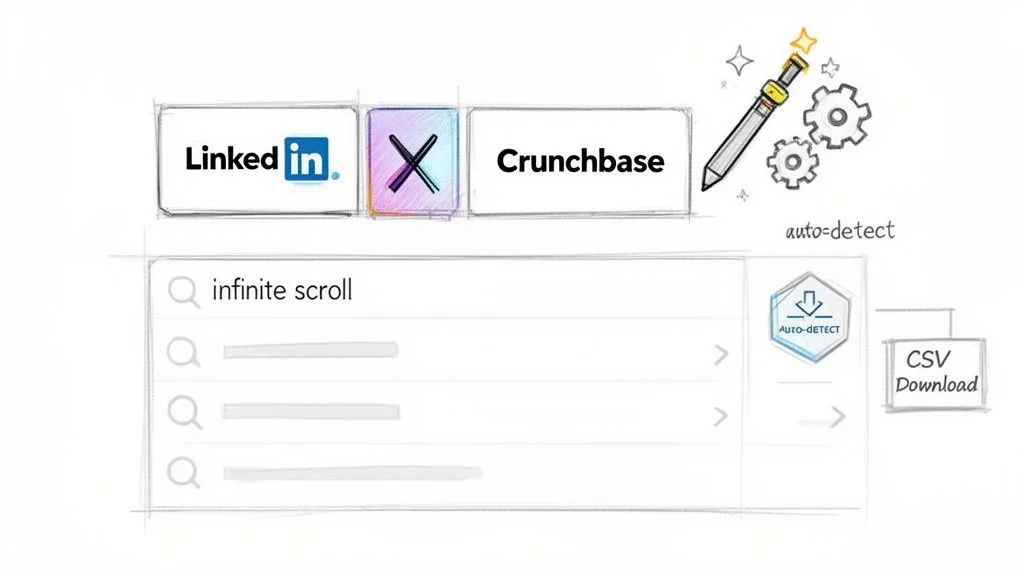
Smart templates are pre-configured playbooks for the web’s most valuable data sources. They are already set up to know exactly what data matters on platforms like LinkedIn Sales Navigator, X (formerly Twitter), and Crunchbase. You go to the site, open the scraper, and click the template — a genuine one-click experience that makes a sophisticated data scraper feel effortlessly easy.
Conquer Even the Most Complex Websites
- Automatic pagination: the tool finds “Next” buttons or page numbers and clicks through every single page automatically until the job is done
- Infinite scroll detection: for sites like X, Instagram, or job boards, the scraper scrolls down repeatedly to force all content to load before extracting
From Raw Data to Ready-to-Use Insights
Top-tier scrapers build data cleaning directly into the extraction process — stripping HTML tags, trimming whitespace, and formatting fields consistently. The result is an instant CSV export that goes straight into your CRM, email marketing platform, or Google Sheets without any manual cleanup. Your data is immediately ready to act on.
Scraping Data the Right Way: Ethical Best Practices
Ethical Chrome extension data scraping means checking the website’s Terms of Service first, respecting robots.txt directives, scraping at a polite rate that mimics human behavior, and never collecting personal data without a clear lawful basis.
Wielding a powerful Chrome extension data scraper comes with real responsibility. Web scraping is not the Wild West — it demands respect for the rules of the road. Getting the ethical and legal side right is non-negotiable. It protects you legally and builds your reputation as a responsible data professional.
- Check Terms of Service first: always read the site’s ToS before launching — if they say no scraping, you must walk away
- Respect robots.txt: this file tells bots which pages are off-limits — ignoring it is bad form and a legal red flag
- Pace yourself: introduce gentle delays between requests to mimic human browsing and keep server load down
- Stick to public info: only scrape data visible without logging in — never attempt to get behind a login wall
Data privacy laws are not optional. Laws like GDPR and CCPA have strict rules on how personal data is handled — even if that information is publicly listed. The safest approach: avoid scraping personally identifiable information altogether unless you have a clear, legitimate legal basis. For a deeper dive, check out our guide on the legality of web scraping.
Frequently Asked Questions
Is data scraping with a Chrome extension legal?
Yes, when done ethically and responsibly. The entire game is about respecting the rules of the road and focusing on data that is already publicly visible. Check the website’s Terms of Service, respect the robots.txt file, only collect public information, and avoid personally identifiable data. As long as you follow these principles, you are operating well within legal boundaries.
What happens when a website tries to block my scraper?
A smart scraper works more like a human by adding natural-seeming delays between actions rather than firing requests like a machine gun. This mimicry is often enough to avoid detection. For tougher sites, advanced tools can rotate through different IP addresses to avoid triggering anti-bot measures.
Can a Chrome scraper deal with infinite scroll pages?
Yes. Modern scrapers have a specific function for infinite scroll — you toggle it on and the extension patiently scrolls all the way to the bottom of the page, waiting for every batch of content to load before extracting. You kick back and let it do the work, knowing you will not miss a single entry.
What format does scraped data come in?
The most common and useful format is CSV (Comma-Separated Values). A CSV opens in Microsoft Excel, Google Sheets, or Apple Numbers with all data in perfect rows and columns — instantly ready for analysis, filtering, or direct upload to your CRM or marketing platform.
Conclusion
A Chrome extension data scraper is one of the highest-leverage tools a non-technical business professional can add to their workflow in 2026. The combination of no-code simplicity, pre-built templates for the most valuable data sources, and instant CSV export makes it accessible to anyone regardless of technical background.
Start with the workflow that addresses your most painful current bottleneck: lead list building for sales, candidate sourcing for recruiting, or competitor monitoring for e-commerce. Get one workflow running smoothly, measure the time saved, and then expand from there.
The key to long-term success with any data scraper is pairing speed with responsibility. Check Terms of Service, respect robots.txt, scrape at a polite rate, and stick to public information. This approach protects you legally and ensures your data pipelines run reliably for the long haul.
Explore related guides:
- Automate Data Collection Without Code —
- Is Web Scraping Legal? Complete Guide —
- How to Scrape a Web Page: The Ultimate Guide —
The Smartest Chrome Extension Data Scraper for Your Team
Clura combines AI-powered data extraction, pre-built templates for hundreds of sites, and instant CSV export into the simplest browser scraper available. No code, no setup, no frustration — just clean data.
Add to Chrome — Free →About the Author