
Automate Data Collection in Minutes Without Any Code
Clura Team
Automating your data collection is no longer a nice-to-have — it is a strategic necessity. By using AI-powered browser agents, you can visually scrape and organize information from literally any website with no code required, turning hours of manual drudgery into a simple, one-click workflow that delivers clean, accurate data instantly. Whether you are a sales pro hunting for leads, a marketer tracking competitors, or a recruiter sourcing talent, clinging to manual copy-paste processes is holding your team back.
This guide walks you through the three main methods to automate data gathering, a step-by-step example workflow, and the advanced techniques that scale your automation into a true business intelligence system. If you want to go even deeper on specific strategies, our guide on data entry automation covers complementary approaches.
Automate Your First Data Workflow in Minutes
Clura’s AI browser agent lets you point-and-click to collect data from any website and export it as a clean CSV — no code, no setup, no frustration. Get started free today.
Add to Chrome — Free →Why Automate Data Collection Now
Automating data collection replaces slow, error-prone manual copy-pasting with accurate, repeatable workflows that deliver fresh data exactly when you need it — freeing your team to focus on analysis and strategy instead of grunt work.
The cost of manual data entry is easy to underestimate. Every hour spent copying information from websites is an hour not spent on strategy, analysis, or building client relationships. The database automation market is projected to grow from USD 3.19 billion in 2026 to USD 22.2 billion by 2034 — a signal that businesses everywhere are recognizing this hidden cost.

- Skyrocket productivity: free your team from grunt work for high-impact projects
- Get pristine data: eliminate typos, formatting errors, and missed details from manual entry
- Make faster decisions: access fresh, relevant data exactly when you need it
The real win is not just collecting data faster. It is giving your team back their time and creative energy for strategic work that actually moves the needle.
How to Automate Data Collection: 3 Simple Methods
The three main methods to automate data collection are AI browser agents (no-code, fastest to start), traditional web scrapers (moderate technical skill, more control), and custom API integrations (developer-level, most reliable for high-volume needs).
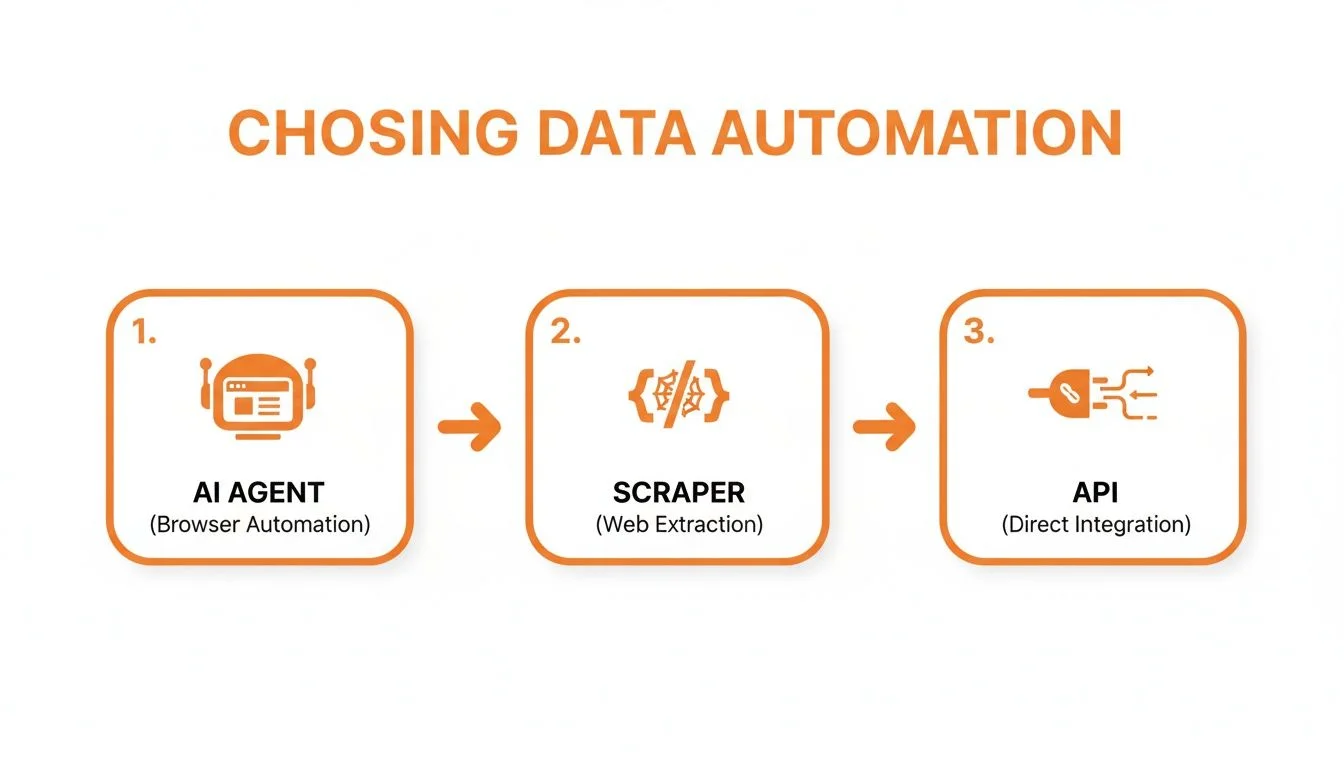
1. AI Browser Agents: The Point-and-Click Champions
AI browser agents are the easiest way to get started. You navigate to a webpage, point at the data you want — names, prices, job titles — and click. The agent pulls it all into a neat spreadsheet. These tools are built for business professionals, not coders, and are perfect for sales reps pulling leads from LinkedIn, marketers tracking competitor pricing, or recruiters grabbing candidate profiles from job boards.
2. Traditional Web Scrapers: The Power User’s Toolkit
Traditional scrapers give you more control and muscle for complex websites or large data jobs, but require some familiarity with HTML structure. They are the right middle ground when you need more power than a no-code agent but are not ready to write custom code. For a deeper look at the top players, check out our guide on the best data extraction software.
This method is the perfect middle ground. It is for when you need more power than a simple no-code agent can offer but you are not quite ready to start writing custom code from scratch.
3. Custom API Integrations: The Developer’s Direct Line
APIs offer the most stable and efficient data access by connecting directly to a company’s database. The data is pristine and perfectly formatted, but this method requires coding skills and depends on the target site offering a public API. Best for developers building real-time tracking tools, not for marketers needing a quick list export.
| Method | Ease of Use | Technical Skill | Speed to Implement | Best For |
|---|---|---|---|---|
| AI Browser Agents | Very Easy | None | Minutes | Quick, targeted extractions by non-technical users |
| Traditional Scrapers | Moderate | Basic (HTML/CSS) | Hours to Days | Complex sites and larger datasets |
| Custom APIs | Difficult | High (Coding) | Days to Weeks | High-volume, real-time, reliable data for developers |
A Step-by-Step Guide to Your First Automated Workflow
Building your first automated data workflow takes three steps: define exactly what data you need, launch an AI agent to point-and-click collect it, then export a clean CSV ready for immediate use.
Step 1: Define Your Goal
Before clicking anything, define exactly what information you need. A clear objective stops you from grabbing useless data and keeps your workflow lean. For example, if you are building a list of top web design agencies from Clutch, your target fields are: Company Name, Website URL, Services Offered, and Client Rating.
Step 2: Launch Your AI Agent
Navigate to the website you want to extract data from and open your AI browser agent. Click on the first data point you want — say, a company name — and the AI analyzes the page structure, highlights all similar elements, and understands you want every instance. Repeat for each data type to train the agent on exactly what to collect.
Step 3: Export Your Data in One Click
After pointing out all the data fields, the agent shows a real-time preview of the table it will build. Review it, hit “Run,” and the agent works through every page of results automatically. Then download a clean, perfectly formatted CSV. For a deeper look at the mechanics, check out our complete guide on how to scrape a web page.
- Ready to use: immediately upload to your CRM, share with your sales team, or drop into an analysis tool
- Zero manual cleanup: data is clean from the get-go with no typos, weird characters, or reformatting needed
3 Powerful Use Cases for Automated Data Collection
The highest-impact use cases for automated data collection are supercharging sales pipelines with targeted lead lists, gaining real-time competitor intelligence, and building proactive recruiting pipelines — all achievable in minutes with no-code AI agents.
1. Supercharge Your Sales Pipeline
Instead of burning days manually clicking through LinkedIn profiles, a sales rep can spin up an AI agent to pull key data points — Name, Job Title, Company, Website, Location — from profiles that match their ideal customer. The team gets a pristine, ready-to-use lead list in under an hour, freeing them to do what they do best: sell and build relationships.
2. Dominate Your Market with Competitor Intelligence
Set up an automation that scans your top competitors’ product pages every morning. It automatically grabs current price, stock availability, and any promotions for the products you track, then pipes all that fresh data right into a simple dashboard — giving you a complete market overview before your first coffee.
This is not just about saving time; it is about making smarter, faster pricing decisions. You can spot trends, react instantly to a competitor’s flash sale, and make sure your prices are always dialed in.
3. Revolutionize Your Recruiting Workflow
A recruiter sets up an automated workflow to scan job boards for new candidates with specific skills in a particular city. The agent works around the clock — even while they sleep — delivering a fresh list of potential hires every morning. This lets the recruiter be first to reach out, a huge advantage in a competitive hiring market.
Pro Tips to Scale Your Automation Efforts
Scaling your automation from one-off tasks to a true data pipeline requires three key upgrades: scheduling workflows to run automatically, mastering pagination to capture complete datasets, and cleaning and formatting data on the fly during collection.
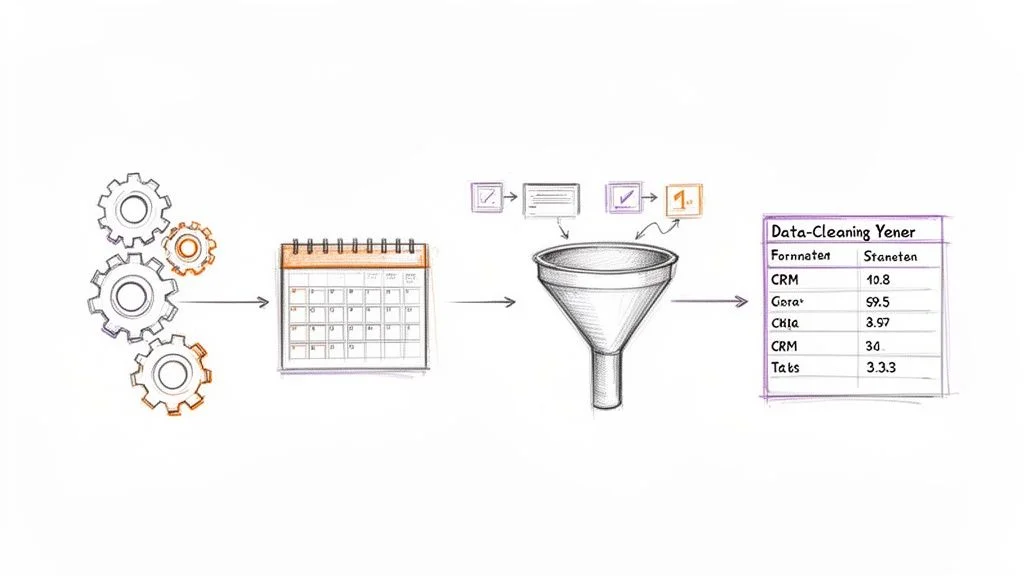
Schedule Your Workflows to Run on Autopilot
Schedule your automations to run daily, weekly, or even hourly so you always have fresh data without manual effort. Your competitor intelligence workflow can run every morning at 7 AM — you arrive at the office with a fresh, updated report already waiting.
Master Pagination for Complete Datasets
Modern AI agents can recognize “Next” buttons or URL page patterns and click through every single page automatically until all data is collected. This is the key to capturing complete datasets — instead of just the first 20 results, you collect all 2,000 effortlessly.
Clean and Format Data on the Fly
Advanced automation tools let you apply cleaning rules to data before it hits your spreadsheet. Strip currency symbols, trim whitespace, extract email addresses from text blocks — when you build cleaning steps directly into your workflow, your final export is a pristine CSV ready for immediate use in your CRM, marketing platform, or analytics dashboard.
Build Your First Automated Data Workflow
Clura’s AI browser agent handles point-and-click data extraction, automatic pagination, and clean CSV export — all without a single line of code. Explore prebuilt templates and start automating in minutes.
Add to Chrome — Free →Frequently Asked Questions
Is automating data collection legal?
Yes, as long as you collect only publicly available information — data visible on a website without logging in. Always respect a site’s Terms of Service and robots.txt, never scrape from behind a password-protected wall, and use a polite request rate that does not overload the server.
Do I need to know how to code to automate data collection?
No. Modern AI browser agents are designed for non-technical users. If you can point and click on a website, you have all the skill you need. You show the AI what data you want by clicking on it — no scripts, no coding required.
How do I know the automated data is accurate?
Top-tier automation tools use sophisticated AI to recognize and structure data fields, massively reducing errors compared to manual copy-pasting. As a best practice, spot-check the first few rows of any export to confirm the agent is grabbing everything correctly before trusting the full dataset.
What is the fastest way to start automating data collection?
Install a no-code AI browser agent like Clura from the Chrome Web Store, navigate to the website you want to scrape, open the extension, select a pre-built template for that site, click Run, and export your CSV. The whole process takes less than five minutes for the first run.
Conclusion
Learning to automate data collection is one of the most valuable skills you can develop for your career or business right now. Modern AI-powered tools have removed the technical barrier entirely — anyone who can browse the internet can build powerful, repeatable data workflows.
Start small: pick one recurring manual data task your team does each week — building a lead list, tracking competitor prices, or sourcing candidates — and build a single automated workflow to replace it. You will likely recover the time investment within the first week.
Once you see the impact of your first workflow, scaling from there is natural. Add pagination handling to capture complete datasets, scheduling to keep data fresh automatically, and built-in cleaning to make every export immediately usable.
Explore related guides:
- How to Scrape a Web Page: The Ultimate Guide —
- Best Data Extraction Software —
- Data Scraping Chrome Extension Guide —
Stop Copy-Pasting. Start Automating.
Clura is a one-click AI browser agent that collects, organizes, and exports data from any website in minutes. No code, no setup — just clean data, ready to go.
Add to Chrome — Free →About the Author