
How to Scrape a Website with Python: The Ultimate 2026 Guide
Clura Team
Web scraping with Python is a game-changing skill for anyone who needs data to make better decisions. At its core it's simple: your script visits a webpage, grabs the raw HTML, and sifts through it to extract exactly what you need. The real skill is choosing the right library for each job.
Python is the undisputed choice for web scraping — its simple syntax and massive library ecosystem cover every scenario from a basic static blog to complex JavaScript-heavy web apps. This guide walks you through the complete journey: environment setup, static-site scraping with BeautifulSoup, dynamic-site scraping with Selenium, anti-blocking techniques, and cleaning data with Pandas.
Need Data Now? Skip the Code Entirely
Clura is an AI-powered browser extension that does everything a Python scraper does — in one click, with no setup required.
Add to Chrome — Free →Why Python is Perfect for Web Scraping
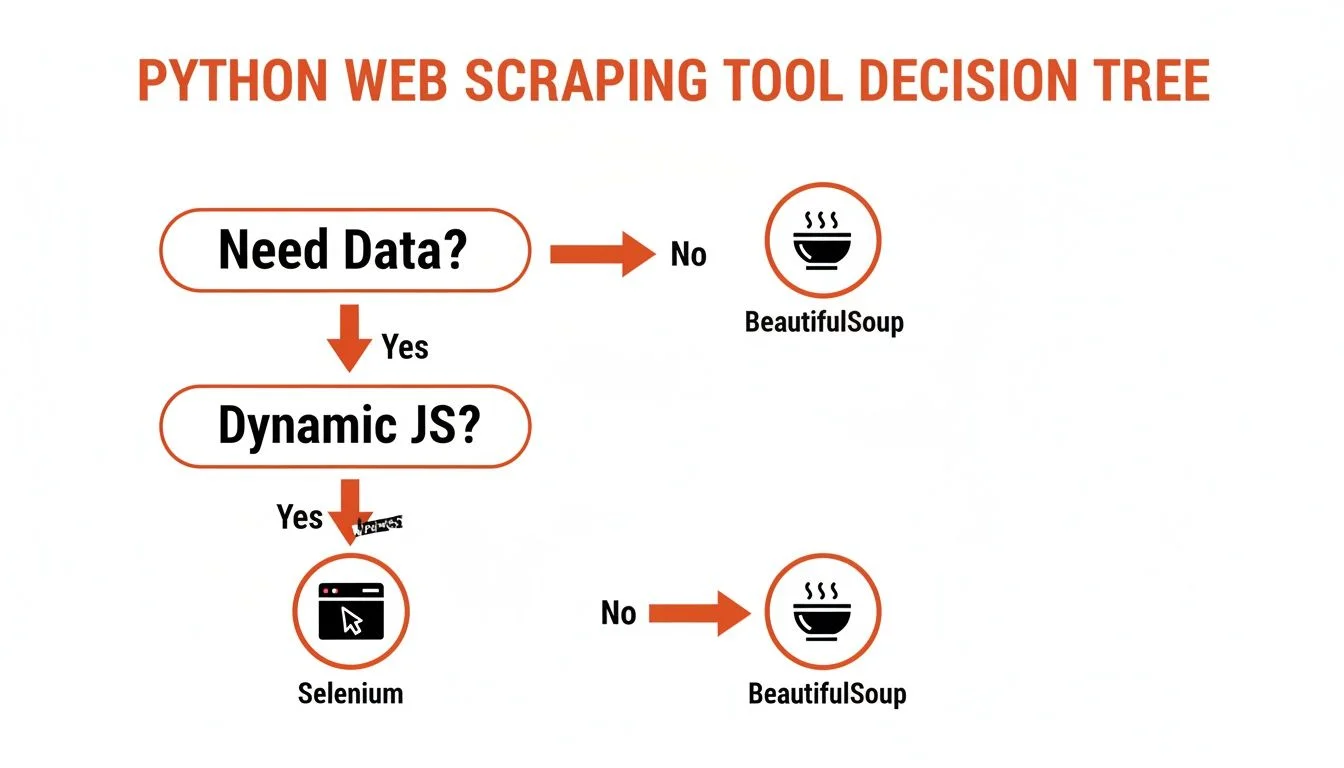
Python is the best language for web scraping because its library ecosystem — Requests, BeautifulSoup, Selenium, Playwright, and Scrapy — covers every possible scraping scenario with clean, readable code.
| Library | Best For | Handles JavaScript? | Complexity |
|---|---|---|---|
| Requests + BeautifulSoup | Static websites, learning basics, quick one-off scripts | No | Low |
| Selenium / Playwright | Dynamic sites, user interactions (logins, clicks, scrolling) | Yes | Medium |
| Scrapy | Large-scale, complex crawling projects requiring speed | No (extendable) | High |
Web scraping is a booming industry expected to rocket past $2.7 billion by 2035. It's no longer a niche skill — it's a critical part of modern business intelligence, competitive research, and AI training data collection. You can explore free web scraping tools to supplement your Python toolkit.
Building Your Python Scraping Environment
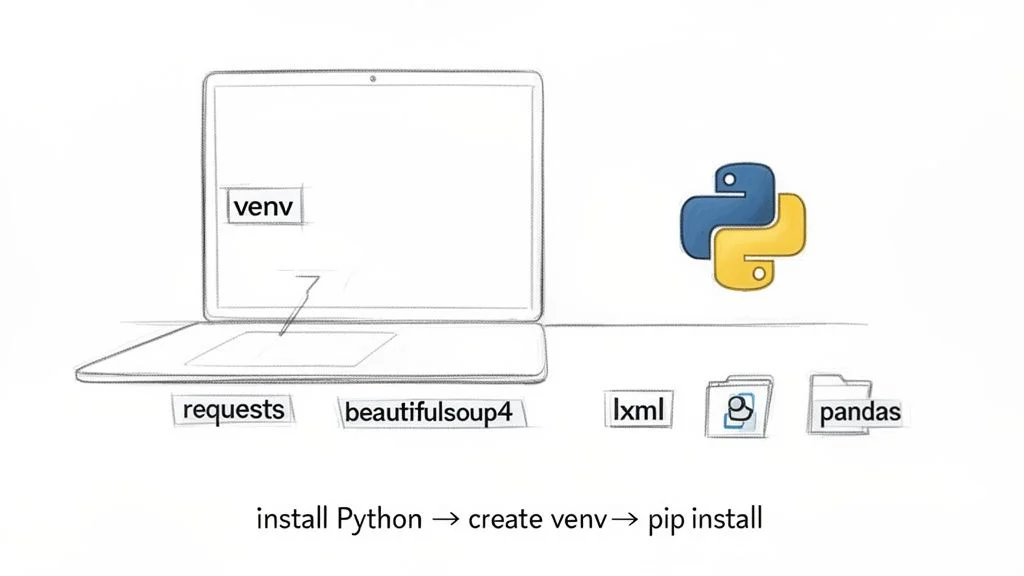
Set up a clean Python scraping environment in three steps: install Python 3.4+, create a virtual environment to isolate dependencies, and install Requests, BeautifulSoup4, lxml, and Pandas.
Step 1: Install Python
Check your version with python --version. You need Python 3.4 or newer. If needed, download the installer from the official Python website.
Step 2: Create a Virtual Environment
Always use a virtual environment — it keeps scraping libraries isolated from other projects and prevents dependency conflicts. Run python -m venv venv in your project folder, then activate it: source venv/bin/activate on macOS/Linux or venv\Scripts\activate on Windows.
Step 3: Install Your Core Tools
With your environment active, run: pip install requests beautifulsoup4 lxml pandas. This gives you: Requests for fetching pages, BeautifulSoup4 for parsing HTML, lxml for fast parsing, and Pandas for cleaning and exporting data.
How to Scrape a Static Website (The Easy Way)
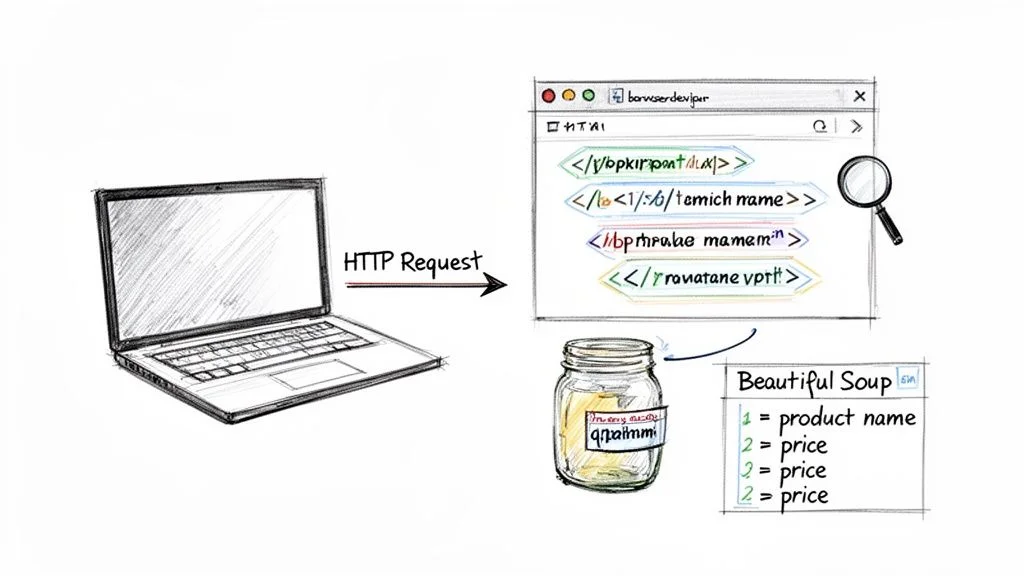
Scraping a static website with Python takes three steps: inspect the page with browser DevTools to find CSS selectors, fetch and parse the HTML with Requests and BeautifulSoup, then loop through matched elements to extract your data.
Step 1: Inspect Your Target Website
Right-click any element you want to extract, select 'Inspect', and find the HTML tags and class names that contain your data. For example, if every product name is in an <h4 class='product-title'>, the CSS selector h4.product-title is your extraction key.
Step 2: Fetch and Parse the HTML
Use requests.get(url) to retrieve the page, then create a BeautifulSoup(response.text, 'lxml') object. This transforms messy HTML into a structured, searchable tree.
Step 3: Find and Extract Your Data
Use soup.select('.quote') to find all matching elements, loop through them, and call .get_text(strip=True) to pull clean text. Append each result to a list as a dictionary. This workflow — inspect, fetch, extract — is the foundation for countless data projects. See the top web scraping use cases for 2026 for business applications.
How to Scrape Dynamic Websites with Selenium
Dynamic websites load content via JavaScript after the initial page render — Selenium overcomes this by controlling a real browser, waiting for elements to appear before extracting them.
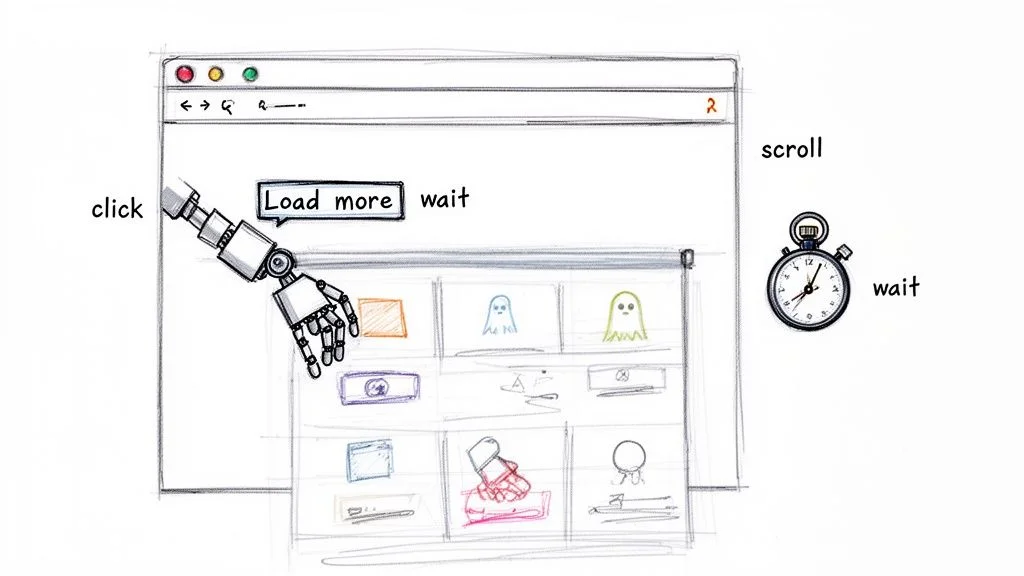
An estimated 70% of modern websites are JavaScript-heavy. When your script gets empty results despite visible data in your browser, you need browser automation. Selenium and Playwright fire up a real Chrome or Firefox window your Python script can control.
Step 1: Install Selenium
Run pip install selenium. Modern versions don't require manual browser driver downloads — as long as Chrome is installed, webdriver.Chrome() handles the rest.
Step 2: Use Explicit Waits for Dynamic Content
The key professional technique is explicit waits: instead of sleeping for a fixed time, use WebDriverWait(driver, 10).until(EC.presence_of_all_elements_located(...)) to pause until specific elements are visible. This is the single biggest leap from hobby scripts to production-ready scrapers.
For extra performance, run Chrome in headless mode with options.add_argument('--headless') — everything works the same but without rendering a visible UI, saving significant memory and CPU.
Want All This Power Without Writing a Single Line?
Clura handles JavaScript rendering, dynamic content, and pagination automatically — no Python required. Get the same results in one click.
Add to Chrome — Free →Advanced Scraping: How to Avoid Getting Blocked
The three-layer defence against blocks is scraping ethically (robots.txt, rate limiting, user-agents), disguising traffic at scale (rotating proxies, rotating user-agents), and reading HTTP status codes to adapt your strategy in real time.
Scrape Ethically and Responsibly
- Check robots.txt first: respect any disallowed directories before writing a single line.
- Slow down: a simple time.sleep(2) between requests mimics human behaviour.
- Set a custom User-Agent: always identify as a modern Chrome browser, not a Python script.
Scale Up with Proxies and Rotating User-Agents
Scraping thousands of pages from a single IP is a surefire way to get flagged. Combine a pool of rotating proxy servers with rotating user-agent strings so each request looks like a different user in a different location. This is the secret to large-scale scraping without disruption.
Read Server Responses: HTTP Status Codes
| Status Code | Meaning | How to Handle |
|---|---|---|
| 200 OK | Success — data is ready | Parse and move on |
| 403 Forbidden | Blocked — no permission | Check robots.txt or try a new IP/User-Agent |
| 429 Too Many Requests | Rate-limited — slow down immediately | Increase delay between requests significantly |
| 503 Service Unavailable | Server overloaded | Back off for 15–60 minutes before retrying |
Clean and Export with Pandas
Convert your list of dictionaries to a DataFrame with pd.DataFrame(scraped_data), drop duplicates with df.drop_duplicates(), and export with df.to_csv('output.csv', index=False, encoding='utf-8'). You now have a clean CSV ready for Excel, a database, or any analysis tool.
Frequently Asked Questions
Is web scraping with Python legal?
It depends. Scraping publicly available data — prices, news headlines, business listings — is generally considered fair game. Never collect personally identifiable information without consent, republish copyrighted content, or scrape data behind a login without permission. Always check the site's robots.txt and terms of service first.
How can I avoid getting blocked when scraping?
Use rotating proxy servers so requests appear to come from different locations, rotate your User-Agent string to mimic various browsers, and add time.sleep() delays between requests. These three techniques make your scraper nearly indistinguishable from a human browsing session.
Can I scrape data from behind a login with Python?
Yes, but only if you have permission to access the account. For simple sites use requests.Session() to post credentials and maintain cookies. For modern JavaScript-heavy sites, use Selenium or Playwright to control a real browser that fills in the login form before scraping.
When should I use Scrapy instead of BeautifulSoup?
Use BeautifulSoup when you need a quick, simple script for a few hundred pages. Switch to Scrapy when you need to crawl thousands of pages efficiently, require built-in request queuing and retries, or want a full framework with pipelines for storing and processing data at scale.
Conclusion
Python gives you total control over web scraping — from simple static-site scripts to production-grade crawlers that handle dynamic content, authentication, and scale. The key is matching the right tool to the job: BeautifulSoup for static pages, Selenium for JavaScript-heavy sites, Scrapy for large-scale crawls.
If you need data quickly and don't want to write code, AI-powered browser tools like Clura deliver the same results in one click — no environment setup, no CSS selectors, no anti-blocking configuration. Both paths are valid; choose based on your timeline and technical appetite.
Explore related guides:
- How to Scrape a Website Without Coding — the no-code alternative for sales, marketing, and research teams
- A Modern Guide to Web Scraping — compare no-code and Python approaches side by side
- Is Web Scraping Legal? — understand the legal boundaries for responsible data collection
Skip the Code and Get Straight to the Data
Clura is an AI-powered browser agent that automates the entire web scraping process in one click. Explore prebuilt templates and try it free today.
Add to Chrome — Free →About the Author