
A Practical Guide to Retail Price Monitoring
Clura Team
Retail price monitoring is the process of automatically tracking competitor prices and market trends so you can make brilliant pricing decisions with confidence. In e-commerce, pricing isn't just a number — it's your most powerful lever for growth.
Without a constant pulse on the market you're flying blind: price too high and customers flock to cheaper alternatives; price too low and you leave profit on the table. This guide shows you how to build an automated system that watches every channel for you, so you can focus on strategy instead of spreadsheets.
Monitor Competitor Prices Automatically
Clura scrapes prices from Amazon, Shopify stores, and niche marketplaces on any schedule you choose — and delivers clean, structured data to your spreadsheet.
Add to Chrome — Free →Why Retail Price Monitoring Is Your E-commerce Secret Weapon
Retail price monitoring is the automated process of tracking what competitors charge across every channel, giving you the concrete data needed to price confidently instead of guessing.
| Region | Projected Sales Growth (2026) | Anticipated Inflation | Strategic Implication |
|---|---|---|---|
| North America | 2.5% | 2.2% | Focus on value positioning and competitive pricing to capture market share |
| Europe | 2.1% | 2.5% | Monitor price elasticity closely and justify any premium pricing |
| Asia-Pacific | 4.2% | 3.0% | Dynamic pricing needed to win in fast-moving, high-competition markets |
Price monitoring isn't a race to the bottom. It's about finding the sweet spot where you're competitive enough to win the sale but smart enough to maximise your profit every time.
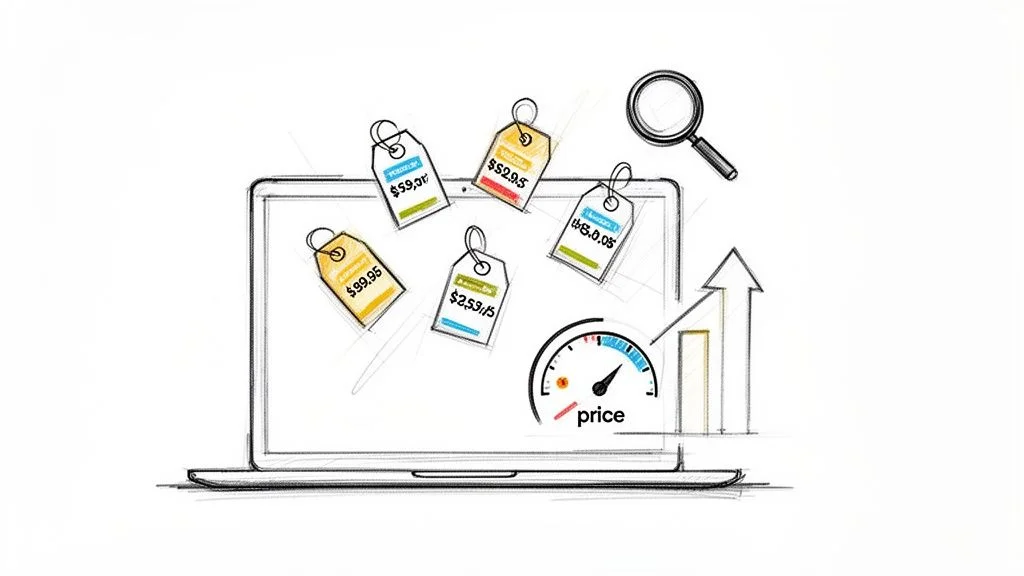
- Real-time alerts: instant notifications when a competitor changes a price or runs out of stock.
- Historical data: analyse pricing trends over time to predict market shifts before they happen.
- Full picture: track sticker price, shipping costs, stock availability, and promotions in one place.
Where to Monitor Retail Prices
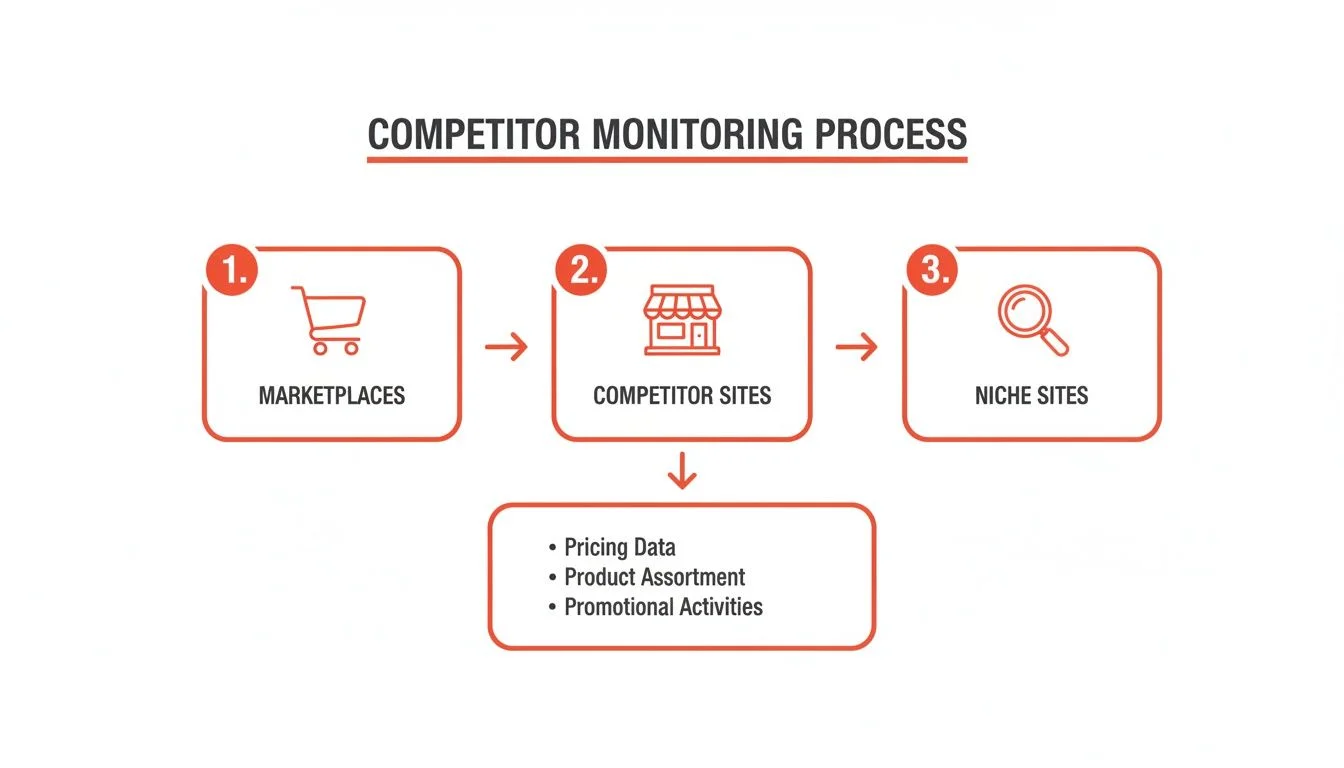
The three essential monitoring zones are major marketplaces (Amazon, Walmart), direct competitor Shopify stores, and niche industry platforms — each reveals a different layer of competitive intelligence.
1. E-commerce Giants: Amazon and Walmart
These platforms are non-negotiable starting points. Track the Buy Box winner and their price, third-party seller prices that reveal the true price floor, and stock levels — a competitor running low on stock is a golden opportunity to hold your price while absorbing extra demand.
2. Direct Competitors: Their Shopify Stores
By watching a competitor's own Shopify store, you get an unfiltered look at their core strategy — exclusive discounts, bundle offers, and loyalty perks they don't advertise on Amazon.
3. Hidden Gems: Niche Marketplaces
Whether you're selling handmade goods on Etsy, car parts on a forum marketplace, or designer fashion on Farfetch, niche platforms operate under different pricing rules driven by community expectations and unique competitor mixes. Ignoring them means missing a huge piece of the puzzle.
How to Automate Retail Price Monitoring
A three-step automated price monitoring workflow — define target data, configure a scraping agent, and set the right frequency — replaces manual competitor checks with a system that runs 24/7.
Step 1: Pinpoint the Exact Data You Need
- Product Name — for apples-to-apples comparisons.
- SKU or Product ID — eliminates mix-ups between similar items.
- Price — the core metric.
- Stock Status — knowing when a competitor is sold out is a huge opportunity.
- Seller Name — critical on marketplaces to distinguish the brand from resellers.
- Seller Ratings — context on reputation and customer satisfaction.
Step 2: Configure Your Scraping Agent
Using a no-code tool, point and click on the price, stock status, and product title on a competitor's page — the AI learns what to find and applies it across every product URL you give it. Start with a pre-built template for Amazon or Shopify to skip the tedious setup. Learn more in our guide on how to automate data collection from any website.
Step 3: Set the Right Scraping Frequency
| Market Type | Recommended Frequency | Rationale |
|---|---|---|
| Fast-moving (electronics, fast fashion) | Daily or multiple times per day | Prices change constantly; stale data means missed opportunities |
| Slower-paced (furniture, luxury goods) | Weekly | Prices are stable; tracking seasonal sales and general trends is sufficient |
Set Up Your Price Monitoring Workflow in Minutes
Clura's pre-built Amazon and Shopify templates let you start pulling competitor prices immediately — no configuration required.
Add to Chrome — Free →Turning Raw Data into Actionable Insights
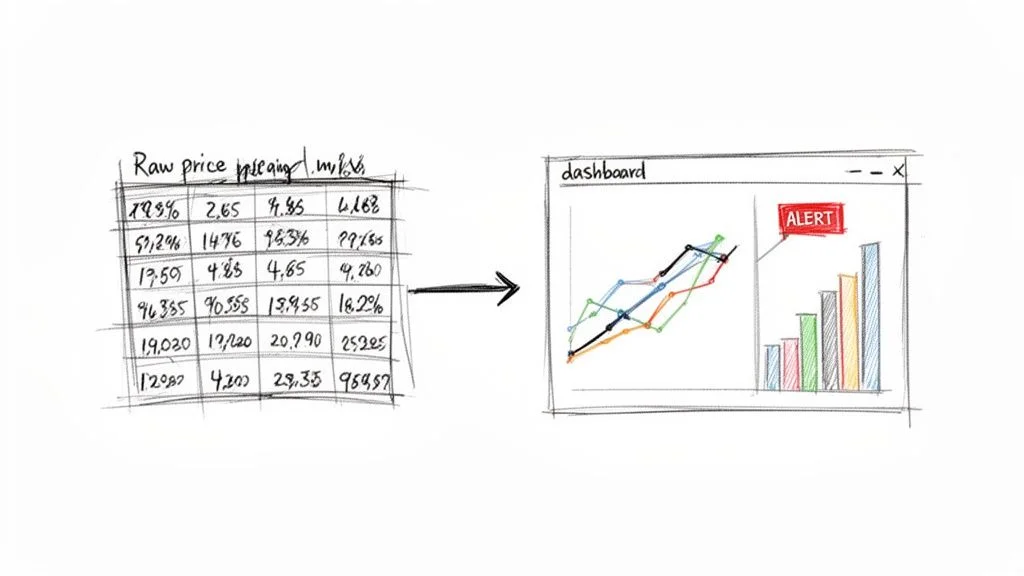
Raw price data only becomes valuable after you clean and normalise it, set automated alerts for key events, and visualise trends with charts that reveal your competitive position at a glance.
Step 1: Export and Clean Your Data
Export to CSV or Google Sheets and normalise everything: consistent currency format, uniform product naming, standardised stock status labels (In Stock / Low Stock / Out of Stock). Our guide on how to normalise data in Excel covers the exact steps.
Step 2: Set Up Automated Alerts
| Alert Trigger | What It Means | Recommended Action |
|---|---|---|
| Competitor Price Drop | Rival is poaching price-sensitive shoppers | Check their stock — if well-stocked, consider matching on key items |
| Competitor Out of Stock | Gap in the market for you | Nudge your price up to boost margins while absorbing extra demand |
| New Product Launch | Direct threat to a best-seller | Analyse price and features immediately; adjust your strategy |
| MAP Violation | Reseller is undermining your brand value | Contact reseller to enforce your Minimum Advertised Price policy |
Step 3: Visualise Data to Spot Trends
Build a simple dashboard in Google Sheets or Excel: line charts to plot your price vs. competitors over time, bar charts for a snapshot of today's competitive position, and scatter plots to find relationships between price and seller ratings.
Advanced Strategies for Complex Price Tracking
For large catalogs and dynamic websites, the keys are browser automation tools that handle JavaScript-loaded prices, pattern-based agents that cover entire categories at once, and data normalisation that accounts for tariffs and external cost factors.
Handling Dynamic JavaScript and Anti-Scraping Measures
- Use an AI-powered browser automation tool that renders pages in a real browser, capturing prices that load via JavaScript.
- Use rotating proxies to spread requests across many IP addresses.
- Mimic human behaviour with small random delays between requests.
- Always respect robots.txt to scrape ethically.
Scaling from 10 Products to 10,000
Stop thinking about individual product pages. Build your scraper to recognise the structure of a category page — a single well-built agent can pull data for hundreds of products at once. See our guide on choosing the best price tracking software for how different tools handle this scalability challenge.
Frequently Asked Questions
How often should I monitor competitor prices?
For hyper-competitive categories like consumer electronics or fast fashion, check prices daily or multiple times a day. For considered spaces like high-end furniture, a weekly check-in is sufficient. Start with daily monitoring and adjust based on how much prices actually move.
Is scraping website prices legal and ethical?
Yes — scraping publicly displayed prices is generally considered legal. Follow these ground rules: don't overload servers by keeping request rates reasonable, be transparent with a clear user-agent, and stick exclusively to public information. Never attempt to access data behind a login.
What is the best way to analyse scraped pricing data?
First normalise your data (consistent currency, standard product titles). Then build three key views: a direct price comparison chart for an instant competitive snapshot, a historical trend analysis to spot seasonal patterns, and price elasticity insights that layer in your own sales data to show how competitor changes affect your volume.
How can I monitor prices on Amazon and Shopify?
For Amazon, a good tool must track the Buy Box winner, third-party seller prices, and shipping costs — without that context you're flying blind. For Shopify, the main challenge is variety across custom themes. An AI-powered tool handles both by intelligently identifying prices on different page designs without reconfiguration.
Conclusion
Retail price monitoring is no longer optional — it's the intelligence backbone of a winning e-commerce pricing strategy. By automating data collection across marketplaces, competitor stores, and niche platforms, you shift from reactive guessing to proactive, data-driven decisions.
Start with a pre-built template for Amazon or Shopify, set a handful of automated alerts, and build a simple dashboard. Within days you'll have visibility that used to take a full-time analyst — and the confidence to price for both competitiveness and profitability.
Explore related guides:
- Price Tracking Software — compare the best tools for automated competitor price intelligence
- Ecommerce Product Catalog Management — keep your listings accurate and enriched across every sales channel
- Automate Data Collection — build repeatable workflows that gather web data on any schedule
Ready to Transform Your Pricing Strategy?
Explore Clura's prebuilt price monitoring templates and start pulling competitor prices from Amazon, Shopify, and beyond — automatically.
Add to Chrome — Free →About the Author