
Free Apollo.io leads scraper – Export Data to CSV, Excel & JSON
Extracts lead and company data from the currently open Apollo leads or people search page and saves it to your Clura account with CSV export.
Run this templatePricing
Pay once, scrape forever
$29.99 one-time
Unlimited rows & unlimited scrapes
- All Free plan features, plus:
- Unlimited rows per scrape
- Unlimited scrapes per day
- 14-day cloud storage
- Priority support
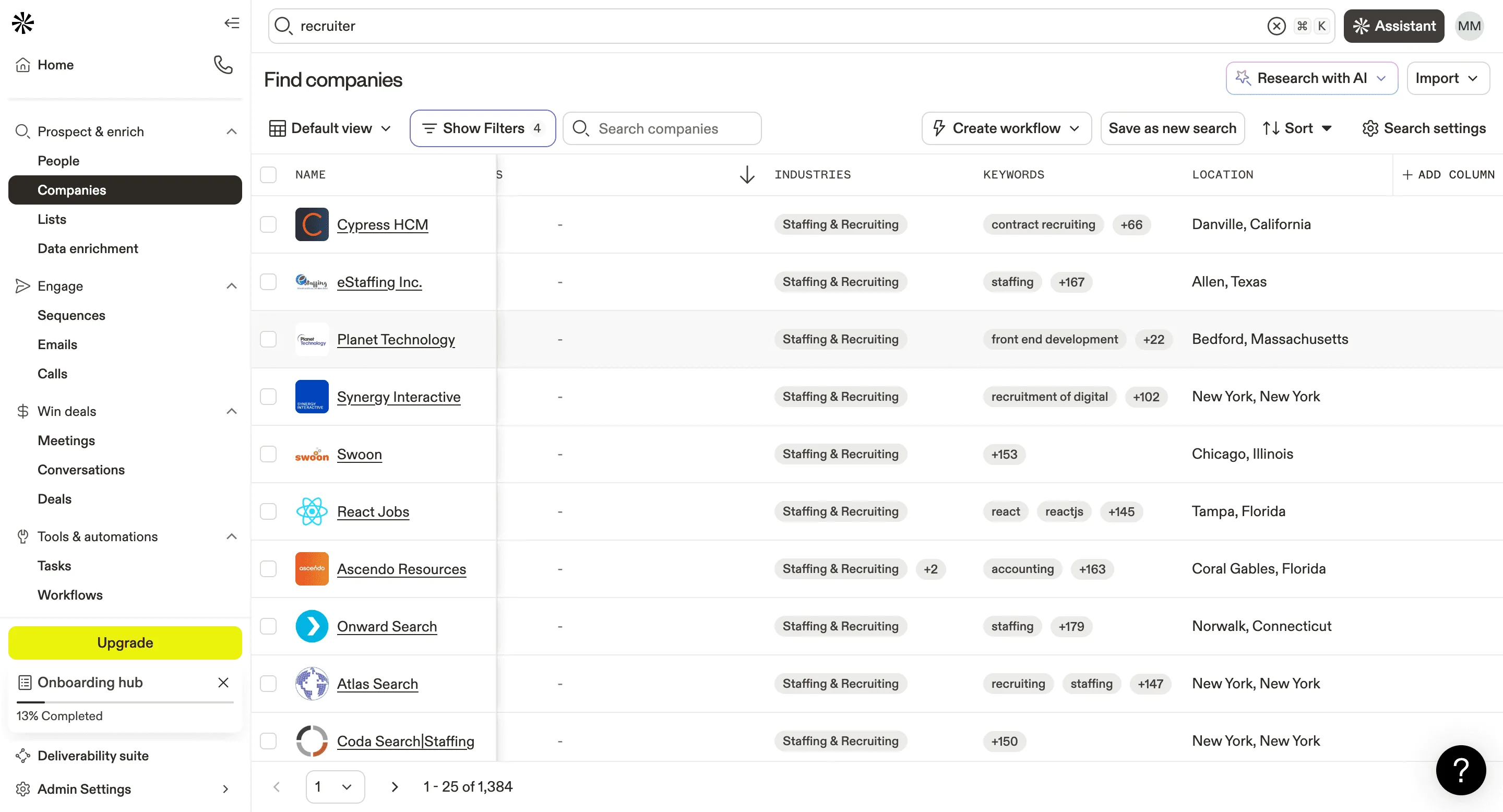
The Apollo Leads Scraper by Clura is a Chrome extension that works on the currently open Apollo webpage and converts visible prospect data into clean, structured rows. It is built for teams that actively research and qualify leads inside Apollo.io and want a fast way to turn on-screen data into usable datasets.
As you search, filter, and review prospects in Apollo, Clura captures the lead and company information displayed on the page—such as names, roles, companies, locations, and contact details where visible. Every scrape is automatically saved to your Clura account and can be exported as a CSV for use in CRMs, outreach tools, or analysis workflows.
Relevant For
Sales Development Representatives
After applying ICP filters in Apollo, scrape qualified leads from the results page and upload them into outreach tools or CRM for cold email and LinkedIn sequences
Founders / Early-stage Sales Teams
Build targeted outbound lists without paying for expensive exports—scrape leads as you research accounts manually.
Recruiters / Talent Sourcers
Extract candidate profiles based on role, company, and experience filters while browsing Apollo’s people search.
Growth & RevOps Teams
Create clean prospect datasets for experiments, segmentation, enrichment, or routing without clutter from irrelevant leads.
How to Use
- 1
Open Apollo and apply filters
Navigate to Apollo People Search or a lead profile page and apply filters relevant to your ICP.
- 2
Select fields to extract
Choose which profile fields to scrape — emails, names, job titles, company, website, phone.
- 3
Run the Apollo leads scraper template
Click the Clura Chrome extension icon. It automatically detects Apollo and extracts lead and company data from the open page.
- 4
Save and export
The scraped data is saved to your Clura account and can be exported as a CSV whenever needed.
Fields Scraped
| Field | Type |
|---|---|
| Full Name | Text |
| Text | |
| Phone | Text |
| Job Title | Text |
| Company Name | Text |
| Website | URL |
| Location | Text |
| Industry | Text |
| Linkedin Profile | URL |
Export Formats
Example Output
| Full Name | Phone | Job Title | Company Name | Website | Location | Industry | Linkedin Profile | |
|---|---|---|---|---|---|---|---|---|
| Emily Torres | emily@techwave.io | +1-628-555-0312 | Director of Sales | TechWave | techwave.io | Austin, TX | SaaS | https://linkedin.com/in/emily-torres |
| David Kim | david@growthlab.com | +1-415-555-0771 | VP of Marketing | GrowthLab | growthlab.com | San Francisco, CA | Marketing Technology | https://linkedin.com/in/david-kim |
Frequently Asked Questions
What data does this scraper extract from Apollo.io?
It captures full name, email, phone number, job title, company name, website, location, industry, and LinkedIn profile URL for each contact shown in Apollo search results.
Do I need an Apollo.io account to use this?
Yes. You must be logged into Apollo.io and have your search results page open in Chrome before activating the Clura extension.
Can I target contacts by job title or seniority?
Yes. Apply Apollo's native filters for job title, seniority, industry, company size, or geography before running the scraper to get precisely targeted results.
Does Clura verify the email addresses it collects?
Clura captures exactly what Apollo displays on the page. Email verification quality depends on Apollo's data quality and your subscription tier.
Can I sync leads to my CRM or outreach tool?
Yes. Export to CSV from Clura and import into Salesforce, HubSpot, Outreach, Salesloft, or any platform that accepts CSV files.
Related Scrapers
Free Linkedin profiles scraper – Export Data to CSV, Excel & JSON
Extracts structured profile data from LinkedIn People Search result pages using pagination and saves it to your Clura account with CSV export.
Free Linkedin companies scraper – Export Data to CSV, Excel & JSON
Extracts structured company data from LinkedIn Company Search result pages using pagination and saves it to your Clura account with CSV export.
Free Zoominfo contacts scraper – Export Data to CSV, Excel & JSON
Scrape contact and company data from ZoomInfo People Search result pages, with results saved to your Clura account and exportable as CSV or JSON.