
How to Use Web Scraping AI to Automate Your Work
Clura Team
Staring at a mountain of data you need to pull by hand is a soul-crushing task. That is exactly what web scraping AI solves. It acts as a super-smart assistant that can instantly read any website, understand what you are looking for, and return perfectly organized data in minutes — no code, no spreadsheet gymnastics, just clean results you can act on immediately.
Think of it like having an expert librarian for the entire web. Instead of wandering through a massive library aisle by aisle, you tell the librarian what you need and receive a perfectly curated stack. This guide explains how the technology works, how it compares to traditional scraping, and walks you through your first automated workflow. See also our overview of the best data extraction software for a broader comparison.
Try Web Scraping AI — No Code Required
Clura is the AI-powered Chrome extension that turns any public website into a clean CSV in one click. Build your first automated data workflow in minutes.
Add to Chrome — Free →What Is Web Scraping AI and Why Does It Matter?
Web scraping AI uses machine learning, natural language processing, and computer vision to automatically identify, extract, and structure information from web pages — adapting to layout changes that would break traditional rule-based scrapers.
The internet is the biggest source of business intelligence on the planet, but most of it is unstructured — a chaotic mix of HTML, text, and images. Traditional web scrapers follow rigid rules and break whenever a site's layout changes. AI-powered scrapers are different: they understand the context of a page, not just its code, so they keep working even when sites update.
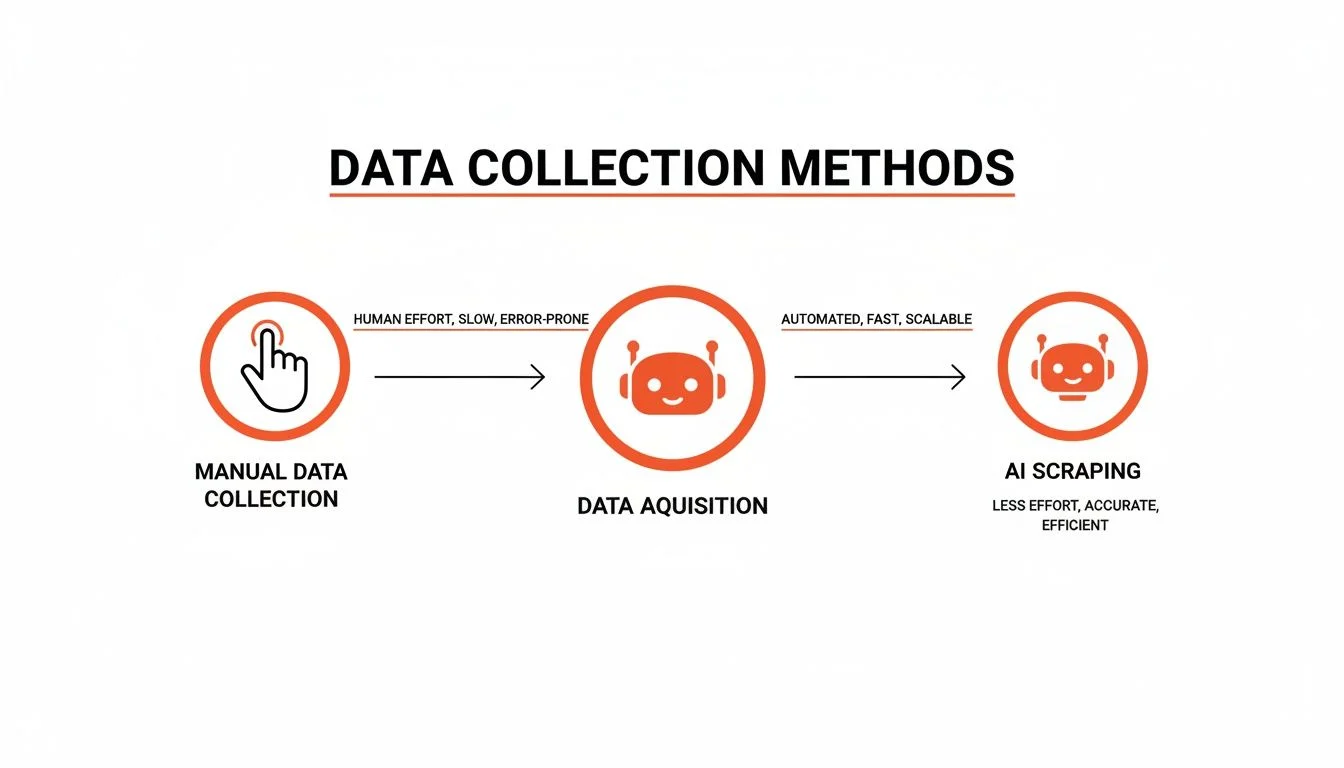
- No coding required — the best tools are built for sales, marketing, and research professionals.
- Adaptable and resilient — AI navigates layout changes, JavaScript-heavy pages, and other roadblocks.
- Speed and efficiency — a task that takes a week manually can be done in the time it takes to grab a coffee.
Web scraping AI is not just about getting data faster; it is about getting smarter data. It gives you the power to automate grunt work and uncover insights that were previously impossible to find.
How AI Is Completely Changing the Web Scraping Game
AI scraping engines combine natural language processing for text understanding, computer vision for visual layout analysis, and intelligent extraction models trained to recognize specific data types like prices, job titles, and email addresses.
At the core of every AI scraping tool, three specialized technologies work together. Together they transform any messy web page into a perfectly organized dataset.
- Natural Language Processing (NLP) — reads and understands human text, spotting company names in paragraphs, classifying review sentiment, and identifying contact information.
- Computer Vision — analyzes the visual layout of a page to recognize elements by appearance, not just by HTML tag. This is crucial when a site's code is messy.
- Intelligent Extraction Models — AI models trained to identify specific data types like phone numbers, job titles, or prices with high accuracy across diverse page designs.
The web scraping services market supercharged by AI is on track to hit USD 762 million by 2034, with a recent 23% year-over-year jump. Nearly 65% of companies now rely on external web data for market analysis and competitive intelligence, driving intense demand for tools that can deliver this data reliably.
AI Scraping vs. Traditional Scraping: A Clear Comparison
Traditional scrapers follow hard-coded CSS selectors or XPath rules that break when a site changes; AI scrapers understand context and adapt automatically, making them far more resilient and accessible to non-technical users.
| Feature | Traditional Scraping | AI-Powered Scraping |
|---|---|---|
| Adaptability | Brittle — breaks with any layout change | Resilient — adapts to changes automatically |
| Setup Time | Slow — requires custom coding per site | Fast — works with one click or pre-built templates |
| Data Accuracy | Inconsistent on complex dynamic sites | High — excels on JavaScript-heavy pages |
| Skill Required | High — needs a developer | Low — designed for non-technical business users |
AI understands the what (find the price), while traditional tools only understand the where (look in this specific HTML tag). That shift from location to context is everything.
Powerful Use Cases for Sales, Marketing, and Research
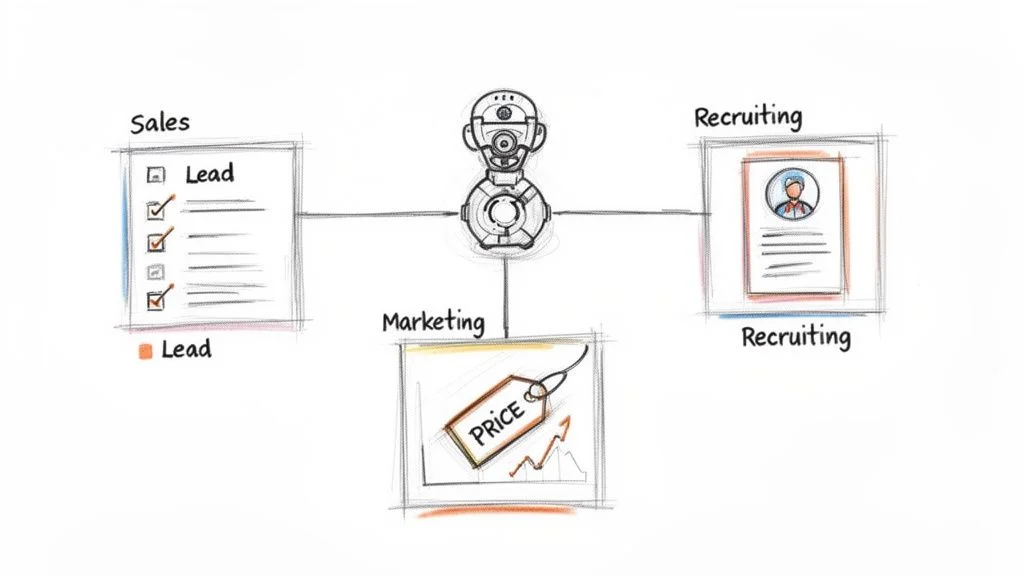
Web scraping AI delivers immediate ROI across three core business functions: building hyper-targeted lead lists for sales, monitoring competitor pricing and brand sentiment for marketing, and aggregating candidate profiles or market data for recruiting and research.
Supercharge Your Sales Pipeline
- Build hyper-targeted lead lists by pulling fresh data from LinkedIn or niche industry directories.
- Enrich profiles with contact info by visiting company websites for direct emails and phone numbers.
- A clean CSV with 500 highly qualified leads, complete with verified contact info, in under 10 minutes.
Gain a Competitive Edge in Marketing
- Monitor competitor pricing: automatically track product prices, discounts, and promotions across rival websites.
- Track brand sentiment: scrape social media and review sites and use AI sentiment analysis for a real-time perception dashboard.
Streamline Recruiting and Research Workflows
- Aggregate candidate profiles from multiple job boards into a single unified spreadsheet.
- Automate market research by pulling funding rounds from Crunchbase, reviews from G2, or industry news from multiple sources simultaneously.
Your First AI Scraping Workflow: A Step-by-Step Guide
Setting up your first web scraping AI workflow takes four steps: navigate to your target page, activate the extension with one click, let the AI agent run through all pages automatically, and export a clean CSV.
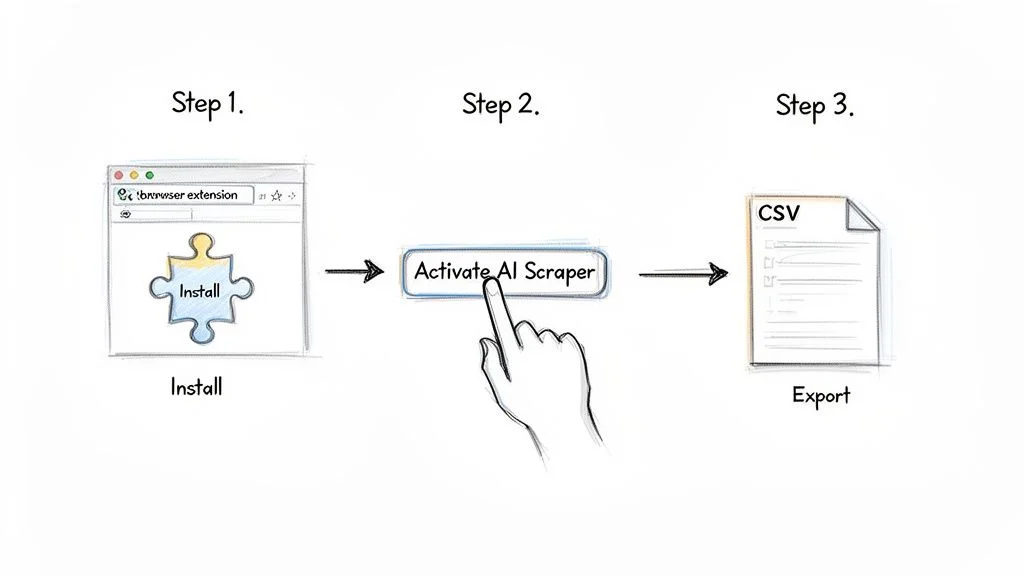
- Go to your target website — a B2B directory, professional network, or any public list of companies or people.
- Click the Clura browser extension icon. The AI instantly scans the page, identifies data patterns, and shows a preview.
- Launch the AI agent and watch it navigate through pages automatically, structuring data into clean columns.
- Click Export — one click downloads a perfectly formatted CSV ready for Excel, Google Sheets, or your CRM.
Start Your First AI Scraping Workflow Now
Clura makes web scraping AI accessible to everyone. No coding, no configuration — just install the extension, pick a template, and get clean data in minutes.
Add to Chrome — Free →Navigating the Rules of Web Scraping Responsibly
Responsible web scraping means respecting robots.txt directives, avoiding collection of sensitive personal data, and pacing requests to avoid overloading servers — all behaviors that modern AI scraping tools enforce automatically.
With great power comes the responsibility to use it wisely. Being a good digital citizen protects your access to the data you need for the long haul. The most important rule is to check a site's robots.txt file before scraping — this file signals which pages the site owner prefers automated tools to avoid.
- Respect robots.txt directives on every site you scrape.
- Avoid collecting sensitive personal data; focus on public business intelligence.
- Pace your requests to avoid overloading servers — AI tools do this automatically.
- Review platform Terms of Service when scraping behind logins.
For a deeper dive into the legal side of things, see our guide on web scraping legality to make sure your workflows are always on the right side of the rules.
Frequently Asked Questions
Is web scraping AI legal?
Scraping publicly available data is generally legal. Multiple court rulings have established that publicly accessible information is fair game. Always respect a site's robots.txt file, avoid collecting sensitive personal data, and do not overload servers with excessive requests. Responsible AI tools are built to follow all of these guidelines automatically.
Do I need coding skills to use web scraping AI?
No. Modern AI scraping tools like Clura are built specifically for non-technical users in sales, marketing, and research. They provide a simple browser extension and one-click data collection, with pre-built templates that handle all the technical complexity in the background.
Can AI scraping handle JavaScript-heavy websites?
Yes. AI scraping tools operate inside a real browser and understand the visual layout of a page, so they can extract data that loads dynamically with JavaScript — something that breaks traditional rule-based scrapers. This makes them ideal for modern e-commerce sites, social media, and SaaS platforms.
How is web scraping AI different from browser automation?
Browser automation repeats a fixed set of instructions like clicking and form-filling. Web scraping AI focuses on understanding and extracting specific information — it does not just follow a script but actively identifies, structures, and retrieves the data you need, even across different page layouts.
Conclusion
Web scraping AI has democratized data collection, turning what once required a developer and days of custom code into a one-click workflow accessible to any business user. The technology's ability to understand context — not just code — makes it resilient, accurate, and genuinely useful for the messy, dynamic nature of the modern web.
Start with a single high-value use case: build a prospect list, monitor competitor pricing, or aggregate market research. Pick a tool that requires no code, run your first workflow, and measure the time savings. The ROI becomes obvious within the first session.
Explore related guides:
- Scrape Data From Website Chrome Extension —
- Extract Data From a Website to Excel —
- Web Scraping Legality Guide —
Turn Messy Websites Into Clean, Actionable Data
With Clura, you can automate data collection in just one click. Explore prebuilt templates and get started for free today.
Add to Chrome — Free →About the Author