
A Modern Guide to Web Scraping: How to Extract Data Easily
Clura Team
Web scraping is a superpower for anyone who needs data. It's the process of automatically pulling information from websites — and it will completely change how you build lead lists, monitor competitors, and conduct research. Forget the days of mind-numbing copy-pasting: with the right tools, you can collect pricing data or find sales leads while you grab a coffee.
You have two main paths to choose from. No-code tools like the Clura browser extension let you point and click to pull data into a spreadsheet in minutes. Code-based scraping with Python gives you total control for complex sites and massive datasets. This guide walks you through both approaches with practical, real-world examples.
Extract Data from Any Website — No Code Required
Clura's AI browser extension lets you point, click, and export clean data to a spreadsheet in seconds. No developer needed.
Add to Chrome — Free →How to Scrape a Website in Minutes with No-Code Tools
The fastest way to scrape a website without coding is to use an AI-powered browser extension — install it, navigate to the page, click on the data you want, and export to CSV in one click.
No-code scraping tools have completely changed who can gather web data. You no longer need a developer or a programming background. All you need is a browser extension and a webpage full of the data you want.
Step 1: Set Up Your Scraping Tool
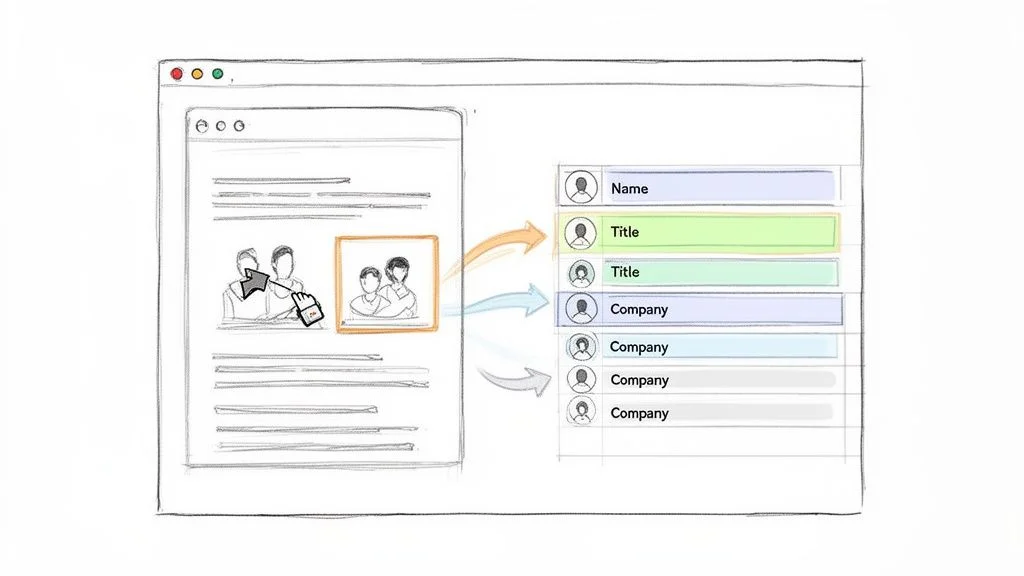
Install an AI-powered browser extension like Clura from the Chrome Web Store. Once installed, navigate to the page you want — for example, a professional networking site filtered to Marketing Managers.
Step 2: Capture and Export Your Data
Click the Clura icon. The tool's AI scans the page, recognises the repeating structure of profiles, and presents a clean preview organised into columns: Name, Title, Company, and Location. Hit Export to download a CSV ready for Excel, Google Sheets, or your CRM — all without a single line of code. For more ideas, see our guide on how to scrape a website without coding.
- Sales & Lead Gen: build hyper-targeted prospect lists from directories in minutes.
- Recruiting: fill your talent pipeline from job boards without stale list purchases.
- E-commerce: automatically monitor competitor prices and stock levels.
- Market Research: pull customer reviews from dozens of sites in one workflow.
Build Your First Lead List Today
Clura's point-and-click interface turns any webpage into a clean spreadsheet. Try it free — no credit card required.
Add to Chrome — Free →How to Build a Custom Scraper with Python
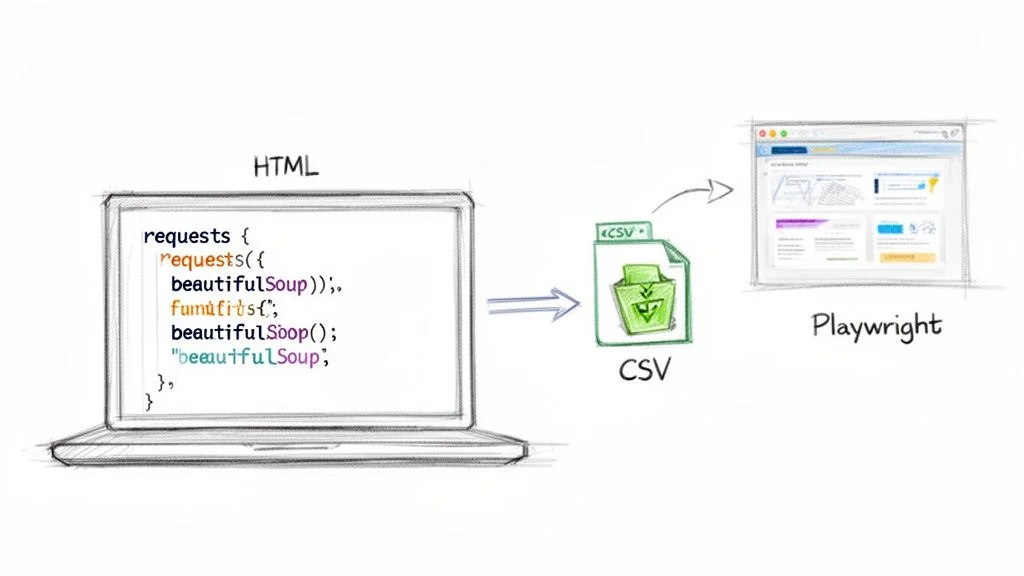
Python is the best language for web scraping because its libraries — Requests, BeautifulSoup, and Playwright — cover every scenario from simple static pages to complex JavaScript-heavy sites.
When no-code tools can't handle a particularly tough website, it's time to use Python. Its simple syntax and massive library ecosystem make it perfect for turning messy web pages into clean, structured data.
Static Sites: Requests and BeautifulSoup
For pages where all content is in the initial HTML, the classic combo of requests (fetches raw HTML) and BeautifulSoup (parses it into a navigable structure) is all you need. Install them with pip install requests beautifulsoup4, then use soup.find_all() to locate elements by tag and class.
Dynamic Sites: Playwright
Many modern sites load prices and content via JavaScript after the initial page load. Basic HTTP requests won't see that data. Playwright launches a real browser your script controls — it clicks buttons, waits for elements to appear, and then scrapes the fully-rendered page. For more hands-on examples, see our deep dive on how to scrape a web page.
| Approach | Library | Handles JavaScript? | Best For |
|---|---|---|---|
| Static scraping | Requests + BeautifulSoup | No | Blogs, simple e-commerce, news |
| Dynamic scraping | Playwright / Selenium | Yes | SPAs, infinite scroll, login-gated content |
| Large-scale crawling | Scrapy | No (extendable) | Crawling entire websites at speed |
How to Navigate Common Scraping Challenges
The three most common reasons a scraper gets blocked are IP address flagging, CAPTCHA challenges, and browser fingerprinting — each has a proven countermeasure.
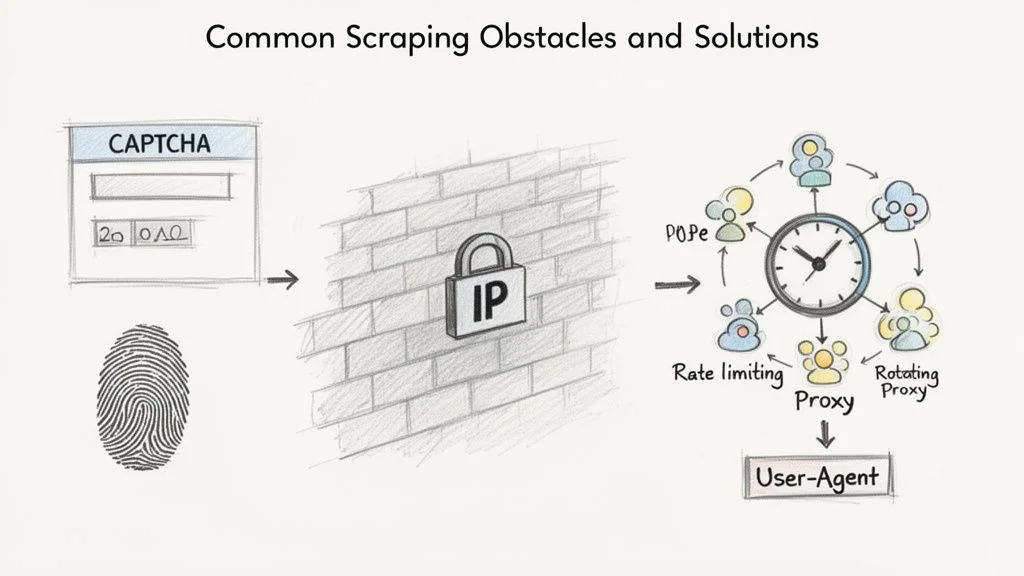
Websites use several methods to detect bots: IP blocking, CAPTCHAs, browser fingerprinting, and honeypot traps. Getting blocked is normal — it's a puzzle to solve, not a dead end.
- Rate limiting: add deliberate 2–5 second delays between requests to mimic human browsing.
- Rotating proxies: spread requests across many IP addresses so no single one gets flagged.
- Realistic User-Agents: mimic a modern Chrome browser rather than using the default Python user-agent.
Once you have the raw data, applying essential data cleansing techniques is the final step to turn messy output into a valuable, analysis-ready asset.
How to Scrape Data Legally and Ethically
Scraping publicly available data — any information visible in a browser without a login — is generally legal, provided you respect the site's robots.txt rules and avoid sensitive personal information.
Rule #1: Check the robots.txt File
Before running any tool, visit www.example.com/robots.txt. This file tells bots which areas are open for crawling and which are off-limits. Respecting it is non-negotiable — ignoring it is the fastest way to get your IP address blocked.
Public vs. Private Data: Know the Difference
Scraping publicly available data is generally legal. Never scrape data behind a login, sensitive personal information, or copyrighted content for republication. For a deeper look, see our guide on whether scraping websites is illegal.
How to Use Scraped Data for Your Business
The most impactful business uses for scraped web data are building targeted lead lists, monitoring competitor pricing in real time, and enriching product catalogs with manufacturer specifications.
Fuel Your Sales and Marketing Engine
- Build hyper-targeted lead lists from professional networks and conference speaker pages.
- Analyse market sentiment by pulling customer reviews from G2 and Capterra.
- Track social signals by monitoring keywords in your niche in real time.
Dominate Your E-Commerce Niche
- Monitor competitor pricing daily — or hourly — and adjust your prices strategically.
- Track stock levels: when a competitor runs out of a hot product, raise your price to capture demand.
- Enrich product catalogs by scraping manufacturer specs and images automatically.
Frequently Asked Questions
What's the easiest way to start web scraping?
The quickest way is a no-code browser extension like Clura. You just point and click on the data you want — no code, no fuss. Many extensions have pre-built recipes for popular sites, so you can get data into a spreadsheet in minutes.
Will I get blocked for scraping a website?
It's possible if you send too many requests too quickly. Slow your requests down with rate limiting, check the site's robots.txt, and use rotating proxies for large jobs. Polite scraping behaviour keeps you under the radar.
Is web scraping legal?
Scraping publicly available data is largely considered legal, backed by major court rulings. Hard lines you can't cross: copyrighted content for republication, sensitive personal data, and anything behind a login screen.
What's the difference between scraping and using an API?
An API is the company's official, structured method for sharing data — always prefer it when available. Web scraping is the alternative when no API exists. APIs are more stable; scraping is more flexible.
Conclusion
Web scraping gives you access to the real-time market intelligence that drives smarter decisions. Whether you start with a no-code browser extension for quick wins or build custom Python scrapers for complex pipelines, the fundamentals are the same: identify your target data, extract it responsibly, clean it, and put it to work.
The key is to start simple, get an immediate win, and then scale up as your needs grow. Most business use cases — lead lists, price monitoring, catalog enrichment — are fully achievable without writing a single line of code.
Explore related guides:
- How to Scrape a Website Without Coding — step-by-step guide to no-code data extraction for non-developers
- How to Scrape a Website with Python — deep dive into BeautifulSoup, Selenium, and Scrapy with real code examples
- Free Web Scraping Tools — compare the best free options for every skill level and use case
Ready to Stop Copy-Pasting and Start Automating?
Clura is a browser-based AI agent that turns any website into a clean, structured spreadsheet in one click. Try it free today.
Add to Chrome — Free →About the Author